







Question: For some reason I keep receiving errors. Please help. 12] Question No.2: In Python interactive mode or PyCharm IDE| write a function named Condatenation, which
![For some reason I keep receiving errors. Please help. 12] Question](https://s3.amazonaws.com/si.experts.images/answers/2024/09/66dd5c7a15299_16166dd5c7978970.jpg)
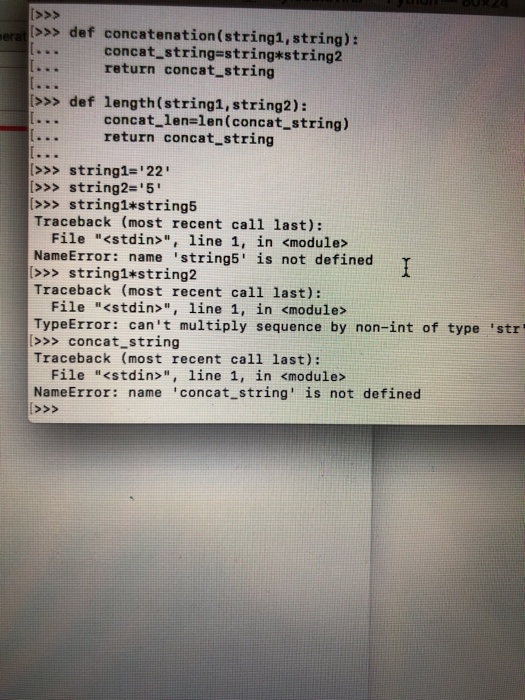
12] Question No.2: In Python interactive mode or PyCharm IDE| write a function named Condatenation, which t two string arguments. It will return two objects: the first one is the concatenated string and the second one is the le this function twice: one call by providing two string object bject) that represents the length of the concatenated string. After defining this method, you need to call s without name (e.g., concatenation ( ,ca. , ,TA") and the er call by providing two string objects with names (e g, Concatenation (x, Y), where x and Y need to be the string objects with proper values that you like). When you make a function call, make sure to design two variable names to label the resultant two objects returned by the function and print their values. Hint: Inside the function Concatenation, you will need to design two variables: one for the concatenated string and the other one for the length of the concatenated string. Within a string. the function Concatenation, you can use len () function to get a length for >>> def concatenation(string1, string): concat stringestring*sting return concat string 2 >>> def length(string1,string2): [ concat_1enelen(concat-string) 0 return concat string >> string1-'22 >>> string2-'5 >>> string1*string5 Traceback (most recent call last): File "
Step by Step Solution
There are 3 Steps involved in it

Get step-by-step solutions from verified subject matter experts
 Study Help