







Question: for the SQL statements you will create in the exercises that follow. Run the SQL that you create in your personal database in the AWS
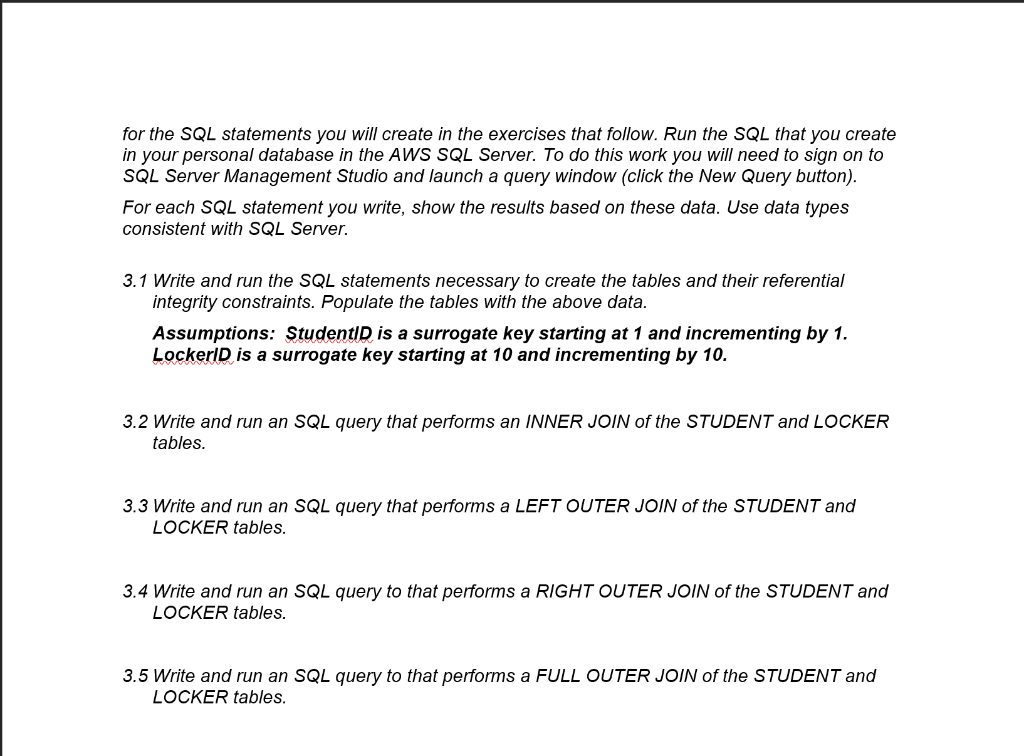
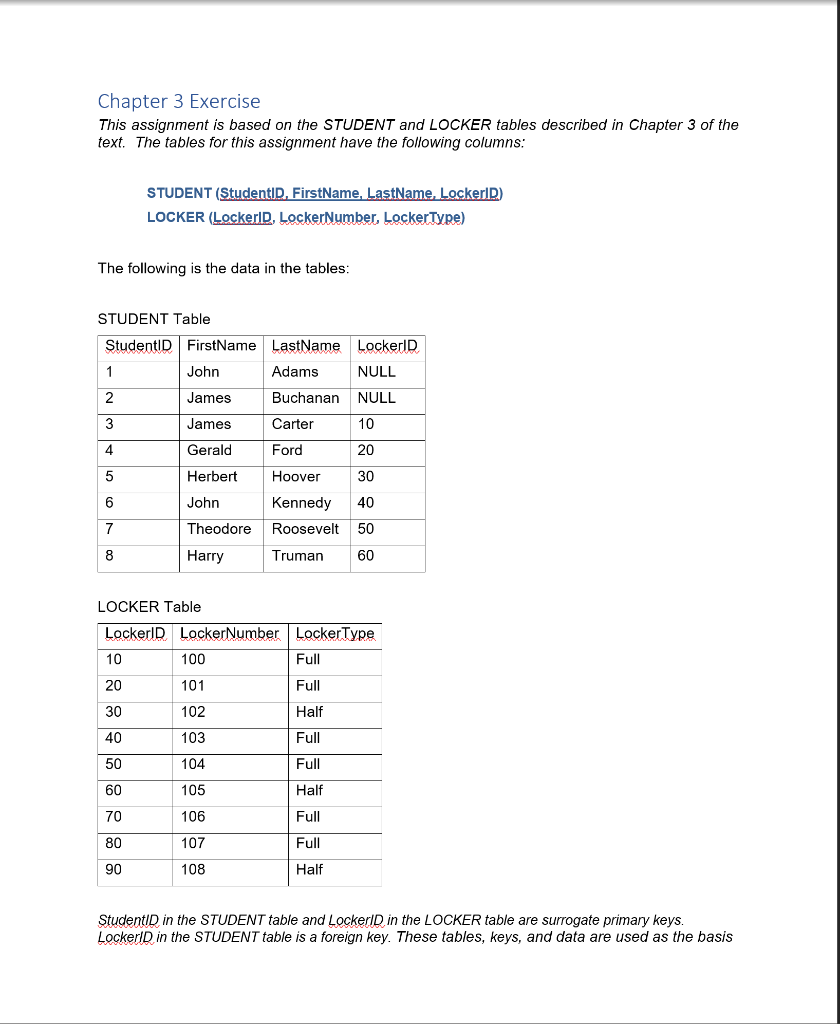
for the SQL statements you will create in the exercises that follow. Run the SQL that you create in your personal database in the AWS SQL Server. To do this work you will need to sign on to SQL Server Management Studio and launch a query window (click the New Query button). For each SQL statement you write, show the results based on these data. Use data types consistent with SQL Server. 3.1 Write and run the SQL statements necessary to create the tables and their referential integrity constraints. Populate the tables with the above data. Assumptions: StudentID is a surrogate key starting at 1 and incrementing by 1. Lockerl is a surrogate key starting at 10 and incrementing by 10. 3.2 Write and run an SQL query that performs an INNER JOIN of the STUDENT and LOCKER tables. 3.3 Write and run an SQL query that performs a LEFT OUTER JOIN of the STUDENT and LOCKER tables. 3.4 Write and run an SQL query to that performs a RIGHT OUTER JOIN of the STUDENT and LOCKER tables. 3.5 Write and run an SQL query to that performs a FULL OUTER JOIN of the STUDENT and LOCKER tables. Chapter 3 Exercise This assignment is based on the STUDENT and LOCKER tables described in Chapter 3 of the text. The tables for this assignment have the following columns: STUDENT (Studenti, FirstName, LastName Lockerl) LOCKER (LockerID, LockerNumber, LockerType) The following is the data in the tables: STUDENT Table StudentID FirstName LastName Lockerld John Adams NULL James Buchanan NULL James Carter 10 Gerald Ford Herbert Hoover John Kennedy Theodore Roosevelt 50 Harry Truman 60 LOCKER Table LockerID LockerNumber LockerType 10 100 Full 101 Full 102 Half 103 Full 104 Full 105 Half 106 Full 107 Full 108 Half StudentID in the STUDENT table and Lockerl in the LOCKER table are surrogate primary keys. Lockers in the STUDENT table is a foreign key. These tables, keys, and data are used as the basis
Step by Step Solution
There are 3 Steps involved in it

Get step-by-step solutions from verified subject matter experts
 Study Help