







Question: For this assignment we will be writing the following MATLAB functions. bisect m false-pos m nroot.m bisect0, false-pos() Both bisect() and false-pos() will use the
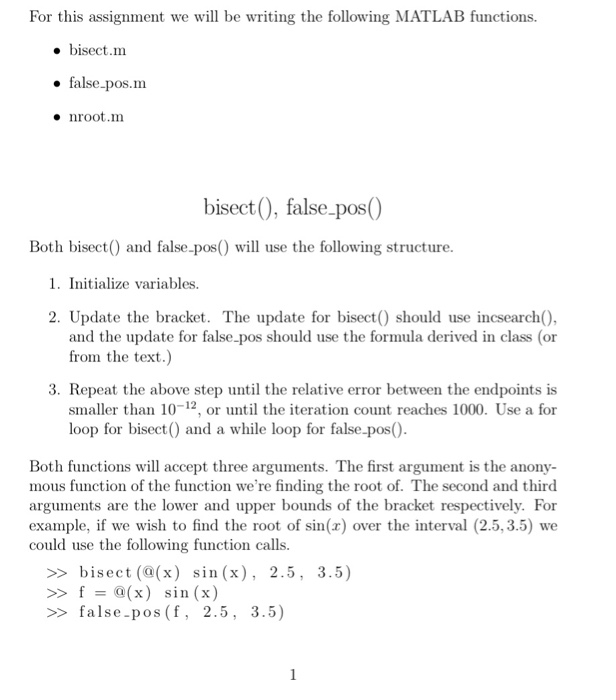
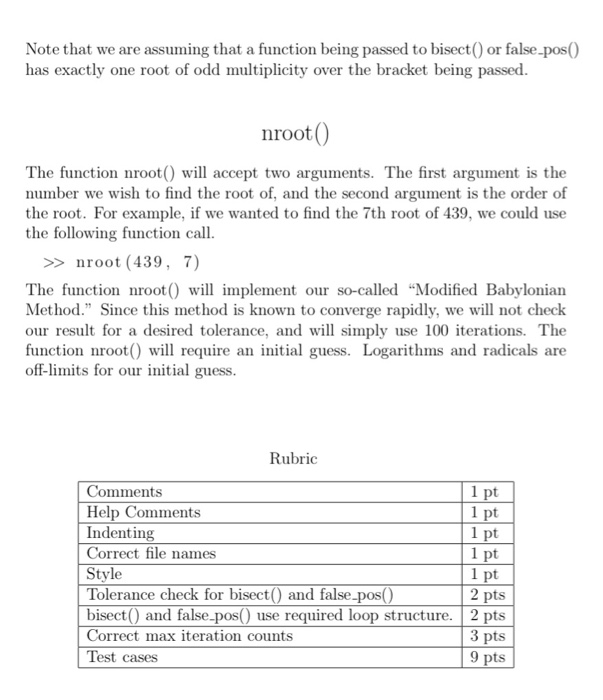
For this assignment we will be writing the following MATLAB functions. bisect m false-pos m nroot.m bisect0, false-pos() Both bisect() and false-pos() will use the following structure. 1. Initialize variables. 2. Update the bracket. The update for bisect() should use incsearch0, and the update for false.pos should use the formula derived in class (or from the text.) 3. Repeat the above step until the relative error between the endpoints is smaller than 10 12 or until the iteration count reaches 1000. Use a for loop for bisect0 and a while loop for false.pos0. Both functions will accept three arguments. The first argument is the anony- mous function of the function we're finding the root of. The second and third arguments are the lower and upper bounds of the bracket respectively. For example, if we wish to find the root of sin(r) over the interval (2.5, 3.5) we could use the following function calls bisect (a (x) sin (x), 2.5 3.5) f @(x) sin (x) false-pos (f 2.5 3.5
Step by Step Solution
There are 3 Steps involved in it

Get step-by-step solutions from verified subject matter experts
 Study Help