







Question: For this assignment you will implement your own Shell or Command Line Interpreter (e.g. to replace /bin/bash for simple interactions with the Linux Kernel). Your
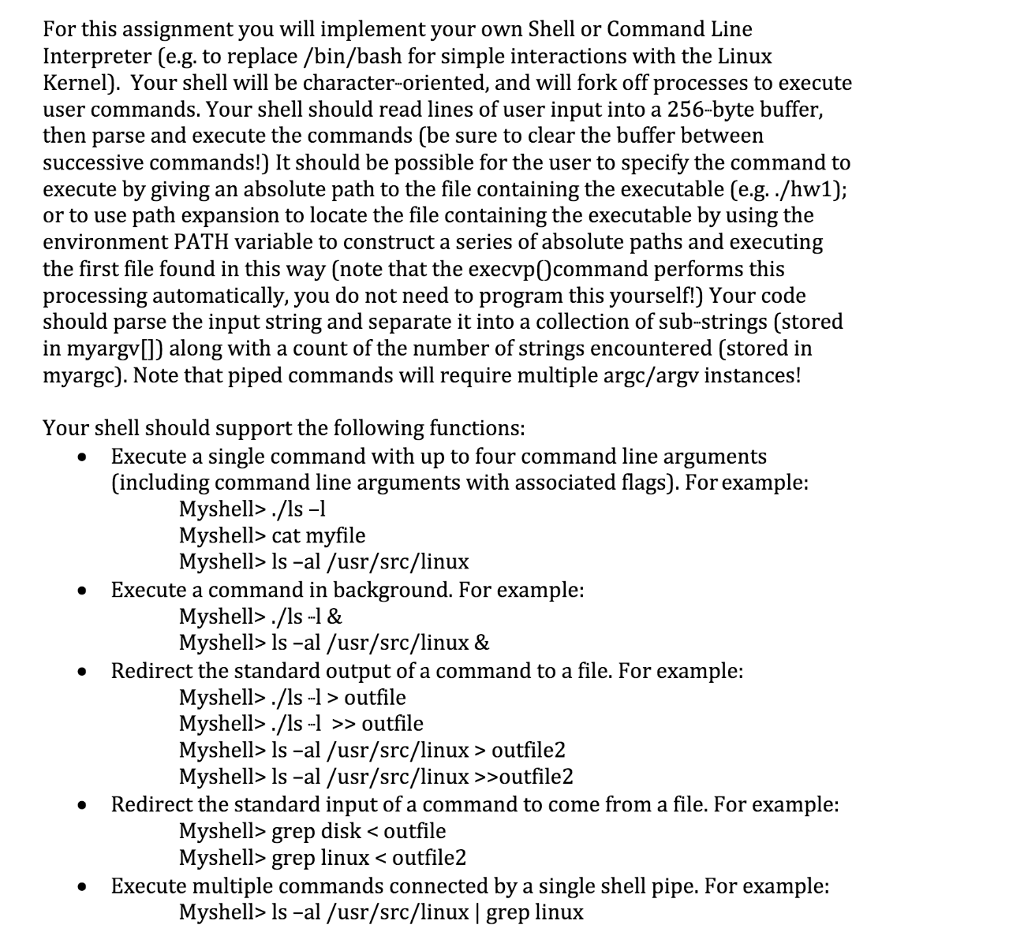
For this assignment you will implement your own Shell or Command Line Interpreter (e.g. to replace /bin/bash for simple interactions with the Linux Kernel). Your shell will be character-oriented, and will fork off processes to execute user commands. Your shell should read lines of user input into a 256-byte buffer, then parse and execute the commands (be sure to clear the buffer between successive commands!) It should be possible for the user to specify the command to execute by giving an absolute path to the file containing the executable (eg. ./hw1); or to use path expansion to locate the file containing the executable by using the environment PATH variable to construct a series of absolute paths and executing the first file found in this way (note that the execvp@command performs this processing automatically, you do not need to program this yourself!) Your code should parse the input string and separate it into a collection of sub-strings (stored in myrgy)) along with a count of the number of strings encountered (stored in myargc). Note that piped commands will require multiple argc/argy instances! Your shell should support the following functions: Execute a single command with up to four command line arguments (including command line arguments with associated flags). For example: Myshell./ls - Myshell> cat myfile Myshell> Is al /usr/src/linux Execute a command in background. For example: Myshell./ls -1& Myshell> Is -al /usr/src/linux & Redirect the standard output of a command to a file. For example: Myshell./ls -1> outfile Myshell./ls -1 >> outfile Myshell> Is al /usr/src/linux outfile2 Myshell> Is -al /usr/src/linux >>outfile2 Redirect the standard input of a command to come from a file. For example: Myshell> grep disk cat myfile Myshell> Is al /usr/src/linux Execute a command in background. For example: Myshell./ls -1& Myshell> Is -al /usr/src/linux & Redirect the standard output of a command to a file. For example: Myshell./ls -1> outfile Myshell./ls -1 >> outfile Myshell> Is al /usr/src/linux outfile2 Myshell> Is -al /usr/src/linux >>outfile2 Redirect the standard input of a command to come from a file. For example: Myshell> grep disk
Step by Step Solution
There are 3 Steps involved in it
It seems that I am unable to process the i... View full answer

Get step-by-step solutions from verified subject matter experts
 Study Help