







Question: Forecasting Case Study: Boone Factory Forecasting Model Boone Factory is a new, modernized factory in the heart of the Midwest that has been producing widgets
Forecasting Case Study: Boone Factory Forecasting Model
Boone Factory is a new, modernized factory in the heart of the Midwest that has been producing widgets for the past two years. There has been success because the widgets have been skillfully manufactured and demand has been good. Management and employees are proud of their production facility geared towards lean operations along with the high-quality widgets which are benchmarked by other widget manufacturers.
Management, led by the CEO, Mr. James Boone, is very concerned because demand has been very dynamic with highs and lows that they want to gauge better in order to reduce inventory, better match demand, and have the appropriate production workers at the factory. Management, along with all the employees, are very much aware of the hallmarks of operations management through training and brainstorming sessions to build streamlined processes and innovation.
Forecasting has been used to some extent by management including the nave method, along with qualitative methods including consumer surveys, and executive/salesforce opinions. Management would like to review the historical widget demand and produce a Moving Average Demand Forecast given demand in the last three periods for the year.
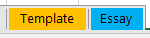 Time to give you some hands-on practice in calculating Moving Averages. Please complete the following calculations using the yellow Template tab on the provided Excel template:
- If you need to have extra guidance, please re-watch the following 4-minute video covering the, Moving Average Forecast in Excel.
Moving Averages (YouTube Video)
- Review the step-by-step exercise above provided by your instructor noted in section A above, and complete the following Moving Average exercise, located in the template:
| Month | Demand | Forecast |
| Jan | 100 | |
| Feb | 200 | |
| March | 130 | |
| April | 250 | |
| May | 200 | |
| June | 150 | |
| July | 160 | |
| August | 190 | |
| September | 110 | |
| October | 180 | |
| November | 250 | |
| December | 250 | |
| January |
- To see if your formulas are working, go on the Forecast cell that you want to check and press F2.
Step by Step Solution
There are 3 Steps involved in it

Get step-by-step solutions from verified subject matter experts
 Study Help