







Question: Form Validation Using JavaScript Form validation is a way to notify the user when the input is incorrect. In this assignment, you will write JavaScript
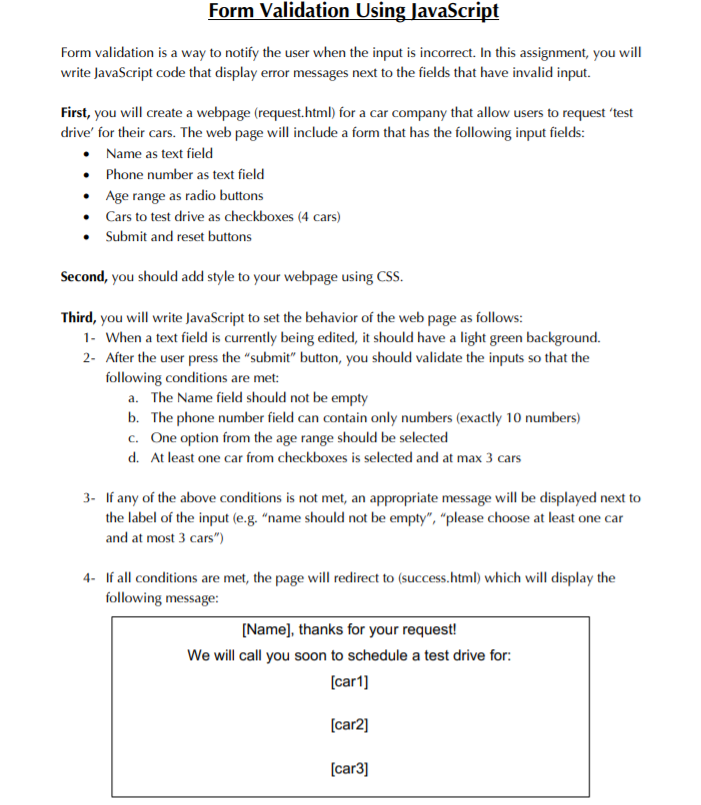
Form Validation Using JavaScript Form validation is a way to notify the user when the input is incorrect. In this assignment, you will write JavaScript code that display error messages next to the fields that have invalid input. First, you will create a webpage (request.html) for a car company that allow users to request 'test drive' for their cars. The web page will include a form that has the following input fields: Name as text field Phone number as text field Age range as radio buttons Cars to test drive as checkboxes (4 cars) Submit and reset buttons Second, you should add style to your webpage using CSS. Third, you will write JavaScript to set the behavior of the web page as follows: 1. When a text field is currently being edited, it should have a light green background. 2- After the user press the "submit" button, you should validate the inputs so that the following conditions are met: a. The Name field should not be empty b. The phone number field can contain only numbers (exactly 10 numbers) c. One option from the age range should be selected d. At least one car from checkboxes is selected and at max 3 cars 3. If any of the above conditions is not met, an appropriate message will be displayed next to the label of the input (e.g. "name should not be empty", "please choose at least one car and at most 3 cars") 4- If all conditions are met, the page will redirect to (success.html) which will display the following message: [Name], thanks for your request! We will call you soon to schedule a test drive for: (car1] (car2] (car3]
Step by Step Solution
There are 3 Steps involved in it

Get step-by-step solutions from verified subject matter experts
 Study Help