







Question: From start menu open the cryptool. Once you open it, read the start example that will appear promptly as shown below: 2. From file menu
From start menu open the cryptool. Once you open it, read the start example that will appear promptly as shown below: 2. From file menu open a new file and type the following code: A B C D E F G H I J K L M N O P Q R S T U V W X YZ 3. From Encrypt/Decrypt, choose symmetric (classic) Caesar/Rot-13 When the window of Caesar futures appears, read the description of this algorism very carefully
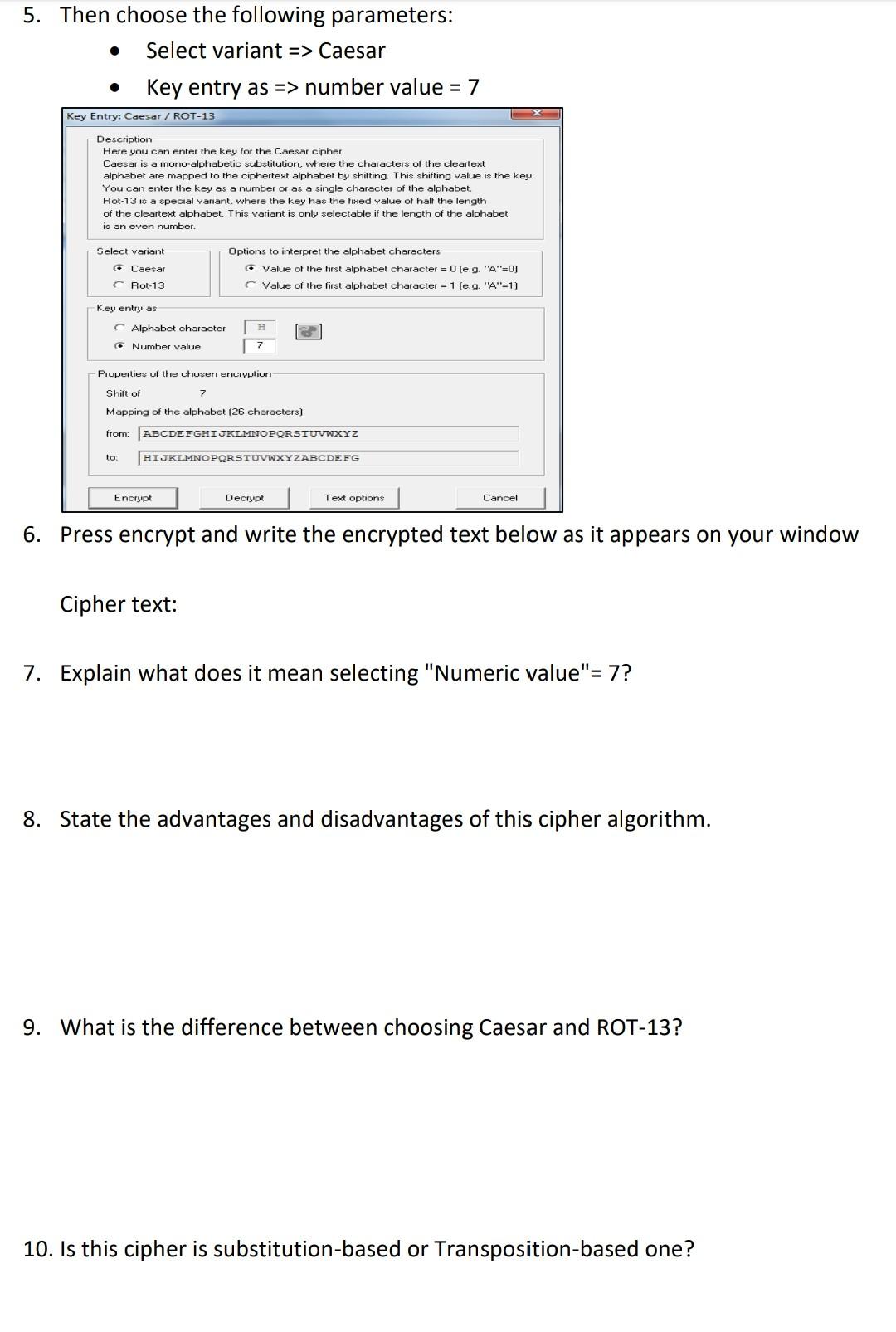
5. Then choose the following parameters: Select variant => Caesar Key entry as => number value = 7 Key Entry: Caesar/ ROT-13 Description Here you can enter the key for the Caesar cipher. Caesar is a mono-alphabetic substitution, where the characters of the cleartext alphabet are mapped to the ciphertext alphabet by shifting. This shifting value is the key. You can enter the key as a number or as a single character of the alphabet. Rot-13 is a special variant, where the key has the fixed value of half the length of the cleartext alphabet. This variant is only selectable if the length of the alphabet is an even number. -Select variant C Caesar Rot-13 Options to interpret the alphabet characters Value of the first alphabet character = 0 (e.g. "A"=0) Value of the first alphabet character = 1 (e.g. "A"-1) Key entry as Alphabet character Number value Properties of the chosen encryption Shift of 7 Mapping of the alphabet (26 characters) from: ABCDEFGHIJKLMNOPQRSTUVWXYZ to HIJKLMNOPQRSTUVWXYZABCDEFG Encrypt Decrypt Text options Cancel 6. Press encrypt and write the encrypted text below as it appears on your window Cipher text: 7. Explain what does it mean selecting "Numeric value"= 7? 8. State the advantages and disadvantages of this cipher algorithm. 9. What is the difference between choosing Caesar and ROT-13? 10. Is this cipher is substitution-based or Transposition-based one
Step by Step Solution
There are 3 Steps involved in it

Get step-by-step solutions from verified subject matter experts
 Study Help