







Question: From the Marks.bin file created in Exercise 4, search and display the marks for specific student based on the student number entered by user. The
From the Marks.bin file created in Exercise 4, search and display the marks for specific student based on the student number entered by user. The sample output is illustrated in Figure-6.
C LANGUAGE PROGRAMMING
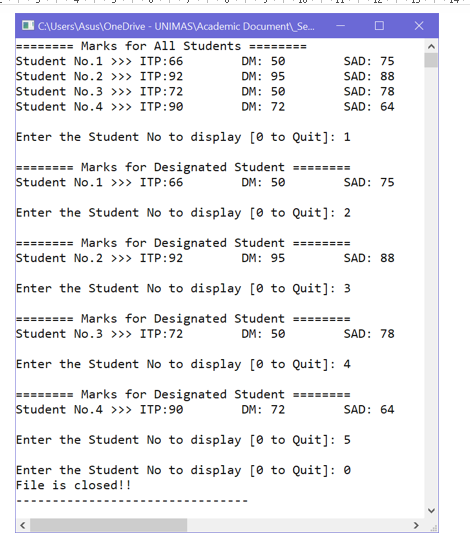
12 C:\Users\Asus OneDrive - UNIMAS\Academic Document_Se... ======== Marks for All Students ======== Student No.1 >>> ITP:66 DM: 50 Student No.2 >>> ITP:92 DM: 95 Student No. 3 >>> ITP:72 DM: 50 Student No.4 >>> ITP:90 DM: 72 SAD: 75 SAD: 88 SAD: 78 SAD: 64 Enter the Student No to display [o to Quit]: 1 ======== Marks for Designated Student ======== Student No.1 >>> ITP:66 DM: 50 SAD: 75 Enter the Student No to display [O to Quit]: 2 ======== Marks for Designated Student ======== Student No. 2 >>> ITP:92 DM: 95 SAD: 88 Enter the Student No to display [O to Quit]: 3 ======== Marks for Designated Student ======== Student No.3 >>> ITP:72 DM: 50 SAD: 78 Enter the Student No to display [O to Quit]: 4 ======== Marks for Designated Student ======== Student No. 4 >>> ITP:90 DM: 72 SAD: 64 Enter the Student No to display [O to Quit]: 5 Enter the Student No to display [O to Quit]: 0 File is closed
Step by Step Solution
There are 3 Steps involved in it

Get step-by-step solutions from verified subject matter experts
 Study Help