







Question: Full Perceptron Algorithm 1 point possible (graded) In this step you will implement the full perceptron algorithm. You will be given the same feature matrix
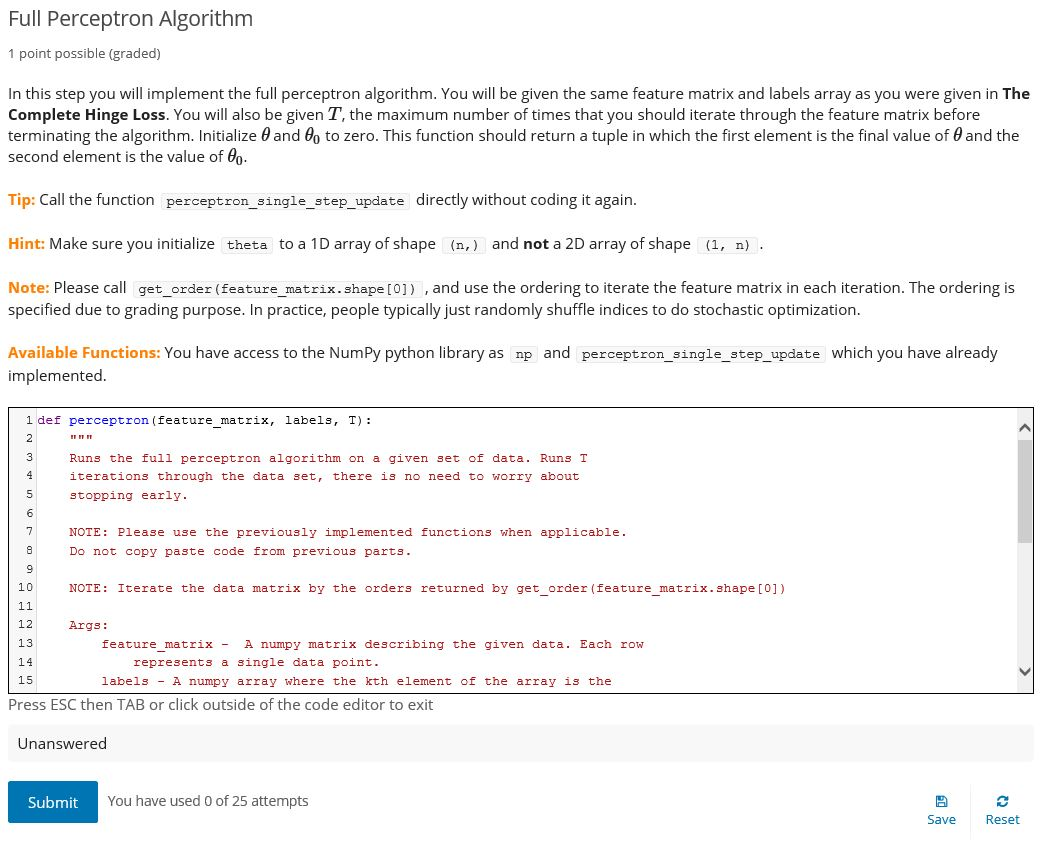
Full Perceptron Algorithm 1 point possible (graded) In this step you will implement the full perceptron algorithm. You will be given the same feature matrix and labels array as you were given in The Complete Hinge Loss. You will also be given T, the maximum number of times that you should iterate through the feature matrix before terminating the algorithm. Initialize 0 and do to zero. This function should return a tuple in which the first element is the final value of and the second element is the value of 0. Tip: Call the function perceptron_single_step_update directly without coding it again. Hint: Make sure you initialize theta to a 1D array of shape (n,) and not a 2D array of shape (1, n). Note: Please call get_order (feature_matrix.shape[0]), and use the ordering to iterate the feature matrix in each iteration. The ordering is specified due to grading purpose. In practice, people typically just randomly shuffle indices to do stochastic optimization. Available Functions: You have access to the NumPy python library as np and perceptron_single_step_update which you have already implemented. 1 def perceptron (feature_matrix, labels, T): ET ER IT Runs the full perceptron algorithm on a given set of data. Runs T iterations through the data set, there is no need to worry about stopping early. No on NOTE: Please use the previously implemented functions when applicable. Do not copy paste code from previous parts. NOTE: Iterate the data matrix by the orders returned by get_order (feature_matrix.shape [0]) Args : feature_matrix - A numpy matrix describing the given data. Each row represents a single data point. labels - A numpy array where the kth element of the array is the Press ESC then TAB or click outside of the code editor to exit PEPP Unanswered Submit You have used 0 of 25 attempts Save Reset
Step by Step Solution
There are 3 Steps involved in it

Get step-by-step solutions from verified subject matter experts
 Study Help