







Question: Function call in expression: Reduced pricing Write a single statement that assigns totalCost with the discounted cost of item 1 and item 2. Use the
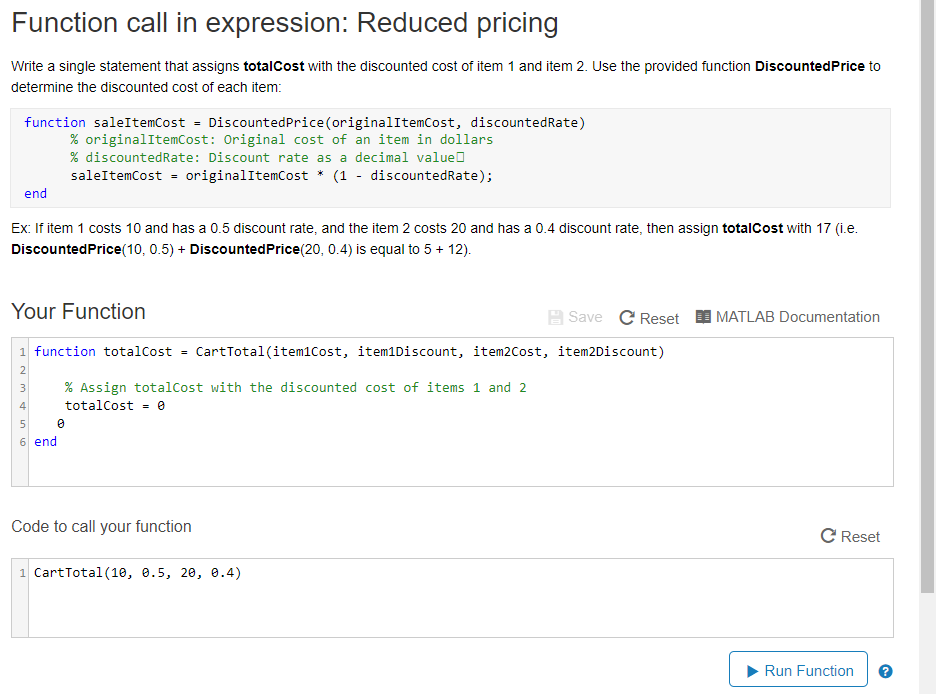
Function call in expression: Reduced pricing Write a single statement that assigns totalCost with the discounted cost of item 1 and item 2. Use the provided function DiscountedPrice to determine the discounted cost of each item: function saleItemcost - DiscountedPrice(originalItemCost, discountedRate) % original!temCost: Original cost of an item in dollars % discountedRate: Discount rate as a decimal value saleItemCost -originalItemCost (1 - discountedRate); end Ex: If item 1 costs 10 and has a 0.5 discount rate, and the item 2 costs 20 and has a 0.4 discount rate, then assign totalCost with 17 (i.e. DiscountedPrice (10, 0.5) + DiscountedPrice(20, 0.4) is equal to 5+ 12). Your Function save C Reset MATLAB Documentation 1 function totalcost - CartTotal(item1Cost, item1Discount, item2cost, item2Discount) 2 % Assign totalcost with the discounted cost of items 1 and 2 totalCoste 4 6 end Code to call your function C Reset CartTotal (10, e.5, 20, e.4) Run FunctionO
Step by Step Solution
There are 3 Steps involved in it

Get step-by-step solutions from verified subject matter experts
 Study Help