







Question: function project _ 9 ( ) PROJECT _ 9 project _ 9 ( ) is the driver function for the program. % Name: $ Date:
function project
PROJECT project is the driver function for the program.
Name:
$ Date:
Class: CMPSC
Description: Approximate the zero of a function using the
NewtonRaphson Method.
Print the splash screen you need to add the print header yourself
$ Create an anonymous function by calling the getfunction function
Use the get data function three times to enter the three inputs:
and
is the starting value
a is the minimum it is only for the plot at the end
b is the maximum it is also only for the plot at the end
In the getdata function you must use checkdata to error check
inputs. If a and are not
In the correct range the check data function will return and in
getdata the function will be called again recursively this
is an important aspect of the program
The restrictions on the inputs should be
xo can be any value
startingpoint, a must be less than xin
stopping.point, must be greater than
Call getzero to estimate the zero
zero get zero :
Print results from the previous function create and then call
a printresults function. This function will have three input variables
the function handle
the starting point, xo
the zero point in this program zero
GETZERO get zero determines the zero of the function
Name: :
Date:
Class:
CMPSC
Set value eps
Should be small but reasonable. About works well
Check if eps If it is then update using
the Newton Raphson and then call get zero again with the same
function but the new value.
and
function plot, function, zerofunc point, minx, maxx
PLOT FUNCTION,ZERD plot function,zerofunc min, maxx, xPoint plots
the function passed in func between the minimum and maximum values
Indicated. It then plots a point at the zero of the function with a
cross at that point.
Name:
Class: CMPSC
Date: March
Create a vector of points from min to max
Linspace max,
& Finish with the title and axes labels
title funcstr func:
labe l:
ylabel;
hold off return the hold to the default
end
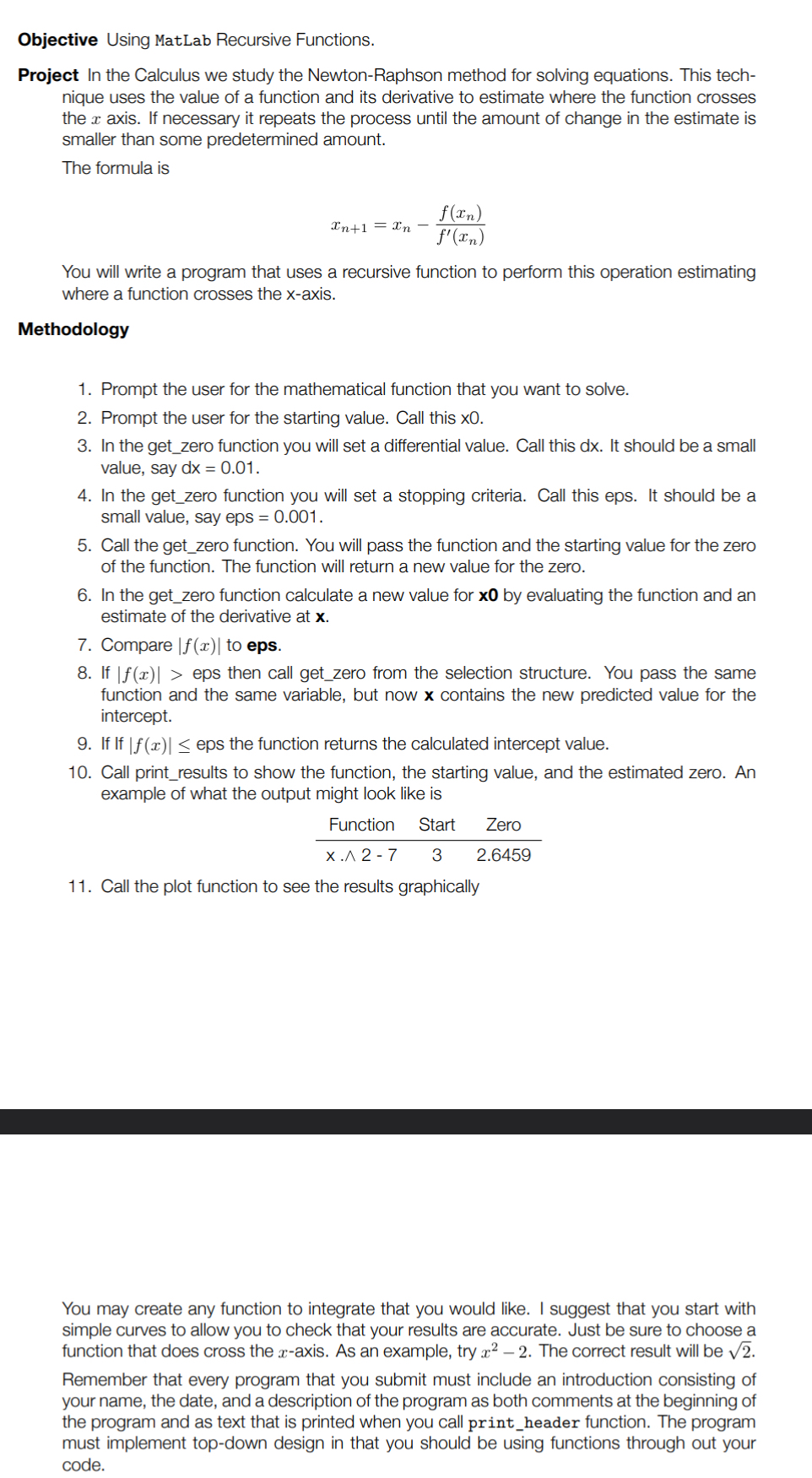
using this template in matlab do the following project
Objective Using MatLab Recursive Functions.
Project In the Calculus we study the NewtonRaphson method for solving equations. This technique uses the value of a function and its derivative to estimate where the function crosses the axis. If necessary it repeats the process until the amount of change in the estimate is smaller than some predetermined amount.
The formula is
You will write a program that uses a recursive function to perform this operation estimating where a function crosses the axis.
Methodology
Prompt the user for the mathematical function that you want to solve.
Prompt the user for the starting value. Call this
In the getzero function you will set a differential value. Call this dx It should be a small value, say
In the getzero function you will set a stopping criteria. Call this eps. It should be a small value, say eps
Call the getzero function. You will pass the function and the starting value for the zero of the function. The function will return a new value for the zero.
In the getzero function calculate a new value for by evaluating the function and an estimate of the derivative at
Compare to eps.
If eps then call getzero from the selection structure. You pass the same function and the same variable, but now contains the new predicted value for the intercept.
If If eps the function returns the calculated intercept value.
Call printresults to show the function, the starting value, and the estimated zero. An example of what the output might look like is
ta
Step by Step Solution
There are 3 Steps involved in it
1 Expert Approved Answer
Step: 1 Unlock

Question Has Been Solved by an Expert!
Get step-by-step solutions from verified subject matter experts
Step: 2 Unlock
Step: 3 Unlock
 Study Help