







Question: Note: I am using MATLAB so please write the code in that format. Thank you so much!! Objective Using MatLab Relational Operators. Project Relational operators
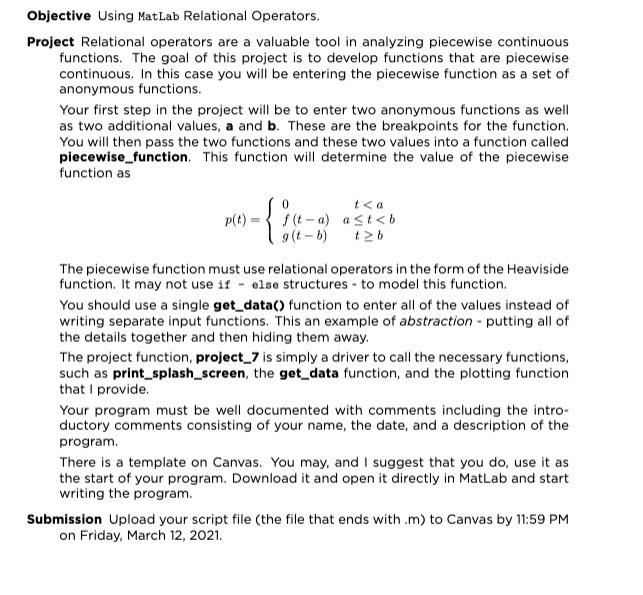
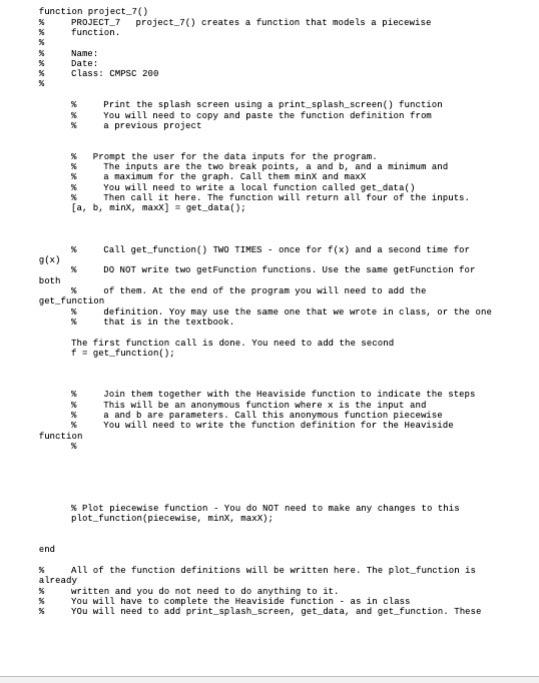
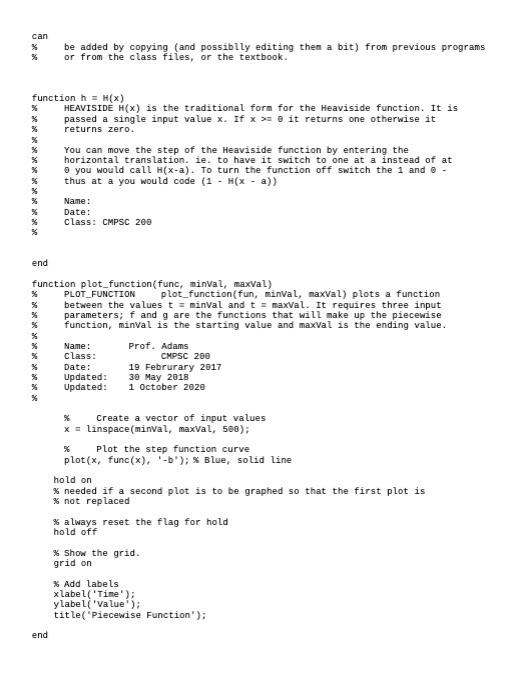
Objective Using MatLab Relational Operators. Project Relational operators are a valuable tool in analyzing piecewise continuous functions. The goal of this project is to develop functions that are piecewise continuous. In this case you will be entering the piecewise function as a set of anonymous functions. Your first step in the project will be to enter two anonymous functions as well as two additional values, a and b. These are the breakpoints for the function. You will then pass the two functions and these two values into a function called piecewise_function. This function will determine the value of the piecewise function as p(t) (t-a) a st 0 it returns one otherwise it returns zero. You can move the step of the Heaviside function by entering the % horizontal translation. ie. to have it switch to one at a instead of at you would call H(x-a). To turn the function off switch the 1 and @ thus at a you would code (1 - HX - a)) Name: Date: Class: CMPSC 200 % % % end function plot_function(func, minval, maxval) % PLOT_FUNCTION plot_function(fun, inval, maxval) plots a function % between the values t = minval and t = maxval. It requires three input % parameters; f and g are the functions that will make up the piecewise % function, minval is the starting value and maxval is the ending value. % Name: Prof. Adams % Class: CMPSC 200 Date: 19 Februrary 2017 Updated : 30 May 2018 Updated: 1 October 2020 Create a vector of input values x = linspace(minval, maxval, 500); Plot the step function curve plot(x, func(x), -b'); Blue, solid line hold on % needed if a second plot is to be graphed so that the first plot is % not replaced % always reset the flag for hold hold off * Show the grid. grid on % Add labels xlabel('Time'); y label('value'); title("Piecewise Function'); end Objective Using MatLab Relational Operators. Project Relational operators are a valuable tool in analyzing piecewise continuous functions. The goal of this project is to develop functions that are piecewise continuous. In this case you will be entering the piecewise function as a set of anonymous functions. Your first step in the project will be to enter two anonymous functions as well as two additional values, a and b. These are the breakpoints for the function. You will then pass the two functions and these two values into a function called piecewise_function. This function will determine the value of the piecewise function as p(t) (t-a) a st 0 it returns one otherwise it returns zero. You can move the step of the Heaviside function by entering the % horizontal translation. ie. to have it switch to one at a instead of at you would call H(x-a). To turn the function off switch the 1 and @ thus at a you would code (1 - HX - a)) Name: Date: Class: CMPSC 200 % % % end function plot_function(func, minval, maxval) % PLOT_FUNCTION plot_function(fun, inval, maxval) plots a function % between the values t = minval and t = maxval. It requires three input % parameters; f and g are the functions that will make up the piecewise % function, minval is the starting value and maxval is the ending value. % Name: Prof. Adams % Class: CMPSC 200 Date: 19 Februrary 2017 Updated : 30 May 2018 Updated: 1 October 2020 Create a vector of input values x = linspace(minval, maxval, 500); Plot the step function curve plot(x, func(x), -b'); Blue, solid line hold on % needed if a second plot is to be graphed so that the first plot is % not replaced % always reset the flag for hold hold off * Show the grid. grid on % Add labels xlabel('Time'); y label('value'); title("Piecewise Function'); end
Step by Step Solution
There are 3 Steps involved in it

Get step-by-step solutions from verified subject matter experts
 Study Help