







Question: General Customize the Ribbon Gunthe Proofing Cheesecomands from Cod Advanced Page fo Quick Access Toolbar Addin All Chart Types Borders Calculate Now Center Conditional for
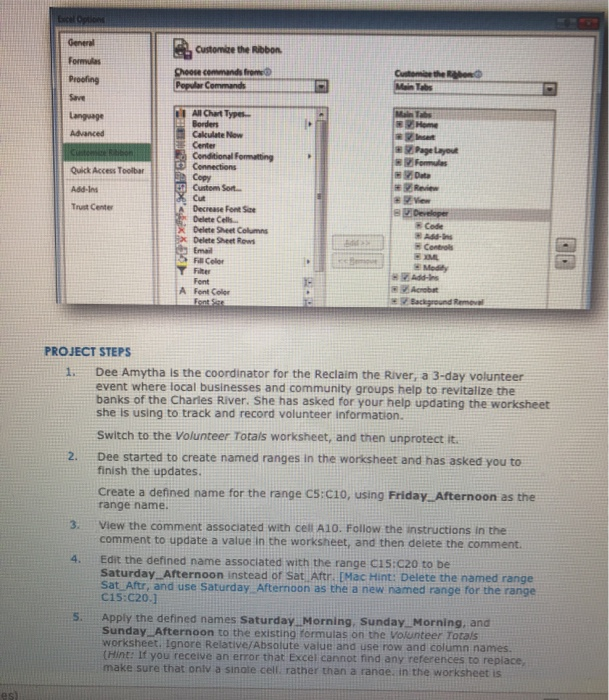
General Customize the Ribbon Gunthe Proofing Cheesecomands from Cod Advanced Page fo Quick Access Toolbar Addin All Chart Types Borders Calculate Now Center Conditional for Connection Copy 1 Custom Sort X Cut Decrease fonte Delete Cells Date Sheet Columns Delete Sheet Row Email Color Trust Center Developer My be A Fent Font Color Tot PROJECT STEPS Dee Amytha is the coordinator for the Reclaim the River, a 3-day volunteer event where local businesses and community groups help to revitalize the banks of the Charles River. She has asked for your help updating the worksheet she is using to track and record volunteer information. Switch to the Volunteer Totals worksheet, and then unprotect it Dee started to create named ranges in the worksheet and has asked you to finish the updates. Create a defined name for the range C5:cio, using Friday Afternoon as the range name. View the comment associated with cell A10. Follow the instructions in the comment to update a value in the worksheet, and then delete the comment. Edit the defined name associated with the range C15:C20 to be Saturday Afternoon instead of Sat Aftr. [Mac Hint: Delete the named range Sat Altr, and use Saturday Afternoon as the a new named range for the range C19 C200 Apply the defined names Saturday Morning Sunday Morning, and Sunday Afternoon to the existing formulas on the volunteer Totals worksheet. Ignore Relative/Absolute value and use row and column names (Hint: If you receive an error that Excel cannot rind any references to replace, make sure that only a single cell rather than a range in the worksheet is General Customize the Ribbon Gunthe Proofing Cheesecomands from Cod Advanced Page fo Quick Access Toolbar Addin All Chart Types Borders Calculate Now Center Conditional for Connection Copy 1 Custom Sort X Cut Decrease fonte Delete Cells Date Sheet Columns Delete Sheet Row Email Color Trust Center Developer My be A Fent Font Color Tot PROJECT STEPS Dee Amytha is the coordinator for the Reclaim the River, a 3-day volunteer event where local businesses and community groups help to revitalize the banks of the Charles River. She has asked for your help updating the worksheet she is using to track and record volunteer information. Switch to the Volunteer Totals worksheet, and then unprotect it Dee started to create named ranges in the worksheet and has asked you to finish the updates. Create a defined name for the range C5:cio, using Friday Afternoon as the range name. View the comment associated with cell A10. Follow the instructions in the comment to update a value in the worksheet, and then delete the comment. Edit the defined name associated with the range C15:C20 to be Saturday Afternoon instead of Sat Aftr. [Mac Hint: Delete the named range Sat Altr, and use Saturday Afternoon as the a new named range for the range C19 C200 Apply the defined names Saturday Morning Sunday Morning, and Sunday Afternoon to the existing formulas on the volunteer Totals worksheet. Ignore Relative/Absolute value and use row and column names (Hint: If you receive an error that Excel cannot rind any references to replace, make sure that only a single cell rather than a range in the worksheet is
Step by Step Solution
There are 3 Steps involved in it

Get step-by-step solutions from verified subject matter experts
 Study Help