







Question: Geogebra Do this on geogebra Construction-1: Inscribed Circle Construct an inscribed circle to the given triangle. Take a screen shot of your final image and
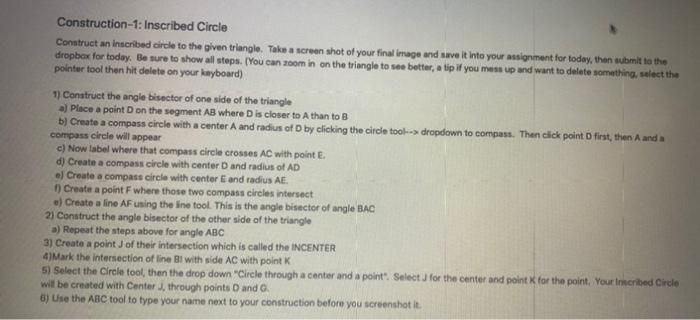
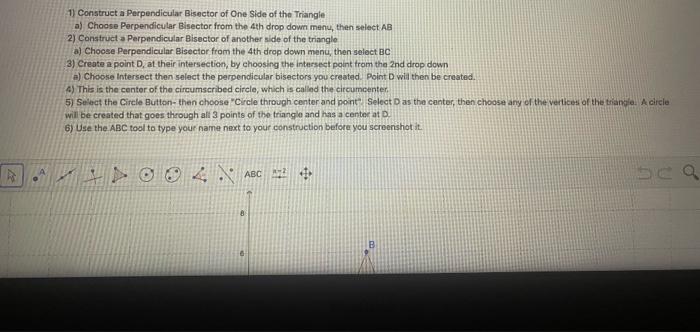
Construction-1: Inscribed Circle Construct an inscribed circle to the given triangle. Take a screen shot of your final image and save it into your assignment for today, then submit to the dropbox for today. Be sure to show all steps. (You can zoom in on the triangle to see botter, a tip if you mess up and want to delete something, select the pointer tool then hit delete on your keyboard) 1) Construct the angle bisector of one side of the triangle a Place a point on the segment AB where Discloser to Athan to B b) Create a compass circle with a center A and radius of D by clicking the circle tool--dropdown to compass. Then click point first, then Aanda compass circle will appear c) Now label where that compass circle crosses AC with point E. d) Create a compass circle with center and radius of AD el Create a compass circle with center and radius AE 1) Create a point F where those two compass circles intersect .) Create a line AF using the line tool. This is the angle bisector of angle BAC 21 Construct the angle bisector of the other side of the triangle a) Repeat the steps above for angle ABC 3) Create a point of their intersection which is called the INCENTER 4)Mark the intersection of line Bl with side AC with point 5) Select the Circle tool, then the drop down "Circle through a center and a point". Select for the center and point for the point. Your Inscribed Circle will be created with Center through points and 6) Use the ABC tool to type your name next to your construction before you screenshot it 1) Construct a Perpendicular Bisector of One Side of the Triangle a) Choose Perpendicular Bisector from the 4th drop down menu, then select AB 2) Construct Perpendicular Bisector of another side of the triangle a) Choose Perpendicular Bisector from the 4th drop down menu, then select BC 3) Create a point D. at their intersection, by choosing the intersect point from the 2nd drop down a) Choose Intersect then select the perpendicular bisectors you created. Point Dwill then be created 4) This is the center of the circumscribed circle, which is called the circumcenter. 5) Select the Circle Button then choose "Circle through center and point Select D as the center, then choose any of the vertices of the triangle. A circle will be created that goes through all 3 points of the triangle and has a center at D 6) Use the ABC tool to type your name next to your construction before you screenshot it. ABC sca
Step by Step Solution
There are 3 Steps involved in it

Get step-by-step solutions from verified subject matter experts
 Study Help