







Question: This exercise will provide practice on properly applying datum feature symbols. On the drawing above, apply datum feature symbols to create the following theoretical
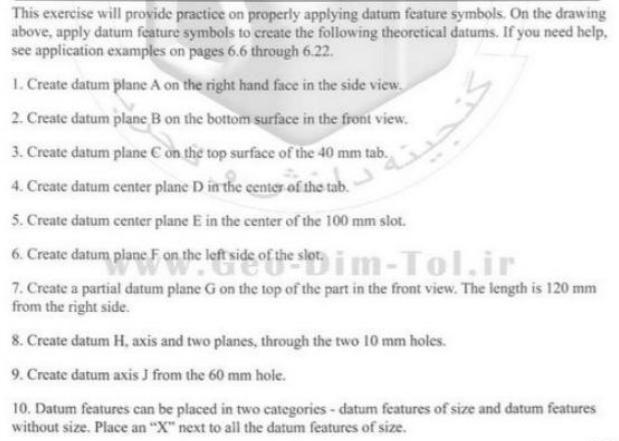
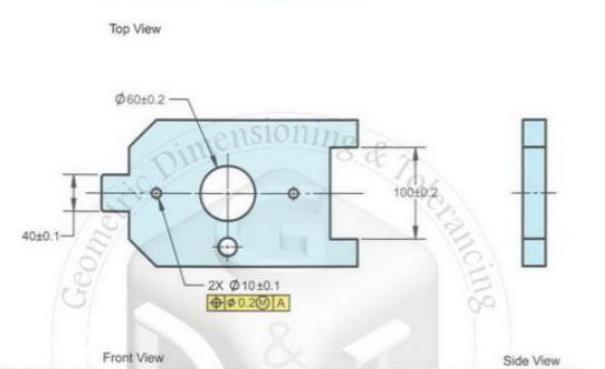
This exercise will provide practice on properly applying datum feature symbols. On the drawing above, apply datum feature symbols to create the following theoretical datums. If you need help, see application examples on pages 6.6 through 6.22. 1. Create datum plane A on the right hand face in the side view. 2. Create datum plane B on the bottom surface in the front view. 3. Create datum plane C on the top surface of the 40 mm tab. 4. Create datum center plane D in the center of the tab. 5. Create datum center plane E in the center of the 100 mm slot. 6. Create datum plane F on the left side of the slotim-Tol.ir 7. Create a partial datum plane G on the top of the part in the front view. The length is 120 mm from the right side. 8. Create datum H, axis and two planes, through the two 10 mm holes. 9. Create datum axis J from the 60 mm hole. 10. Datum features can be placed in two categories - datum features of size and datum features without size. Place an "X" next to all the datum features of size. Top View 60:0.2 - 4020.1- Geome Dinensionind 2X 1010.1 Front View Side View erancing
Step by Step Solution
3.55 Rating (148 Votes )
There are 3 Steps involved in it
Lets apply the datum feature symbols to the drawing based on the instructions provided 1 Datum Plane ... View full answer

Get step-by-step solutions from verified subject matter experts
 Study Help