







Question: Get all LAST_NAME values from the CUSTOMERS table, do not include duplicates in the output. Question 2 (1 point) Review the SQL below, it
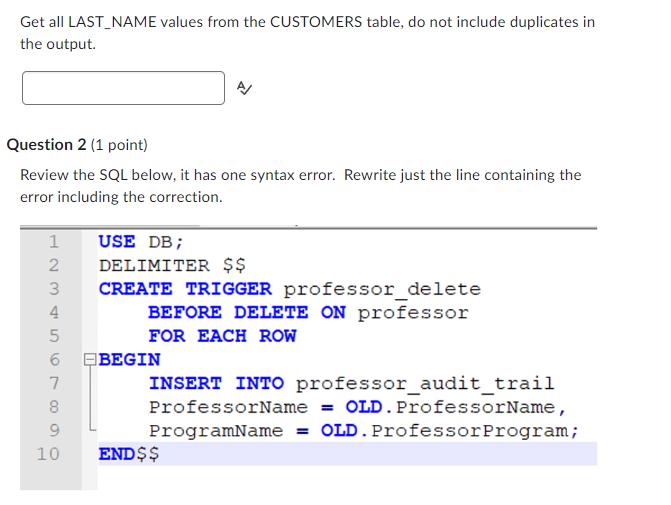
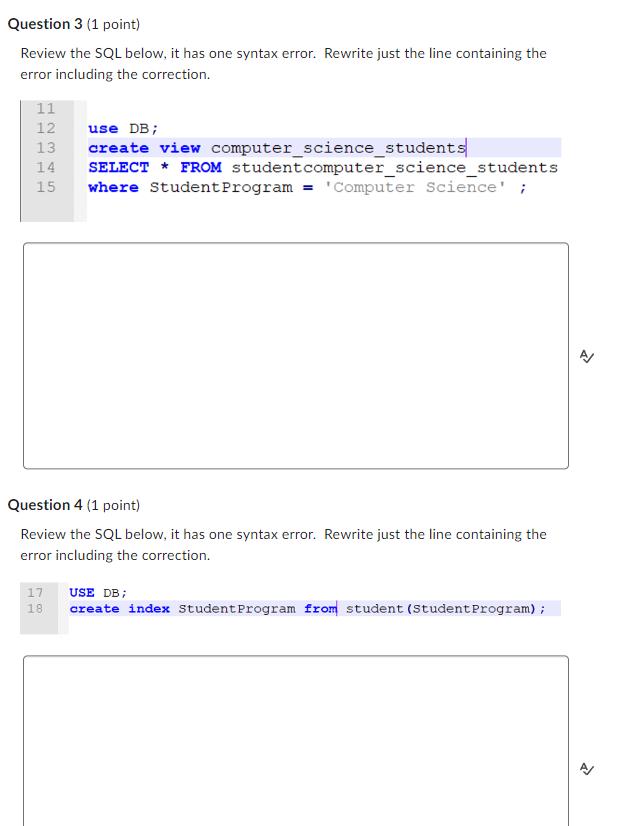
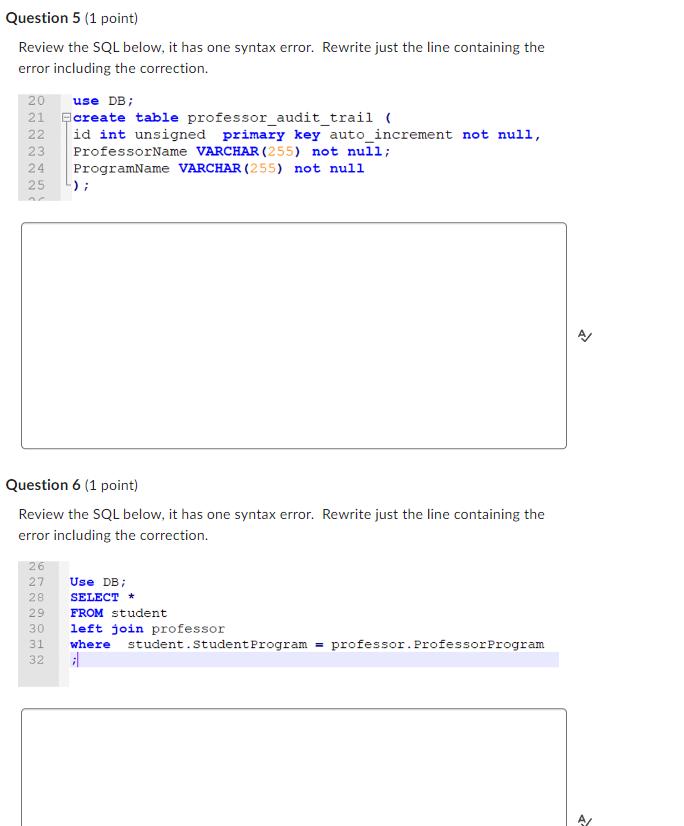
Get all LAST_NAME values from the CUSTOMERS table, do not include duplicates in the output. Question 2 (1 point) Review the SQL below, it has one syntax error. Rewrite just the line containing the error including the correction. 1 USE DB; 12 2 DELIMITER $$ 3 4 5 6 7 8 098 9 10 CREATE TRIGGER professor delete BEFORE DELETE ON professor FOR EACH ROW BEGIN INSERT INTO professor_audit_trail ProfessorName = OLD. ProfessorName, ProgramName = OLD. Professor Program; END$$ Question 3 (1 point) Review the SQL below, it has one syntax error. Rewrite just the line containing the error including the correction. 11 12 13 HULIH 14 345 15 17 Question 4 (1 point) Review the SQL below, it has one syntax error. Rewrite just the line containing the error including the correction. 18 use DB; create view computer science students SELECT * FROM student computer science students where Student Program = 'Computer Science! ; USE DB; create index Student Program from student (Student Program); Question 5 (1 point) Review the SQL below, it has one syntax error. Rewrite just the line containing the error including the correction. 20 use DB; 21 create table professor_audit_trail ( 22 id int unsigned primary key auto_increment not null, ProfessorName VARCHAR (255) not null; 24 ProgramName VARCHAR (255) not null 23 25 NETI Question 6 (1 point) Review the SQL below, it has one syntax error. Rewrite just the line containing the error including the correction. 26 W W WNNN 069OHN 27 Use DB; SELECT * 29 FROM student 28 30 ); 31 32 left join professor where student Student Program= professor. Professor Program A/
Step by Step Solution
There are 3 Steps involved in it
Sure lets go through each of the SQL statements and correct any syntax errors present For Question 2 ... View full answer

Get step-by-step solutions from verified subject matter experts
 Study Help