







Question: Get and use the main() program provided on ^^^. Add two new source files to your VS Project: student.cpp and student.h. use these to code
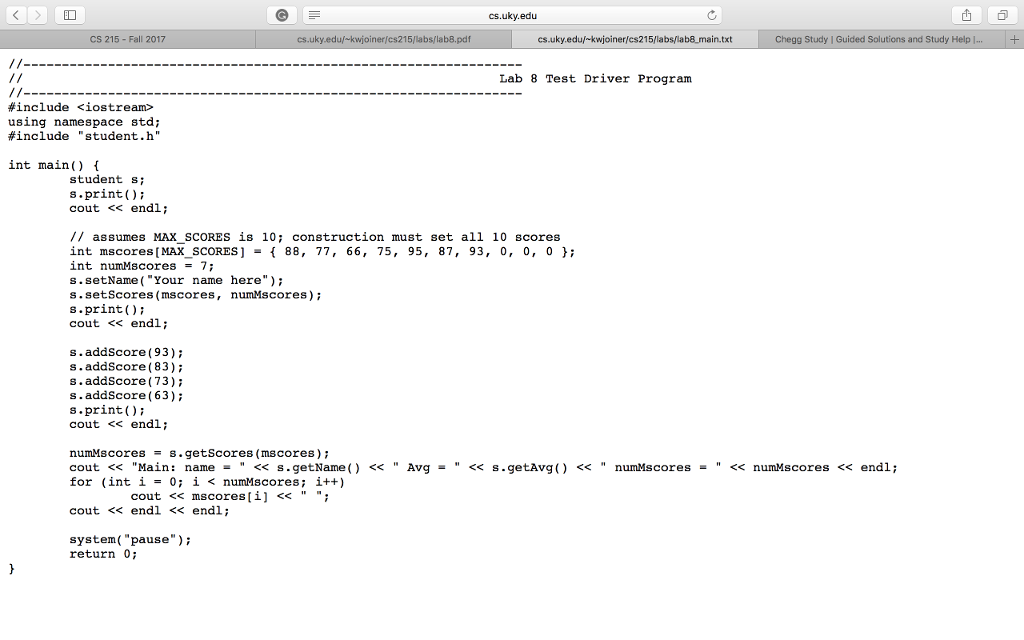
Get and use the main() program provided on ^^^.
Add two new source files to your VS Project: student.cpp and student.h. use these to code the interface and implementation of the following class.
Create a class called student. It should have the following data members: Name of student
A Partial Array of scores (array and number) [maximum of 10 scores] Initialize the name to empty string, and the number of scores to 0 in the interface.
The class should have the following methods:
- setName:
- setScores:
- addScore:
- getName:
- getAvg:
- print:
given a new name, sets the data member to the new name given.
given an array of integers and number of scores, if the number of scores given is lower than 0 or greater than the maximum number, prints: student::setScores(): invalid numScores given! Otherwise, it copies the given array into the scores data member, and sets the number of scores to the given value.
given a new score, adds the score to the list by copying it into the next available slot, and incrementing number of scores. When the array is full, prints: student::addScores(): MAX SCORES exceeded!
simply returns the data member.
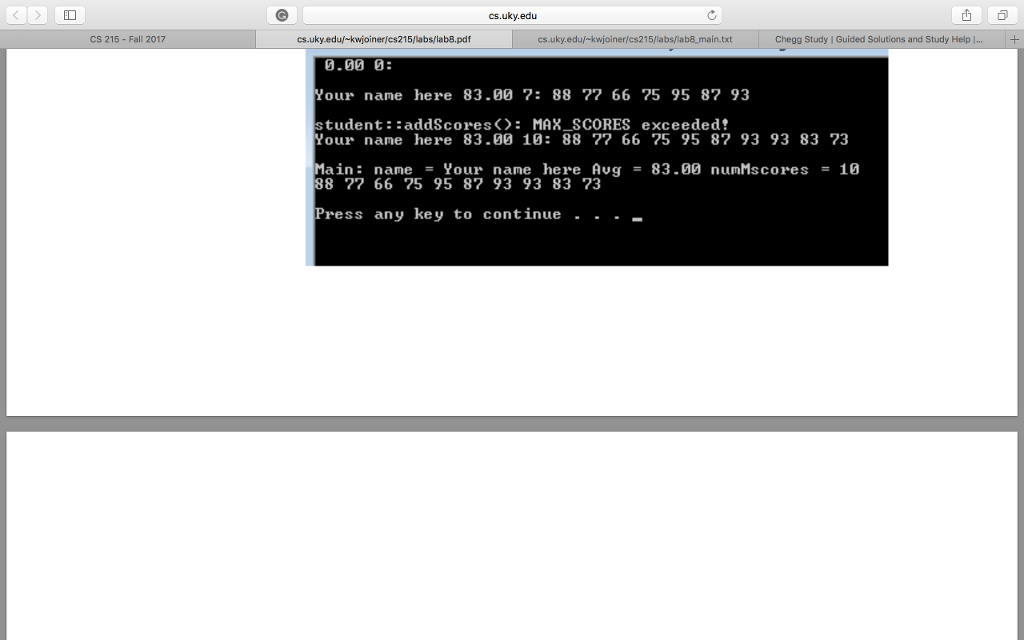
when the number of scores is 0, returns 0.0; otherwise, returns the average of the scores in the list. on one line, prints the name, average (by invoking getAvg()), number of scores, and scores as shown in the example below.
It suppose to look like below
cs.uky.edu CS 215- Fall 2017 cs.uky.eduf-kwjoiner/cs215/labs/lab8.pdf cs.uky.eduf-kwjoiner/cs215/labs/lab8 main.txt Chegg Study | Guided Solutions and Study Help | Lab 8 Test Driver Program #include
Step by Step Solution
There are 3 Steps involved in it

Get step-by-step solutions from verified subject matter experts
 Study Help