







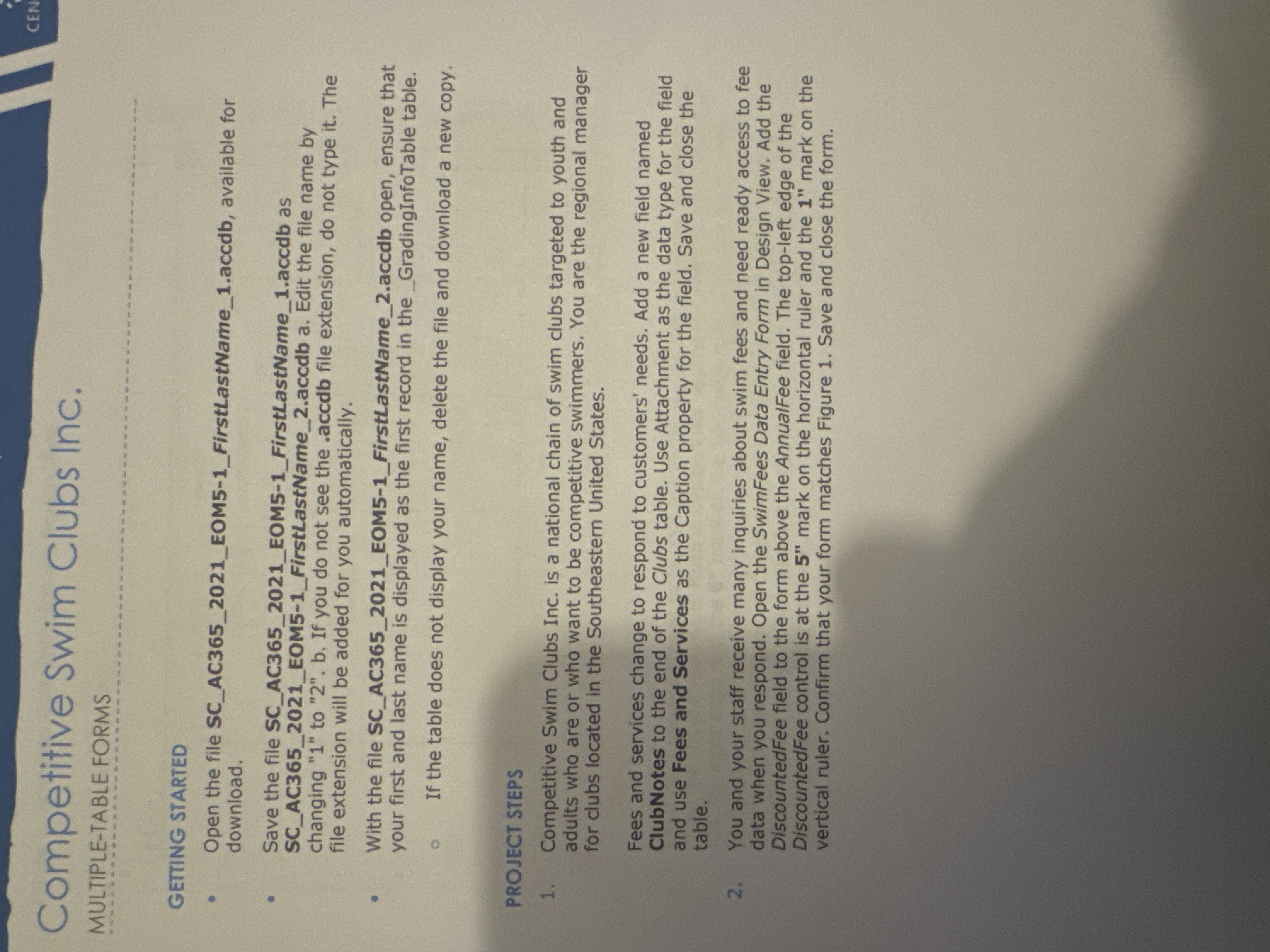
Question: GETIING STARTED - Open the file SC _ AC 3 6 5 _ 2 0 2 1 _ EOM 5 - 1 _ FirstLastName _
GETIING STARTED
Open the file SCACEOMFirstLastNameaccdb, available for download.
Save the file SCACEOMFirstLastNameaccdb as SCACEOMFirstLastNameaccdb a Edit the file name by changing to b If you do not see the accdb file extension, do not type it The file extension will be added for you automatically.
With the file SCACEOMFirstLastNameaccdb open, ensure that your first and last name is displayed as the first record in the GradingInfoTable table.
If the table does not display your name, delete the file and download a new copy.
PROJECT STEPS
Competitive Swim Clubs Inc. is a national chain of swim clubs targeted to youth and adults who are or who want to be competitive swimmers. You are the regional manager for clubs located in the Southeastern United States.
Fees and services change to respond to customers' needs. Add a new field named ClubNotes to the end of the Clubs table. Use Attachment as the data type for the field and use Fees and Services as the Caption property for the field. Save and close the table.
You and your staff receive many inquiries about swim fees and need ready access to fee data when you respond. Open the SwimFees Data Entry Form in Design View. Add the DiscountedFee field to the form above the AnnualFee field. The topleft edge of the DiscountedFee control is at the prime prime mark on the horizontal ruler and the prime prime mark on the vertical ruler. Confirm that your form matches Figure Save and close the form.
Step by Step Solution
There are 3 Steps involved in it
1 Expert Approved Answer
Step: 1 Unlock

Question Has Been Solved by an Expert!
Get step-by-step solutions from verified subject matter experts
Step: 2 Unlock
Step: 3 Unlock
 Study Help