







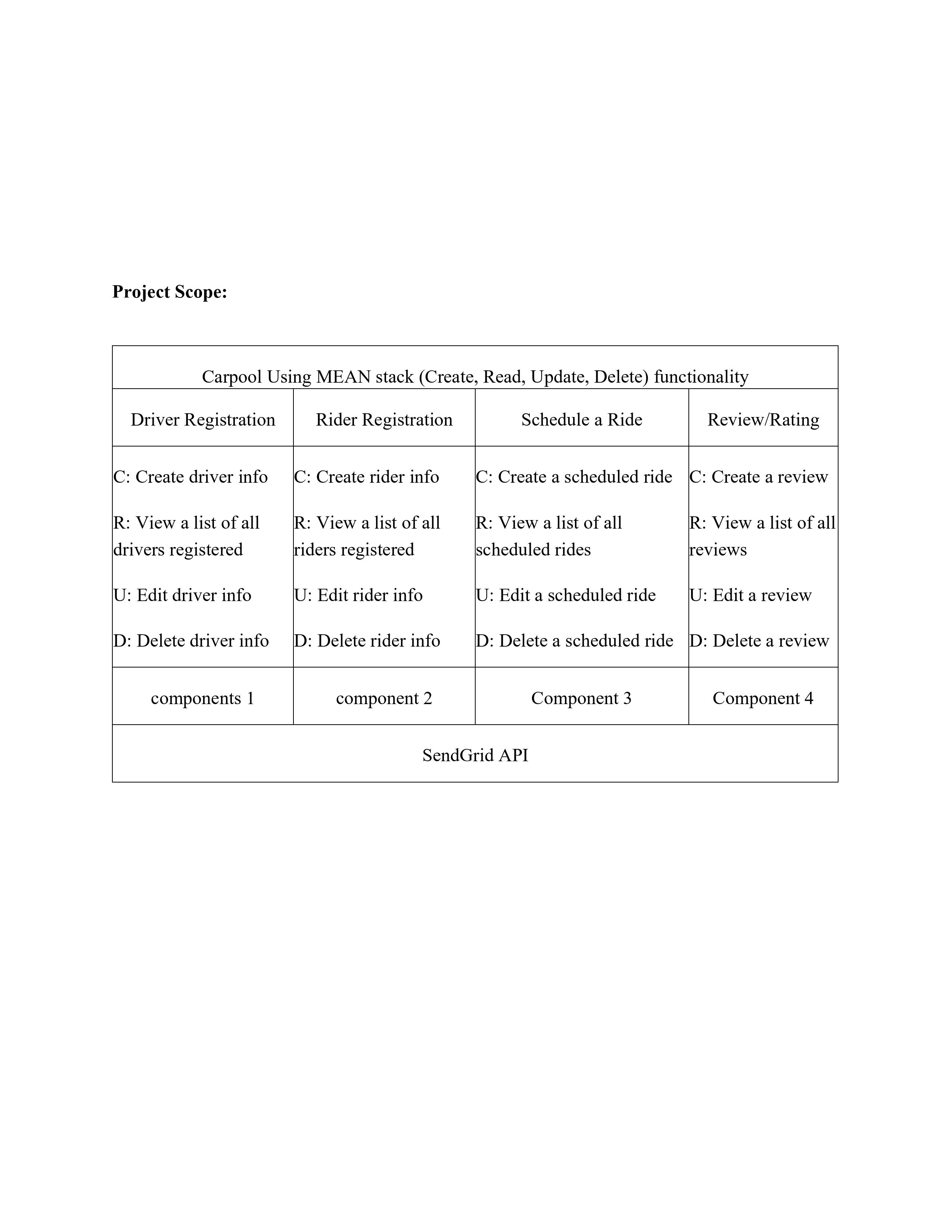
Question: give full code : Carpool Using MEAN stack ( Create , Read, Update, Delete ) functions The project is composed of mainly four components: 1
give full code : Carpool Using MEAN stack Create Read, Update, Delete functions The project is composed of mainly four components:
Driver Registration: This component allows drivers to register themselves on the platform. The form fields include Student ID Name, Email, Phone, License Plate Number, Car Model, Car Color, Source Campus, Destination Campus, Time to Destination Campus, and Availability. This component asks for a Student ID to ensure that only IIT students register on this application. It also asks the user for their contact information and car details, so that the riders can connect with the drivers and locate their car easily. The information from fields such as Source Campus, Destination Campus, Time to Destination Campus, and Availability is used in the Schedule a Ride component to match drivers with riders based on their preferences and schedules, where Source Campus and Destination Campus could be A or B Time to Destination Campus would be the time at which the driver leaves for the destination campus, and Availability will be used to keep track if the user is available for a ride or not. Users can also view a list of all the registered drivers, where they can update and delete a driver if they want.
Rider Registration: This component is used for riders to register themselves on the platform. The form fields include Student ID Name, Email, Phone, and Emergency Number. This component asks for a Student ID to ensure that only IIT students register on this application. It also asks the user for their contact information, so that the drivers can connect with the riders easily and decide a place to meet. Users can also view a list of all the registered riders, where they can update and delete a driver if they want.
Schedule a Ride: This component is used by riders to schedule a ride. The form fields include the date and time for the ride, the destination, and the student ID of the rider. Using the student ID field, all the information of the rider will be fetched and displayed on the screen, to ensure that the rider is a registered user, users do not need to type in all the information themselves. After getting the riders information, this component matches the rider's schedule and destination with the available drivers and on submitting the form it displays a list of available drivers for selection. After selecting a driver, a ride will be scheduled with the information of the driver and the rider. Users can also view a list of all the scheduled rides along with a ride ID where they can update and delete a ride if they want.
ReviewRating: This component allows riders to review and rate their ride experience. The form fields include ride ID Review, and Rating. Using the ride ID field, the student ID and name of the driver and rider will be fetched to ensure that the review is getting written for the correct ride. This feedback is used to ensure the quality of the service provided by the drivers. Users can also view a list of all the reviews, where they can update and delete a review if they want.
ThirdParty API: The thirdparty API this project will use is the SendGrid API which is used to send emails to the users. This API will be used in the Schedule a Ride component. Whenever a ride gets scheduled, this API will be used to send emails to both driver and rider about ride confirmation and ride details.
Step by Step Solution
There are 3 Steps involved in it
1 Expert Approved Answer
Step: 1 Unlock

Question Has Been Solved by an Expert!
Get step-by-step solutions from verified subject matter experts
Step: 2 Unlock
Step: 3 Unlock
 Study Help