







Question: Given a login interface as shown in the figure, please modify the original program to achieve the following functions: (1) After clicking the OK button,
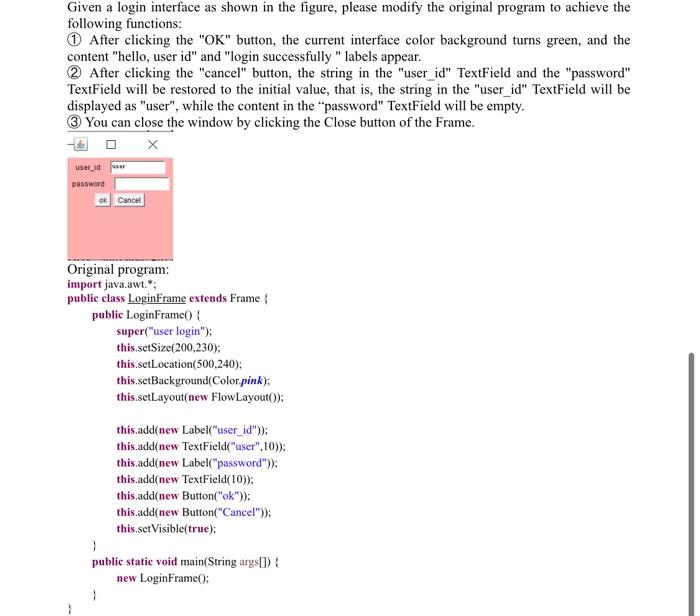
Given a login interface as shown in the figure, please modify the original program to achieve the following functions: (1) After clicking the "OK" button, the current interface color background turns green, and the content "hello, user id" and "login successfully " labels appear. (2) After clicking the "cancel" button, the string in the "user_id" TextField and the "password" TextField will be restored to the initial value, that is, the string in the "user_id" TextField will be displayed as "user", while the content in the "password" TextField will be empty. (3) You can close the window by clicking the Close button of the Frame. Original program: import java.awt."; public class LoginFrame extends Frame public LoginFrame ) \& super("user login"); this.setSize(200,230); this.setLocation(500,240); this.setBackground(Color pink); this.setLayout(new FlowLayout()); this.add(new Label("user_id")); this.add(new TextField("user",10)); this.add(new Label("password")); this.add(new TextField(10)); this.add(new Button("ok")); this.add(new Button("Cancel")); this.setVisible(true); ) public static void main(String args[]) new LoginFrame)
Step by Step Solution
There are 3 Steps involved in it

Get step-by-step solutions from verified subject matter experts
 Study Help