







Question: GLA 03: Use GLFW and define callback functions for the followings: 1. Mouse Button Clicks - Show button clicks on the console. If you click,
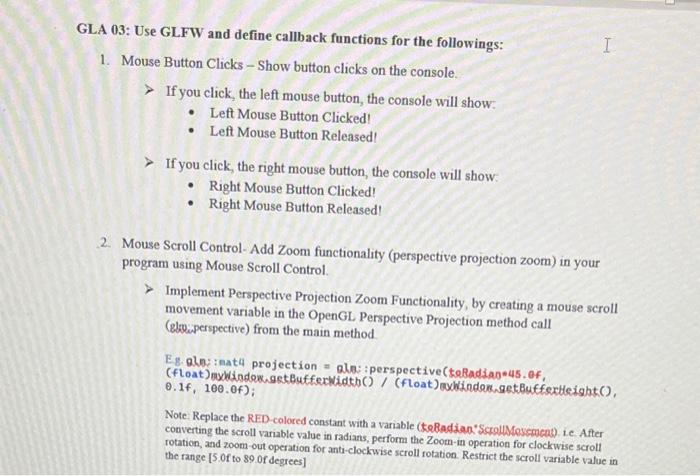
GLA 03: Use GLFW and define callback functions for the followings: 1. Mouse Button Clicks - Show button clicks on the console. If you click, the left mouse button, the console will show: - Left Mouse Button Clicked! - Left Mouse Button Released! If you click, the right mouse button, the console will show: - Right Mouse Button Clicked! - Right Mouse Button Released! 2. Mouse Scroll Control- Add Zoom functionality (perspective projection zoom) in your program using Mouse Scroll Control. Implement Perspective Projection Zoom Functionality, by creating a mouse scroll movement variable in the OpenGL Perspective Projection method call (elsoiperspective) from the main method. Eg. aln: inat4 projection = ala: perspective(teRadian*45. Of, 0.1f,100.0f); Note: Replace the RED-colored constant with a variable (teliadian. 'ScrollMevemcns). ie. After converting the scroll variable value in radians, perform the Zoom-in operation for clockwise scroll rotation, and zoom-out operation for anti-clockwise scroll rotation. Restrict the scroll variable value in the range [5 of to 89 of degrees]
Step by Step Solution
There are 3 Steps involved in it

Get step-by-step solutions from verified subject matter experts
 Study Help