







Question: Go to the Solid, Liquid, Gas tab. You can then select one of four substances. Now, use the stove to increase or decrease the
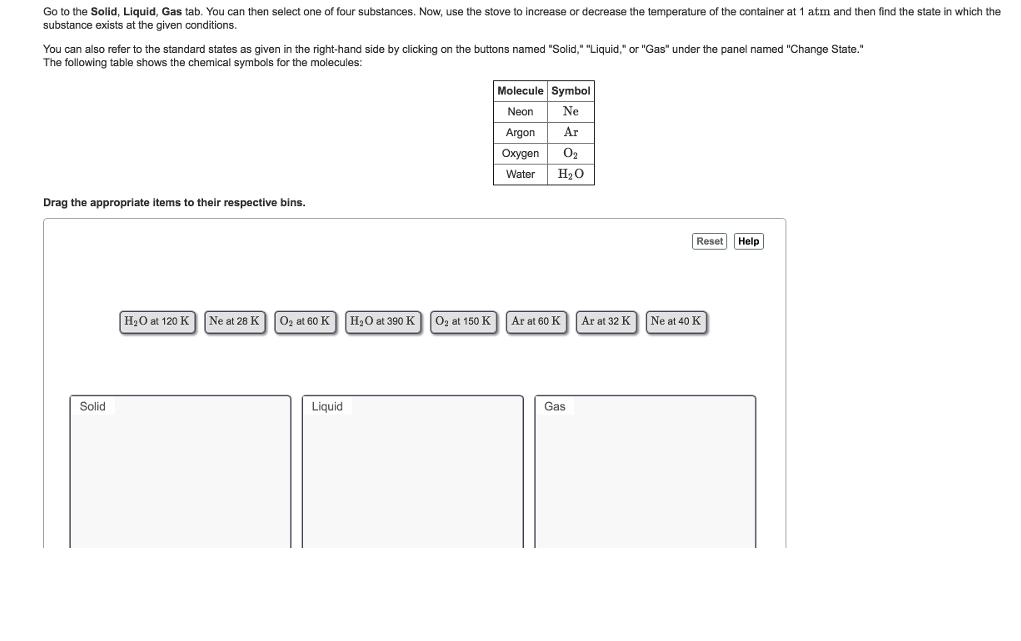
Go to the Solid, Liquid, Gas tab. You can then select one of four substances. Now, use the stove to increase or decrease the temperature of the container at 1 atm and then find the state in which the substance exists at the given conditions. You can also refer to the standard states as given in the right-hand side by clicking on the buttons named "Solid," "Liquid," or "Gas" under the panel named "Change State." The following table shows the chemical symbols for the molecules: Drag the appropriate items to their respective bins. Solid HO at 120 K Ne at 28 K O at 60 K Liquid HO at 390 K O at 150 K Molecule Symbol Neon Ne Ar 02 HO Argon Oxygen Water Ar at 60 K Gas Ar at 32 K Reset Help Ne at 40 K
Step by Step Solution
3.52 Rating (159 Votes )
There are 3 Steps involved in it
The state of matter for the given molec... View full answer

Get step-by-step solutions from verified subject matter experts
 Study Help