







Question: Goal For this assignment, you will be making a game! You will be implementing the two-player game Tic-Tac- Toe. Part of the logic has been
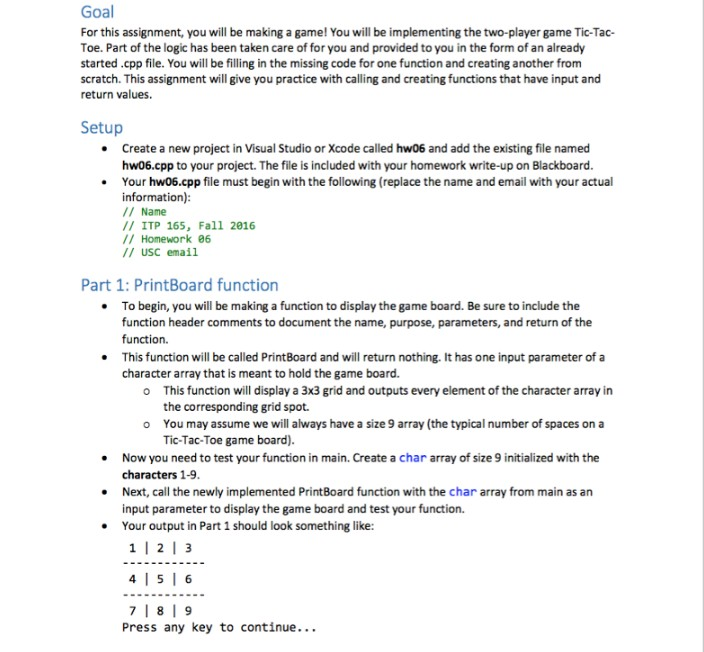
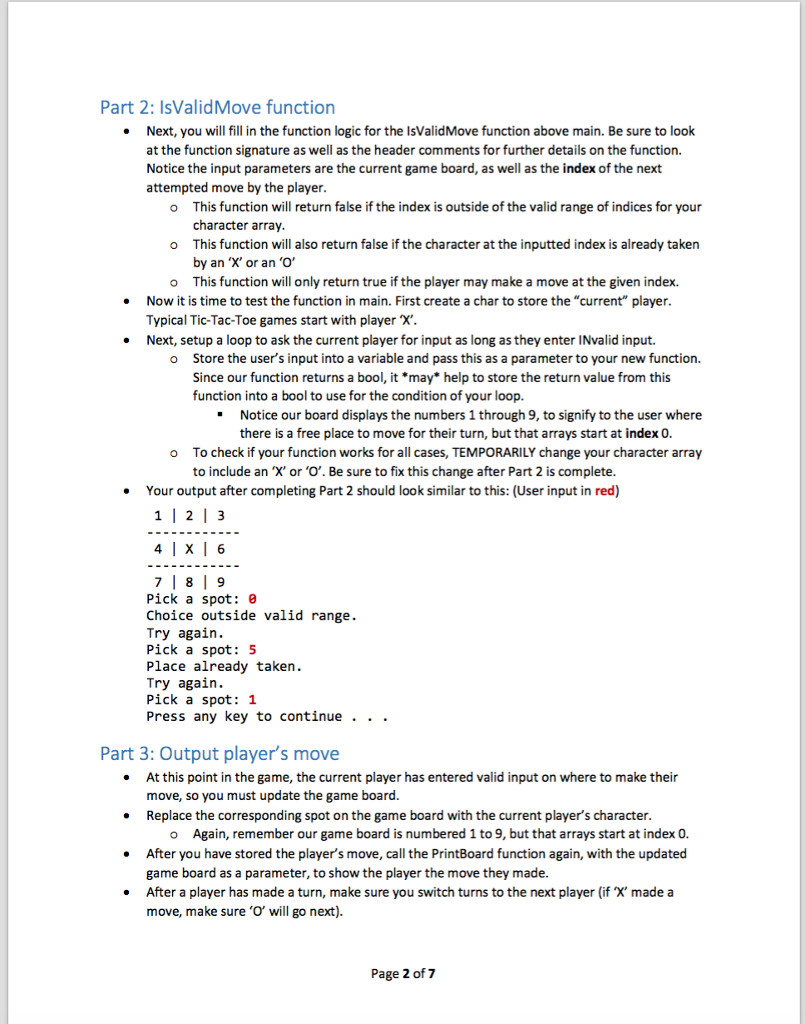
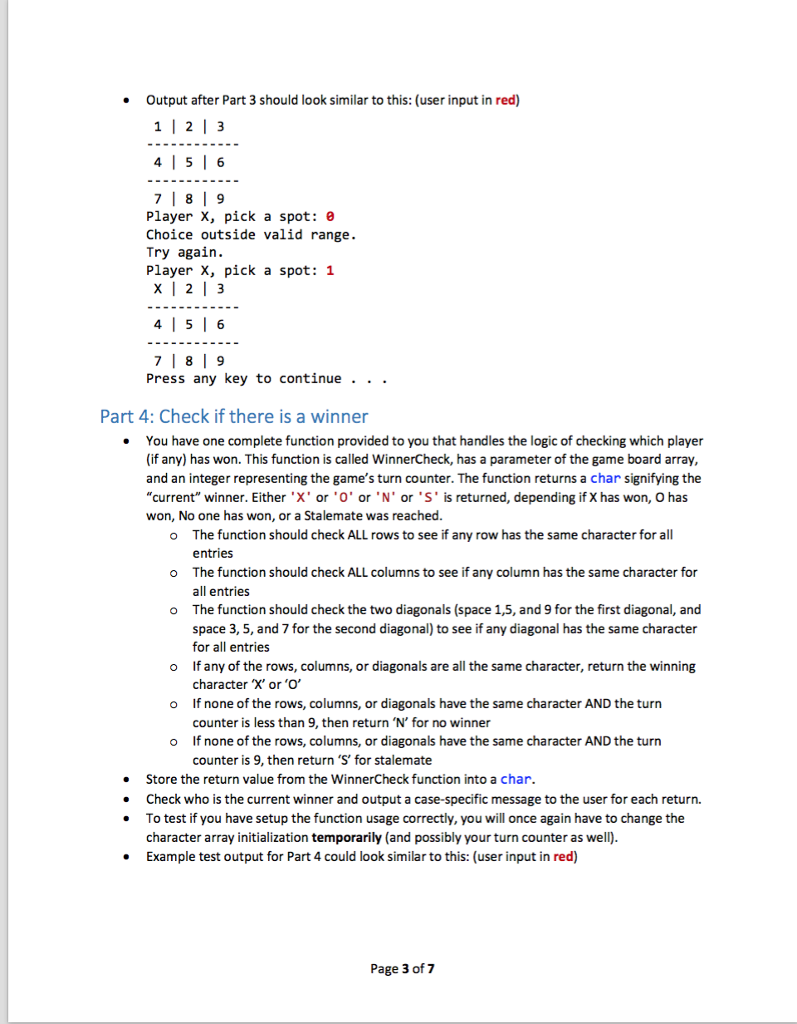
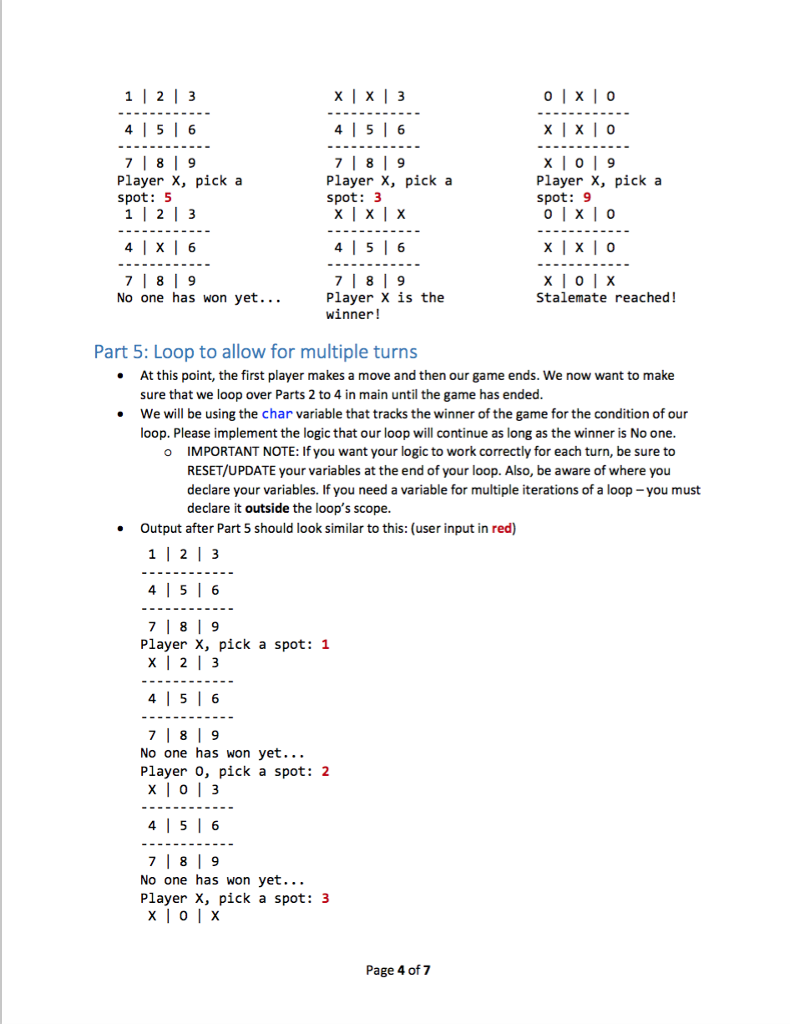
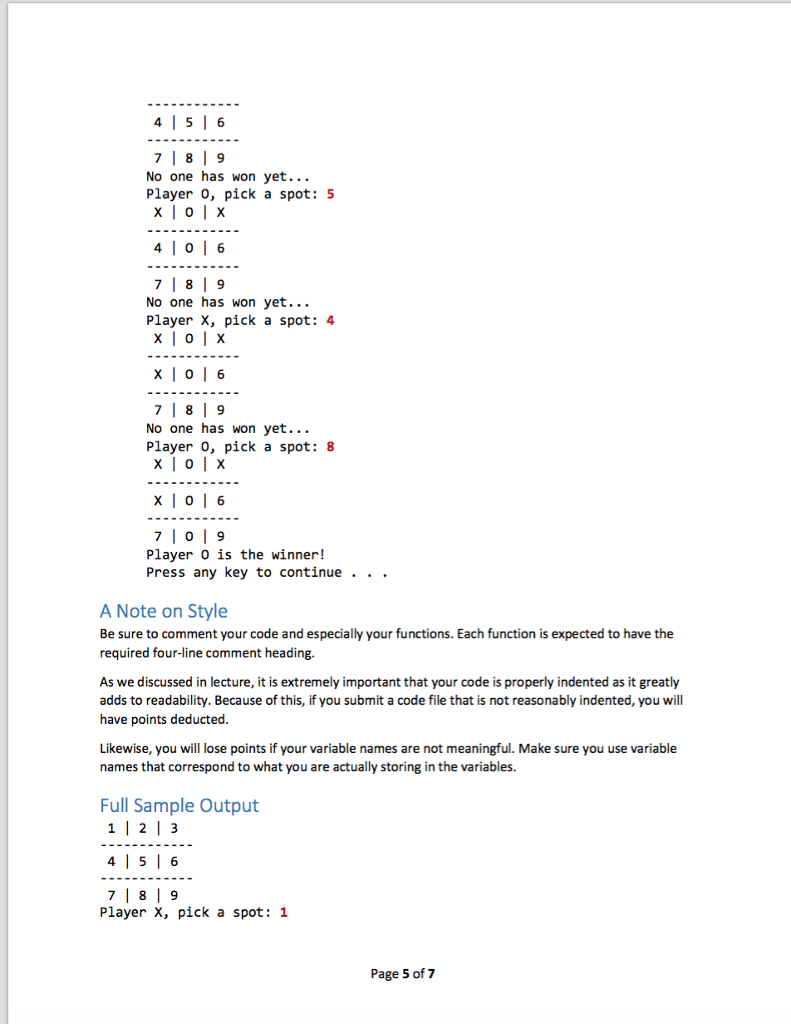
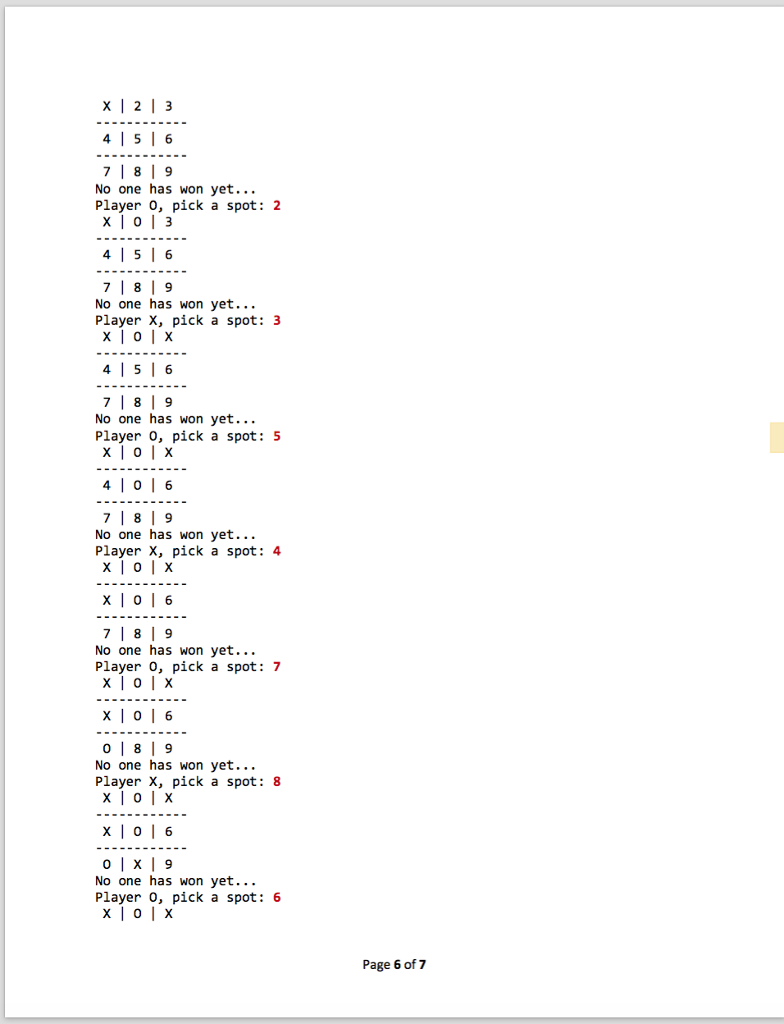
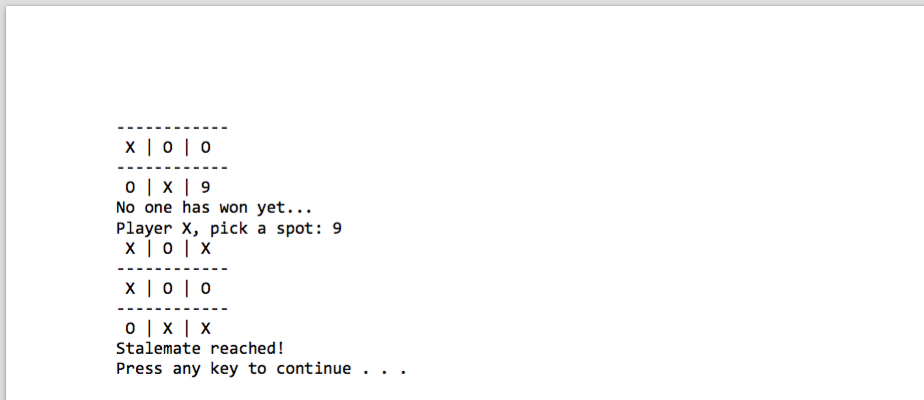
Goal For this assignment, you will be making a game! You will be implementing the two-player game Tic-Tac- Toe. Part of the logic has been taken care of for you and provided to you in the form of an already started.cpp file. You will be filling in the missing code for one functionand creating another from scratch. This assignment will give you practice with calling and creating functions that have input and return values. Setup Create a new project in Visual Studio or Xcode called hw06 and add the existing file named hw06.cpp to your project. The file is included with your homework write-up on Blackboard. Your hw06.cpp file must begin with the following (replace the name and email with your actual information): Name ITP 165, Fall 2016 Homework 06 USC email Part 1: PrintBoard function To begin, you will be making a function to display the game board. Be sure to include the function header comments to document the name, purpose, parameters, and return of the function. This function will be called PrintBoard and will return nothing. It has one input parameter of a character array that is meant to hold the game board. o This function will display a 3x3 grid and outputs every element of the character array in the corresponding grid spot. o You may assume we will always have a size 9 array (the typical number of spaces on a Tic-Tac-Toe game board) Now you need to test your function in main. Create a char array of size 9 initialized with the characters 1-9. Next, call the newly implemented PrintBoard function with the char array from main as an input parameter to display the game board and test your function. Your output in Part 1 should look something like: 1 I 2 3 4 I 5 I 6 7 l 8 l 9 Press any key to continue
Step by Step Solution
There are 3 Steps involved in it

Get step-by-step solutions from verified subject matter experts
 Study Help