







Question: Grader - Instructions Excel 2019 Project Step Instructions Points Possible 23 3 In cell H5, insert the function to display the formula that is stored
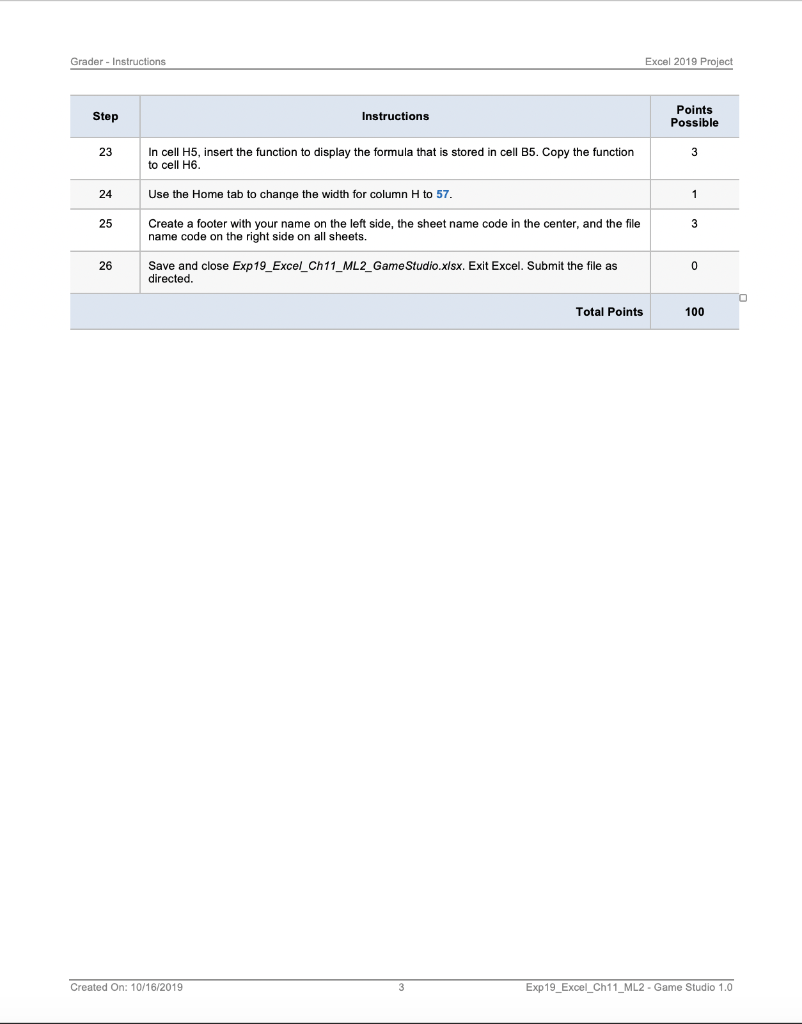
Grader - Instructions Excel 2019 Project Step Instructions Points Possible 23 3 In cell H5, insert the function to display the formula that is stored in cell B5. Copy the function to cell H6. 24 Use the Home tab to change the width for column H to 57. 1 25 3 Create a footer with your name on the left side, the sheet name code in the center, and the file name code on the right side on all sheets. 26 0 Save and close Exp19_Excel_Ch11_ML2_Game Studio.xlsx. Exit Excel. Submit the file as directed. Total Points 100 Created On: 10/16/2019 Exp19_Excel_Ch11_ML2 - Game Studio 1.0 Grader - Instructions Excel 2019 Project Step Instructions Points Possible 23 3 In cell H5, insert the function to display the formula that is stored in cell B5. Copy the function to cell H6. 24 Use the Home tab to change the width for column H to 57. 1 25 3 Create a footer with your name on the left side, the sheet name code in the center, and the file name code on the right side on all sheets. 26 0 Save and close Exp19_Excel_Ch11_ML2_Game Studio.xlsx. Exit Excel. Submit the file as directed. Total Points 100 Created On: 10/16/2019 Exp19_Excel_Ch11_ML2 - Game Studio 1.0
Step by Step Solution
There are 3 Steps involved in it

Get step-by-step solutions from verified subject matter experts
 Study Help