







Question: @Graham Mansfield 2 EIA Ws 2: Servlets 8 Databases Practice exercise 2: Develop some SQL commands Step 1: Display all patient details Using an SQL
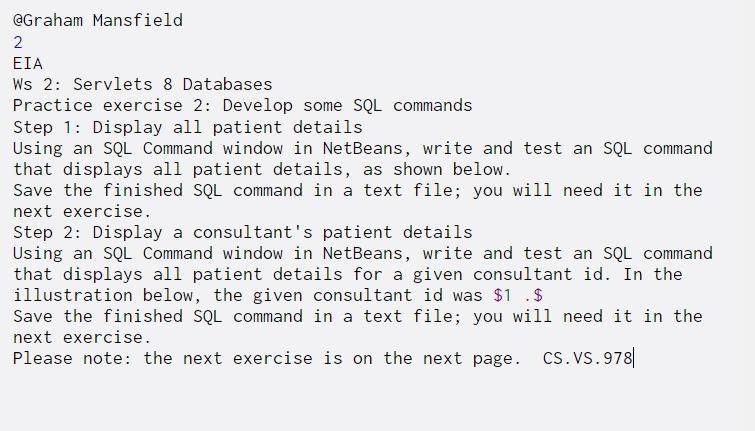
@Graham Mansfield 2 EIA Ws 2: Servlets 8 Databases Practice exercise 2: Develop some SQL commands Step 1: Display all patient details Using an SQL Command window in NetBeans, write and test an SQL command that displays all patient details, as shown below. Save the finished SQL command in a text file; you will need it in the next exercise. Step 2: Display a consultant's patient details Using an SQL Command window in NetBeans, write and test an SQL command that displays all patient details for a given consultant id. In the illustration below, the given consultant id was $1 .$ Save the finished SQL command in a text file; you will need it in the next exercise Please note: the next exercise is on the next page. CS.VS.978| @Graham Mansfield 2 EIA Ws 2: Servlets 8 Databases Practice exercise 2: Develop some SQL commands Step 1: Display all patient details Using an SQL Command window in NetBeans, write and test an SQL command that displays all patient details, as shown below. Save the finished SQL command in a text file; you will need it in the next exercise. Step 2: Display a consultant's patient details Using an SQL Command window in NetBeans, write and test an SQL command that displays all patient details for a given consultant id. In the illustration below, the given consultant id was $1 .$ Save the finished SQL command in a text file; you will need it in the next exercise Please note: the next exercise is on the next page. CS.VS.978|
Step by Step Solution
There are 3 Steps involved in it

Get step-by-step solutions from verified subject matter experts
 Study Help