







Question: GRAY IMAGE CONVERSION, IMAGE SUBTRACTION, IMAGE THRESHOLD AIM: Write a PYTHON code that reads an image and do the operations that gray scale conversion, image
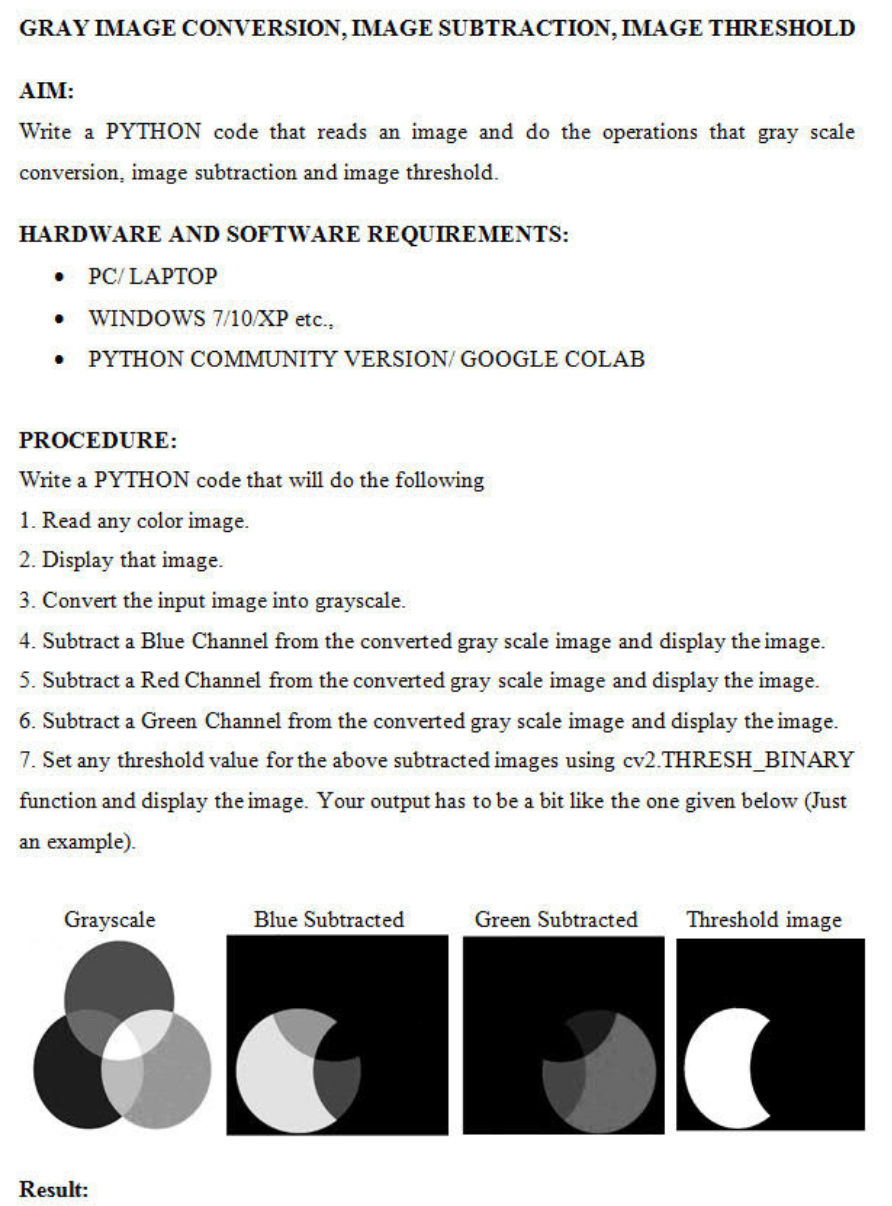
GRAY IMAGE CONVERSION, IMAGE SUBTRACTION, IMAGE THRESHOLD AIM: Write a PYTHON code that reads an image and do the operations that gray scale conversion, image subtraction and image threshold. HARDWARE AND SOFTWARE REQUIREMENTS: . PC/LAPTOP WINDOWS 7/10/XP etc., PYTHON COMMUNITY VERSION GOOGLE COLAB . PROCEDURE: Write a PYTHON code that will do the following 1. Read any color image. 2. Display that image. 3. Convert the input image into grayscale. 4. Subtract a Blue Channel from the converted gray scale image and display the image. 5. Subtract a Red Channel from the converted gray scale image and display the image. 6. Subtract a Green Channel from the converted gray scale image and display the image. 7. Set any threshold value for the above subtracted images using cv2.THRESH_BINARY function and display the image. Your output has to be a bit like the one given below (Just an example) Grayscale Blue Subtracted Green Subtracted Threshold image Result
Step by Step Solution
There are 3 Steps involved in it

Get step-by-step solutions from verified subject matter experts
 Study Help