







Question: Hands-On Practice 4.3 Let's practice using external styles. First, you'll create an external style sheet. Then you'll configure a web page to be associated with
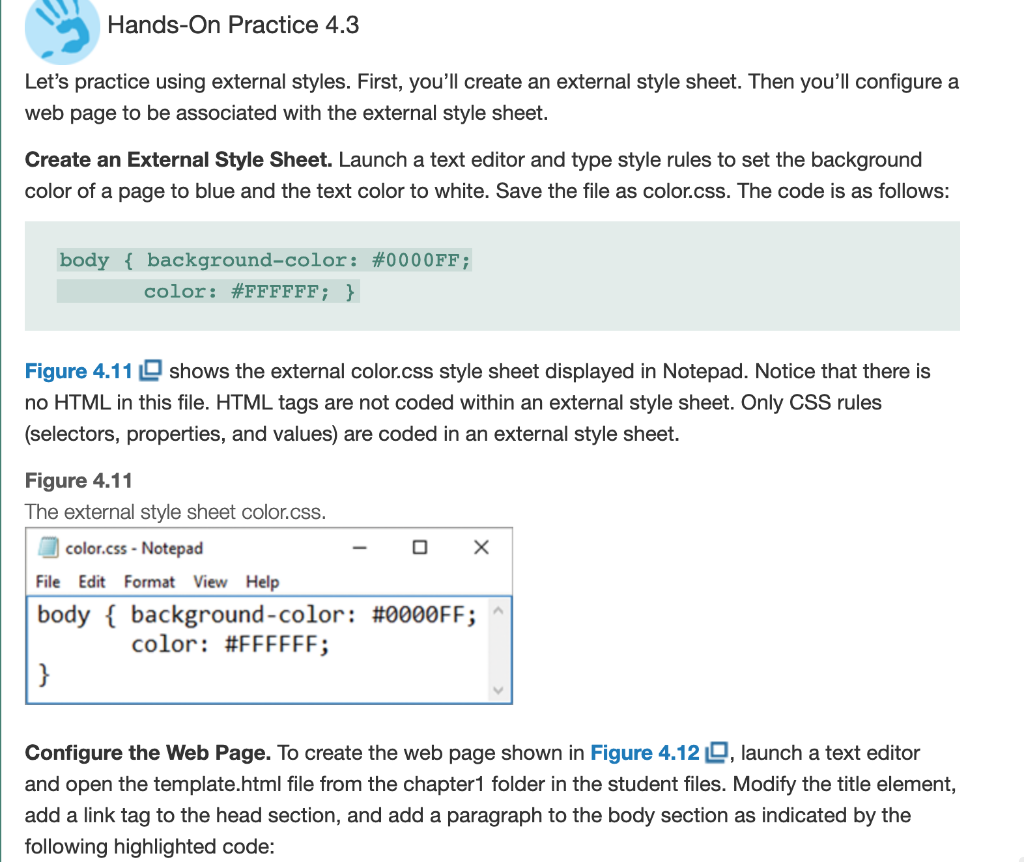
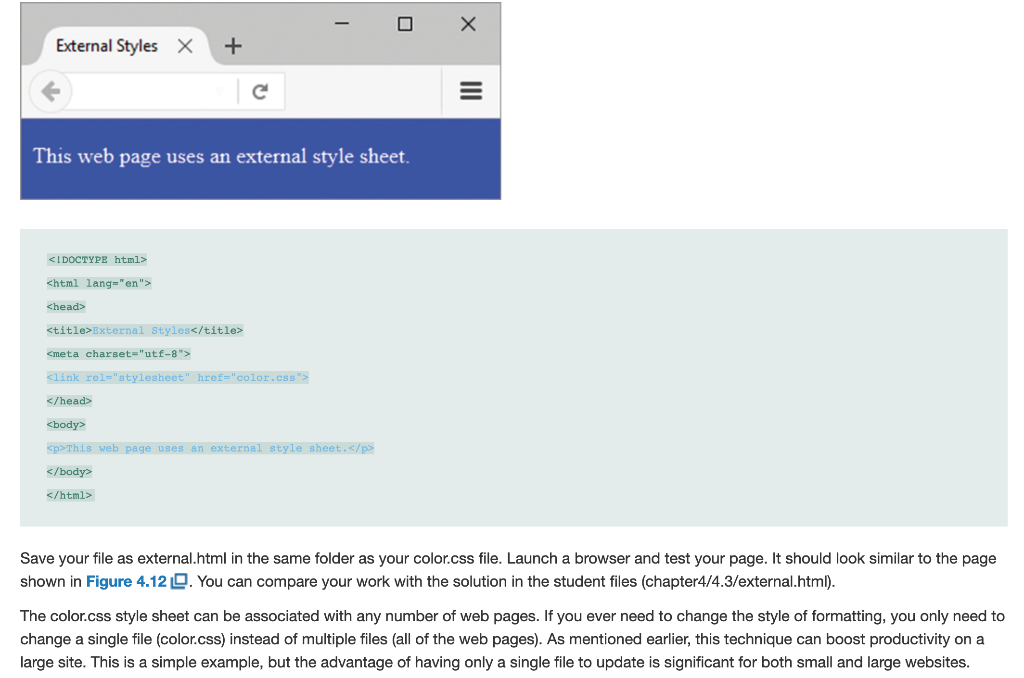
Hands-On Practice 4.3 Let's practice using external styles. First, you'll create an external style sheet. Then you'll configure a web page to be associated with the external style sheet. Create an External Style Sheet. Launch a text editor and type style rules to set the background color of a page to blue and the text color to white. Save the file as color.css. The code is as follows: body { background-color: #0000FF; color: #FFFFFF; } Figure 4.11 shows the external color.css style sheet displayed in Notepad. Notice that there is no HTML in this file. HTML tags are not coded within an external style sheet. Only CSS rules (selectors, properties, and values) are coded in an external style sheet. Figure 4.11 The external style sheet color.css. color.css - Notepad - O X File Edit Format View Help body { background-color: #0000FF; ^ color: #FFFFFF; Configure the Web Page. To create the web page shown in Figure 4.120, launch a text editor and open the template.html file from the chapter1 folder in the student files. Modify the title element, add a link tag to the head section, and add a paragraph to the body section as indicated by the following highlighted code: O - X x + External Styles This web page uses an external style sheet.
This web page uses an external style sheet.
Save your file as external.html in the same folder as your color.css file. Launch a browser and test your page. It should look similar to the page shown in Figure 4.12 . You can compare your work with the solution in the student files (chapter4/4.3/external.html). The color.css style sheet can be associated with any number of web pages. If you ever need to change the style of formatting, you only need to change a single file (color.css) instead of multiple files (all of the web pages). As mentioned earlier, this technique can boost productivity on a large site. This is a simple example, but the advantage of having only a single file to update is significant for both small and large websites
Step by Step Solution
There are 3 Steps involved in it

Get step-by-step solutions from verified subject matter experts
 Study Help