







Question: Hands-On Practice 6.10 In this Hands-On Practice you'll begin with the two-column Lighthouse Island Bistro home page (shown in Figure 6.30) and apply the section,
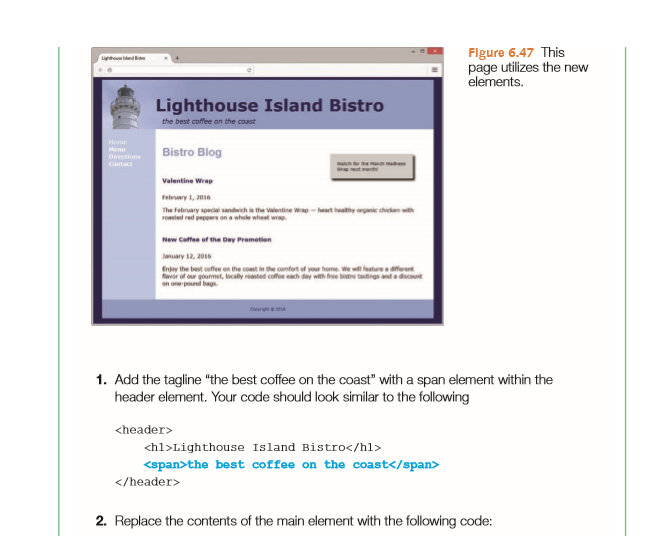
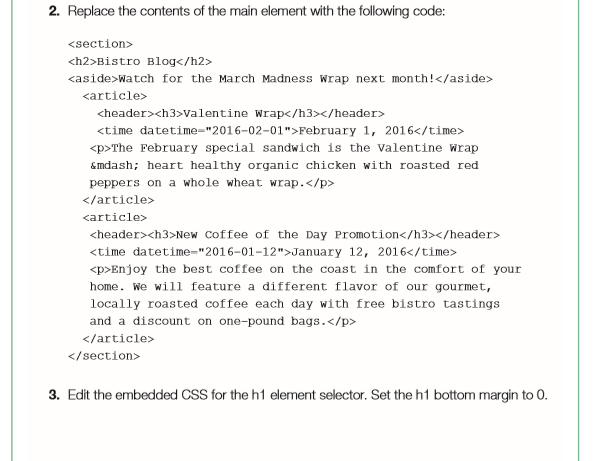
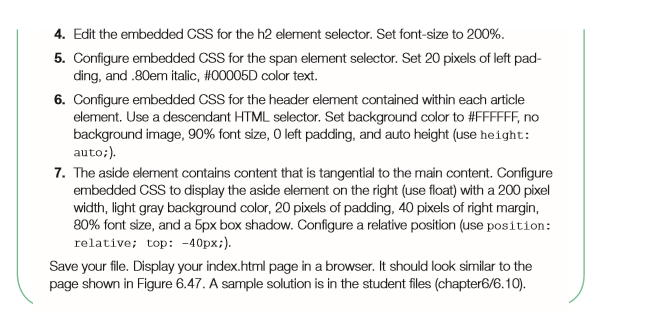
Hands-On Practice 6.10 In this Hands-On Practice you'll begin with the two-column Lighthouse Island Bistro home page (shown in Figure 6.30) and apply the section, article, asde, and time ele- ments to create the page with blog postings shown in Figure 6.47. Create a new folder named ch6blog. Copy the index.html and lighthouselogo.jpg files from the student files chapter6/6.4 folder into the ch6blog folder. Launch a text editor, and open the index.html file. Examine the source code, and locate the header element. Hands-On Practice 6.10 In this Hands-On Practice you'll begin with the two-column Lighthouse Island Bistro home page (shown in Figure 6.30) and apply the section, article, asde, and time ele- ments to create the page with blog postings shown in Figure 6.47. Create a new folder named ch6blog. Copy the index.html and lighthouselogo.jpg files from the student files chapter6/6.4 folder into the ch6blog folder. Launch a text editor, and open the index.html file. Examine the source code, and locate the header element
Step by Step Solution
There are 3 Steps involved in it

Get step-by-step solutions from verified subject matter experts
 Study Help