







Question: Have to write a calculator in Android Studio, attached are the requirements Write a single screen Android application in portrait mode that allows a user
Have to write a calculator in Android Studio, attached are the requirements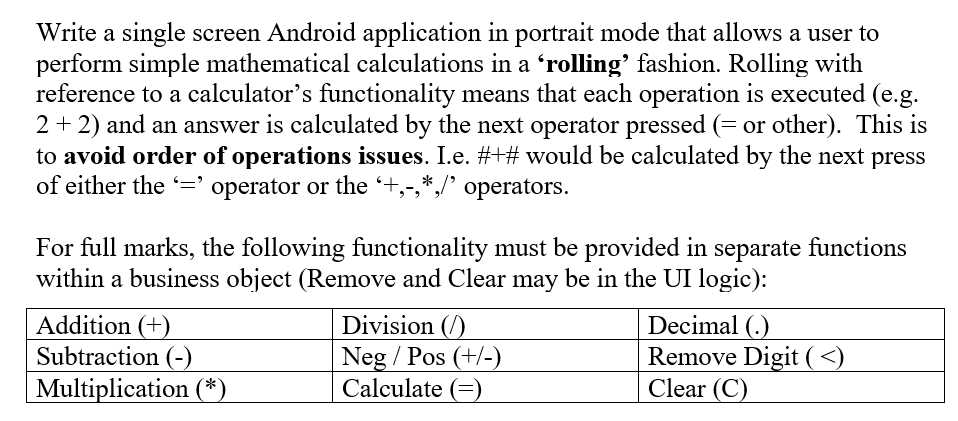
Write a single screen Android application in portrait mode that allows a user to perform simple mathematical calculations in a rolling' fashion. Rolling with reference to a calculator's functionality means that each operation is executed (e.g. 2 + 2) and an answer is calculated by the next operator pressed (= or other). This is to avoid order of operations issues. I.e. #+# would be calculated by the next press of either the = operator or the +,-,*,/ operators. For full marks, the following functionality must be provided in separate functions within a business object (Remove and Clear may be in the UI logic): Addition (+) Subtraction (-) Multiplication (*) Division (1) Neg / Pos (+/-) Calculate (E) Decimal (.) Remove Digit (
Step by Step Solution
There are 3 Steps involved in it

Get step-by-step solutions from verified subject matter experts
 Study Help