







Question: Having a hard time with my VDHL code, please help to do the following: Program the Zybo Z7 board and verify that code detector implementation
Having a hard time with my VDHL code, please help to do the following:
Program the Zybo Z7 board and verify that code detector implementation executes properly, by pressing reset followed by red-blue-green-red push-buttons. The LED1 must turn on to indicate opened and LED0 for locked must turn off. Modify the code detector VHDL project to change the code to red-blue-green-red-yellow. Use sliding switch SW0 for yellow button. To indicate opened and locked use the tricolor (RGB) LED LD5. LD5 must turn on red to indicate locked and must turn on green to indicate open.
- The new code detector state diagram. - Screen shot of the VHDL code in Vivado. - Screen shot of the user constraint file. - Picture of the Zybo Z7 board with LD5 in green showing opened safe.
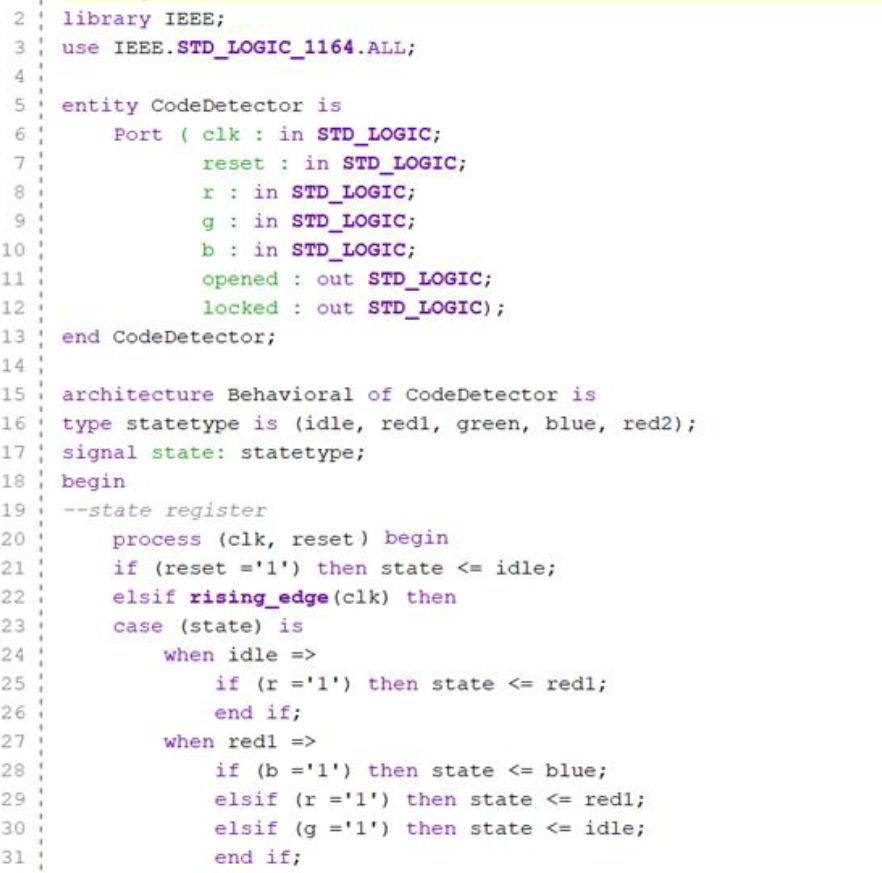
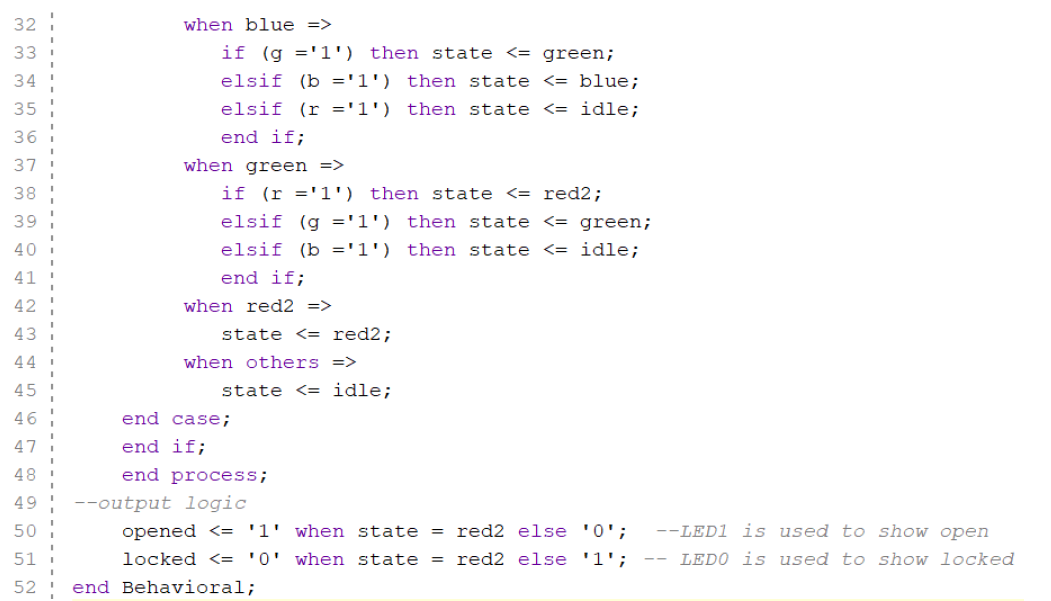
Constraints file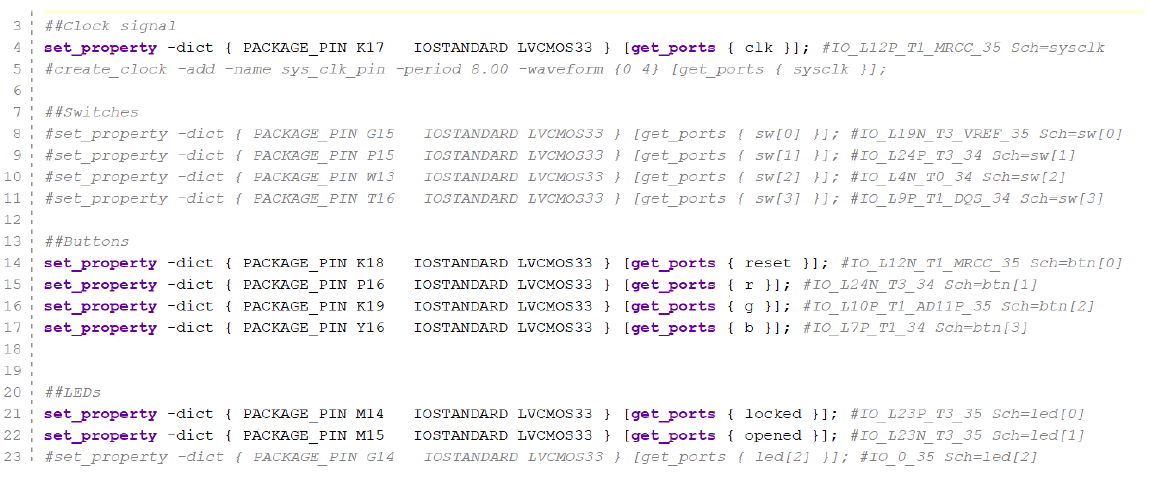
Step by Step Solution
There are 3 Steps involved in it

Get step-by-step solutions from verified subject matter experts
 Study Help