







Question: Hello below is an image showing an example output that I should receive. I am not getting that output. I have the following script file
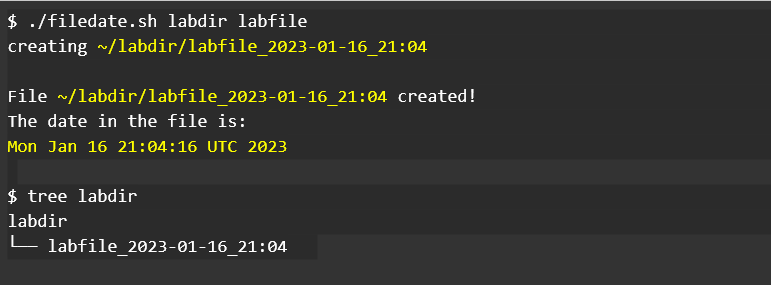
Hello below is an image showing an example output that I should receive.
I am not getting that output. I have the following script file below that shows what I have done and the commands that I am using. Can someone please help me fix my script issues to get it to work.
It should create the file after I type in ~/filedate.sh labdir labfile
**--- Script File ~/filedate.sh
#!/bin/bash # # Name: Your Name and Student Number # Description: Create a directory and filename in users home directory # appends date and time to filename # inserts todays date in filename # outputs contents of filename when done # # Usage: filedate.sh
\$./filedate.sh labdir labfile creating /labdir/labfile_2023-01-16_21:04 File /labdir/labfile_2023-01-16_21:04 created! The date in the file is: Mon Jan 16 21:04:16 UTC 2023 $ tree labdir labdir labfile_2023-01-16_21:04
Step by Step Solution
There are 3 Steps involved in it

Get step-by-step solutions from verified subject matter experts
 Study Help