







Question: Hello could solve this practice program for my python class? Make sure to follow carefully all the requirements and use all the comments on the
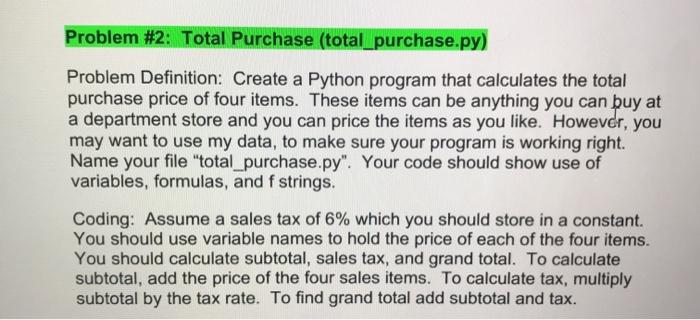
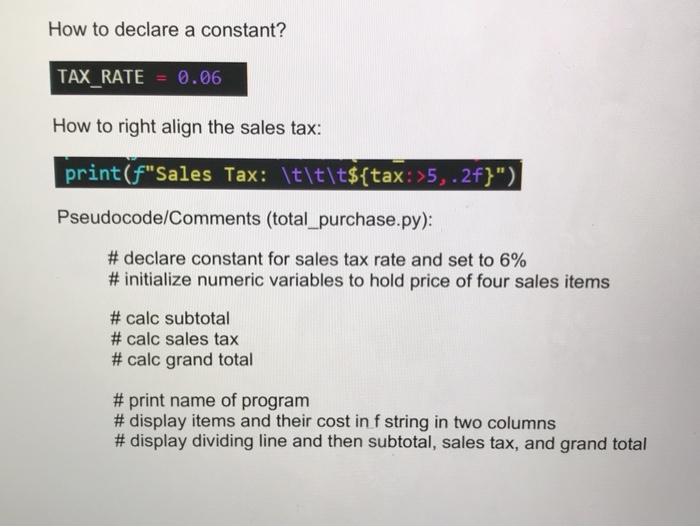
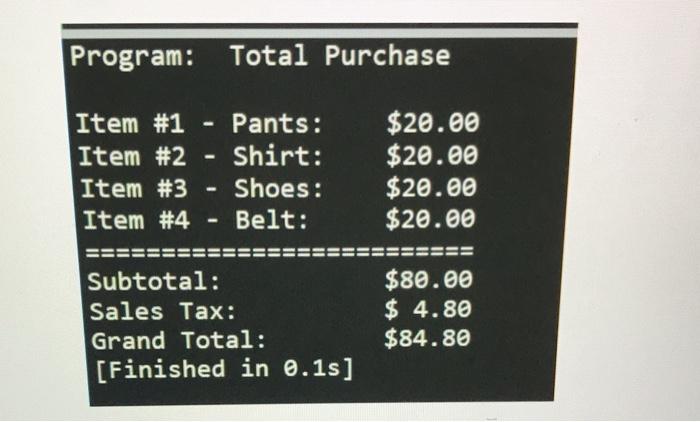
Problem #2: Total Purchase (total_purchase.py) Problem Definition: Create a Python program that calculates the total purchase price of four items. These items can be anything you can buy at a department store and you can price the items as you like. However, you may want to use my data, to make sure your program is working right. Name your file "total_purchase.py". Your code should show use of variables, formulas, and f strings. Coding: Assume a sales tax of 6% which you should store in a constant. You should use variable names to hold the price of each of the four items. You should calculate subtotal, sales tax, and grand total. To calculate subtotal, add the price of the four sales items. To calculate tax, multiply subtotal by the tax rate. To find grand total add subtotal and tax. How to declare a constant? TAX_RATE = 0.06 How to right align the sales tax: print("Sales Tax: \t\t\t${tax: >5, 2f}") Pseudocode/Comments (total_purchase.py): # declare constant for sales tax rate and set to 6% #initialize numeric variables to hold price of four sales items #calc subtotal #calc sales tax #calc grand total #print name of program #display items and their cost in f string in two columns #display dividing line and then subtotal, sales tax, and grand total Program: Total Purchase Item #1 - Pants: Item #2 - Shirt: Item #3 Shoes: Item #4 Belt: $20.00 $20.00 $20.00 $20.00 Subtotal: Sales Tax: Grand Total: [Finished in 0.1s] $80.00 $ 4.80 $84.80
Step by Step Solution
There are 3 Steps involved in it

Get step-by-step solutions from verified subject matter experts
 Study Help