







Question: Hello, I need help with mySQL workbench. I am not sure where I am going wrong, I am using MySQL Workbench, but this has happened
Hello, I need help with mySQL workbench. I am not sure where I am going wrong, I am using MySQL Workbench, but this has happened when i try to import files from excel as .CSV file and this keeps happening or when I do not get this notice, it says everything is ok but then shows that "0 Records Imported". I have tried inputing it column by column but even that does not work. Any help would be appreciated!
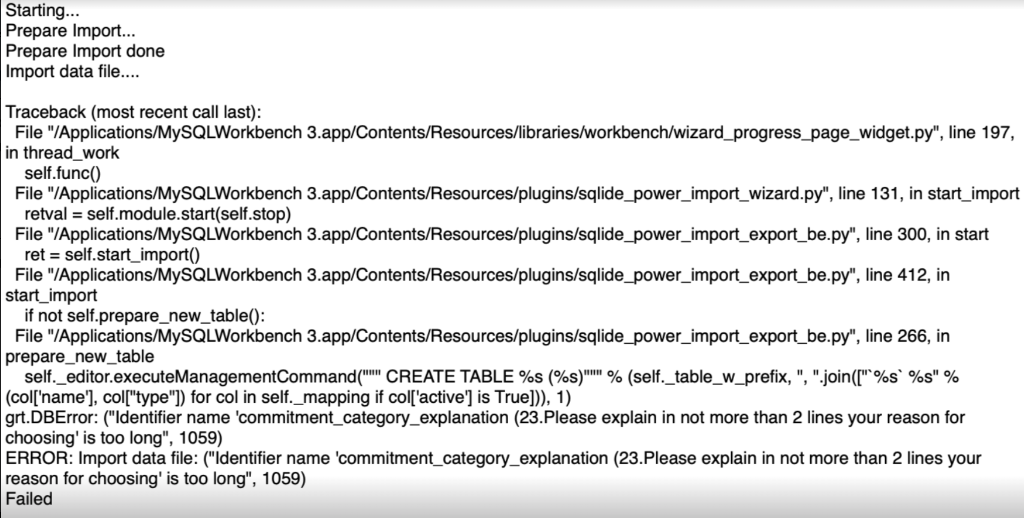
Prepare Import... Prepare Import done Import data file.... Traceback (most recent call last): File "/Applications/MySQLWorkbench 3.app/Contents/Resources/libraries/workbench/wizard_progress_page_widget.py", line 197, in thread_work self.func() File "/Applications/MySQLWorkbench 3.app/Contents/Resources/plugins/sqlide_power_import_wizard.py", line 131, in start_import retval = self.module.start(self.stop) File "/Applications/MySQLWorkbench 3.app/Contents/Resources/plugins/sqlide_power_import_export_be.py", line 300, in start ret = self.start_import() File "/Applications/MySQLWorkbench 3.app/Contents/Resources/plugins/sqlide_power_import_export_be.py", line 412, in start_import if not self.prepare_new_table(): File "/Applications/MySQLWorkbench 3.app/Contents/Resources/plugins/sqlide_power_import_export_be.py", line 266, in prepare_new_table self._editor.executeManagementCommand(""'" CREATE TABLE \%s (\%s)""! \% (self._table_w_prefix, ", ".join([" \%s` \%s" \% (col['name'], col["type"]) for col in self._mapping if col['active'] is True])), 1) grt.DBError: ("Identifier name 'commitment_category_explanation (23.Please explain in not more than 2 lines your reason for choosing' is too long", 1059) ERROR: Import data file: ("Identifier name 'commitment_category_explanation (23.Please explain in not more than 2 lines your reason for choosing' is too long", 1059) Failed
Step by Step Solution
There are 3 Steps involved in it

Get step-by-step solutions from verified subject matter experts
 Study Help