



Question: Hello. Im using autocad mechanical 2022. The first picture is what I get when I click on annotate. The screenshot below it is what I
Hello. Im using autocad mechanical 2022.
The first picture is what I get when I click on "annotate". The screenshot below it is what I used to get when I click on "annotate". Can anyone tell me what I did and how do I go to the original one.

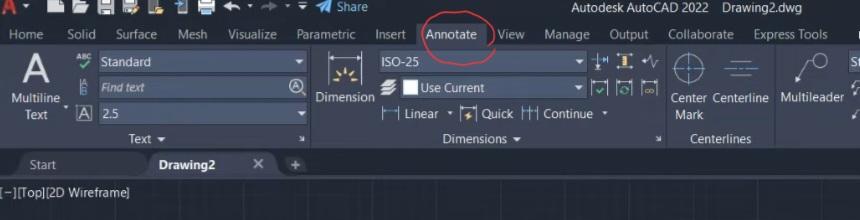
When I click on "annotate" I now get a different menu/features. And I'm trying to have back to the way it was before.
Please explain and elaborate on how I can change it back. Thanks a lot for your help.
Autodesk AutoCAD 2022 Drawing2.dwg
Step by Step Solution
There are 3 Steps involved in it
1 Expert Approved Answer
Step: 1 Unlock

Question Has Been Solved by an Expert!
Get step-by-step solutions from verified subject matter experts
Step: 2 Unlock
Step: 3 Unlock