







Question: Hello please help me create a quiz app using java in android studio as shown in the images below with the following instructions below! I
Hello please help me create a quiz app using java in android studio as shown in the images below with the following instructions below! I need help ASAP, and I will give the best rating.
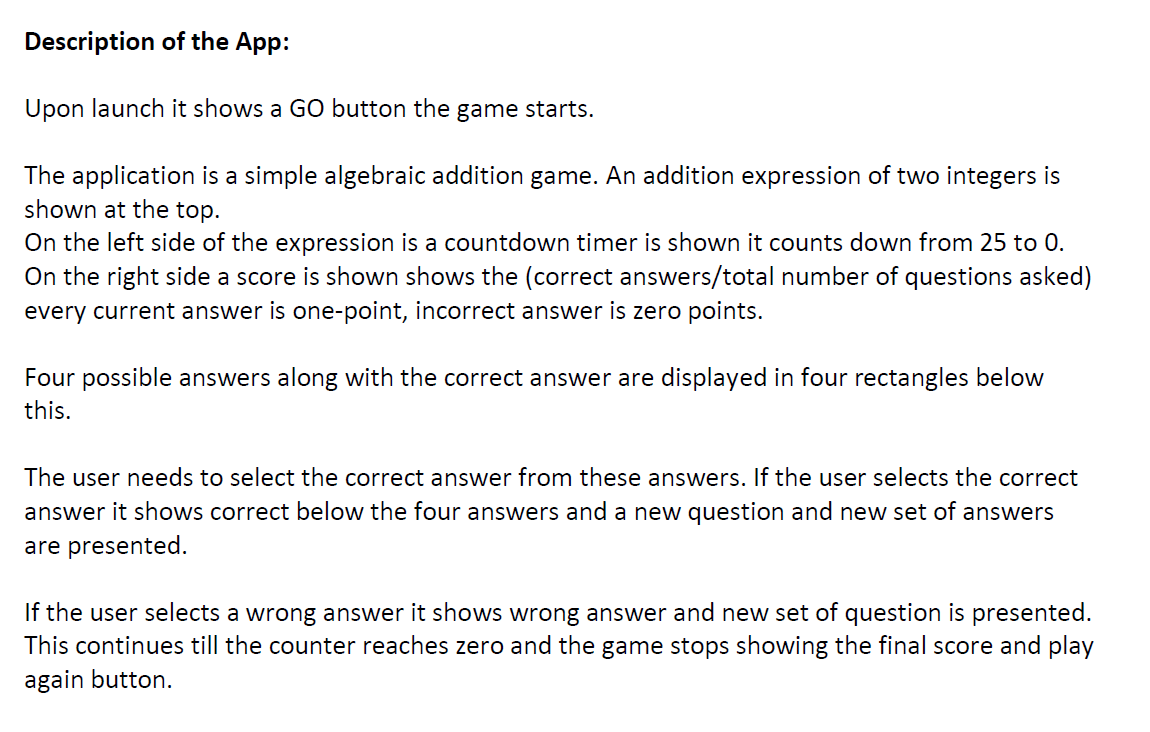
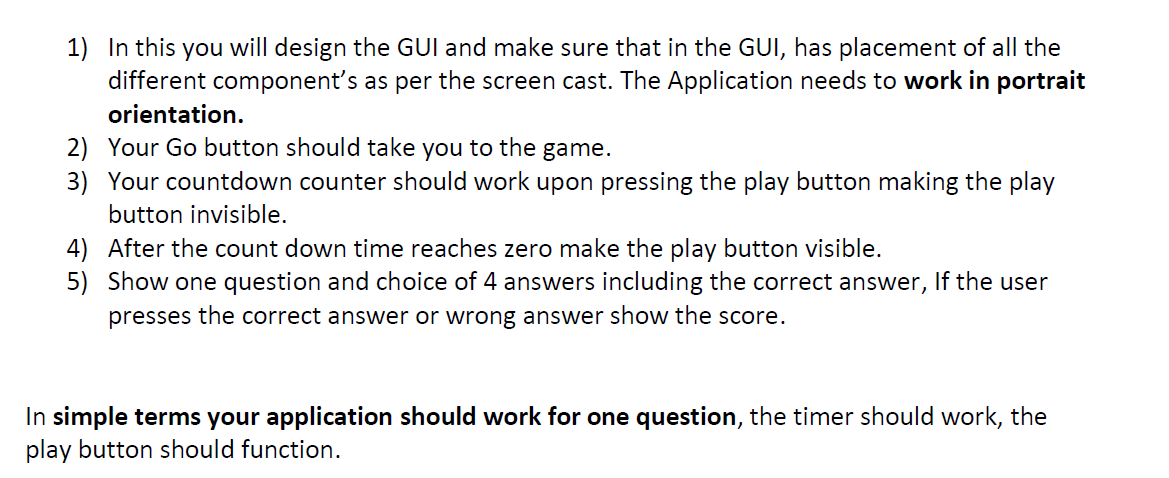
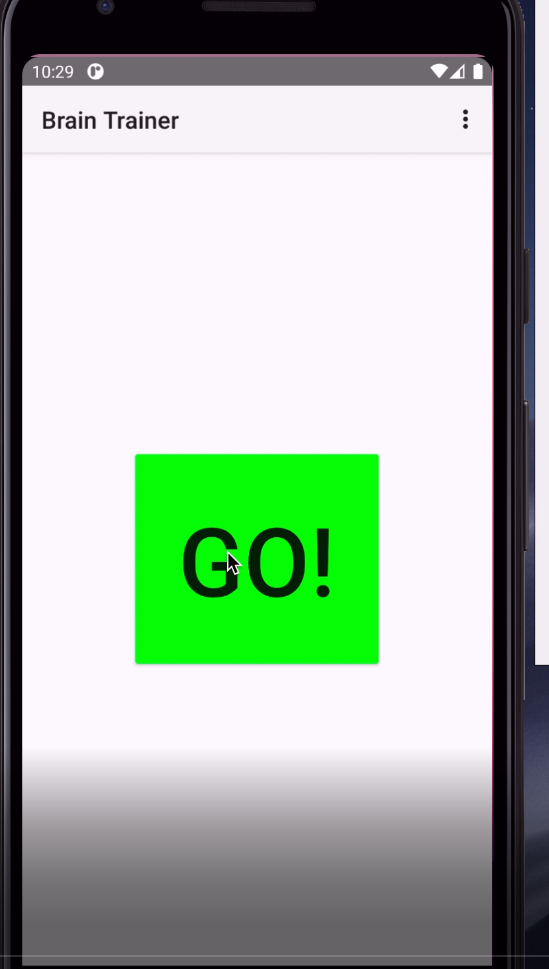
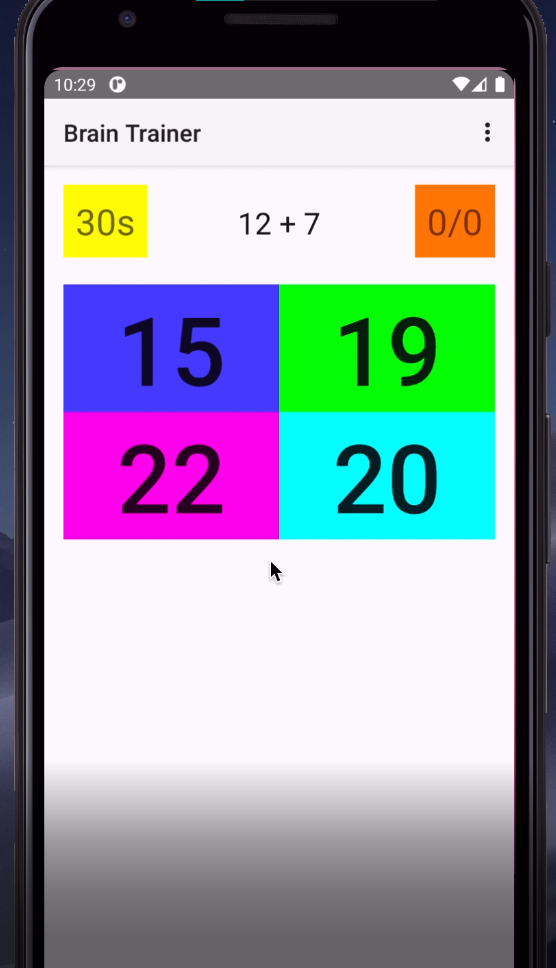
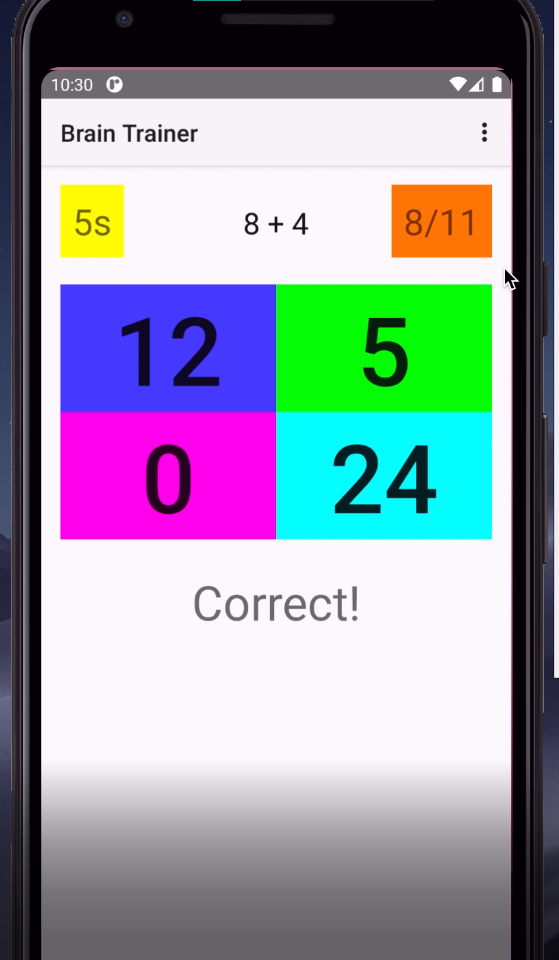
Description of the App: Upon launch it shows a GO button the game starts. The application is a simple algebraic addition game. An addition expression of two integers is shown at the top. On the left side of the expression is a countdown timer is shown it counts down from 25 to 0. On the right side a score is shown shows the (correct answers/total number of questions asked) every current answer is one-point, incorrect answer is zero points. Four possible answers along with the correct answer are displayed in four rectangles below this. The user needs to select the correct answer from these answers. If the user selects the correct answer it shows correct below the four answers and a new question and new set of answers are presented. If the user selects a wrong answer it shows wrong answer and new set of question is presented. This continues till the counter reaches zero and the game stops showing the final score and play again button. 1) In this you will design the GUI and make sure that in the GUI, has placement of all the different component's as per the screen cast. The Application needs to work in portrait orientation. 2) Your Go button should take you to the game. 3) Your countdown counter should work upon pressing the play button making the play button invisible. 4) After the count down time reaches zero make the play button visible. 5) Show one question and choice of 4 answers including the correct answer, If the user presses the correct answer or wrong answer show the score. In simple terms your application should work for one question, the timer should work, the play button should function. 10:29 0 Brain Trainer GO! 10:29 0 Brain Trainer : 30s 12 + 7 0/0 15 19 22 20 10:30 Brain Trainer : 5s 8 + 4 8/11 5 12 0 24 Correct! Description of the App: Upon launch it shows a GO button the game starts. The application is a simple algebraic addition game. An addition expression of two integers is shown at the top. On the left side of the expression is a countdown timer is shown it counts down from 25 to 0. On the right side a score is shown shows the (correct answers/total number of questions asked) every current answer is one-point, incorrect answer is zero points. Four possible answers along with the correct answer are displayed in four rectangles below this. The user needs to select the correct answer from these answers. If the user selects the correct answer it shows correct below the four answers and a new question and new set of answers are presented. If the user selects a wrong answer it shows wrong answer and new set of question is presented. This continues till the counter reaches zero and the game stops showing the final score and play again button. 1) In this you will design the GUI and make sure that in the GUI, has placement of all the different component's as per the screen cast. The Application needs to work in portrait orientation. 2) Your Go button should take you to the game. 3) Your countdown counter should work upon pressing the play button making the play button invisible. 4) After the count down time reaches zero make the play button visible. 5) Show one question and choice of 4 answers including the correct answer, If the user presses the correct answer or wrong answer show the score. In simple terms your application should work for one question, the timer should work, the play button should function. 10:29 0 Brain Trainer GO! 10:29 0 Brain Trainer : 30s 12 + 7 0/0 15 19 22 20 10:30 Brain Trainer : 5s 8 + 4 8/11 5 12 0 24 Correct
Step by Step Solution
There are 3 Steps involved in it

Get step-by-step solutions from verified subject matter experts
 Study Help