







Question: Hello, please solve this in Matlab. I will upvote. Please show the code in a way that can be copied and show how to form
Hello, please solve this in Matlab. I will upvote. Please show the code in a way that can be copied and show how to form the code. Thanks in advance. Image of question and transcript of question is shown below
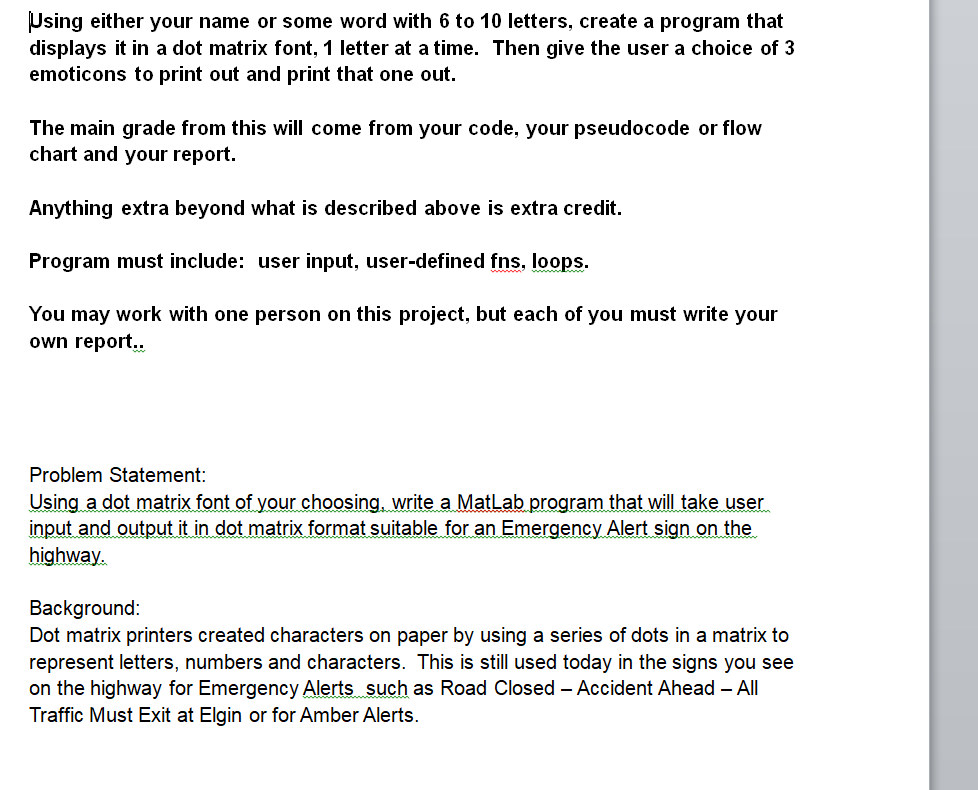
Using either your name or some word with to letters, create a program that
displays it in a dot matrix font, letter at a time. Then give the user a choice of
emoticons to print out and print that one out.
The main grade from this will come from your code, your pseudocode or flow
chart and your report.
Program must include: user input, userdefined fns loops.
Using a dot matrix font of your choosing, write a MatLab program that will take user
input and output it in dot matrix format suitable for an Emergency Alert sign on the
highway.
You need to simply create the letters in your name or a word of your choice and stack the letters like this:
J
U
N
E
The size of the letters must be a x matrix, ie wide and tall.
You can use one of the fonts as inspiration or design one of your own. Use all caps. At a minimum you need the characters from the example at the beginning. You may add lowercase and other special characters if you so desire.
You must use user defined functions. At a minimum you need user defined functions: the first should ask for and check the user input. The second userdefined function should take the input and create the output.
You may prefer to create a userdefined function for each character, or a single function it is up to you.
You need some type of linkage between the user input and the userdefined functions.
For some of the characters, you can perhaps use a FOR LOOP to shorten the code.
The first output from your program should be a listing of each character.
You need to ask for user input and you need to check user input using a WHILE loop.
You need to decide whether to use FPRINTF or DISP or some combination of both.
Submit a few runs of the program showing that your input function works to detect input that will not work. A submission is the output from the Command Window.
Step by Step Solution
There are 3 Steps involved in it
1 Expert Approved Answer
Step: 1 Unlock

Question Has Been Solved by an Expert!
Get step-by-step solutions from verified subject matter experts
Step: 2 Unlock
Step: 3 Unlock
 Study Help