







Question: Hello there, I'm going to extend this program in order to complete the rest of the following functions: can someone give me some verification on
Hello there,
I'm going to extend this program in order to complete the rest of the following functions: can someone give me some verification on what I am suppose to add?
Intro:
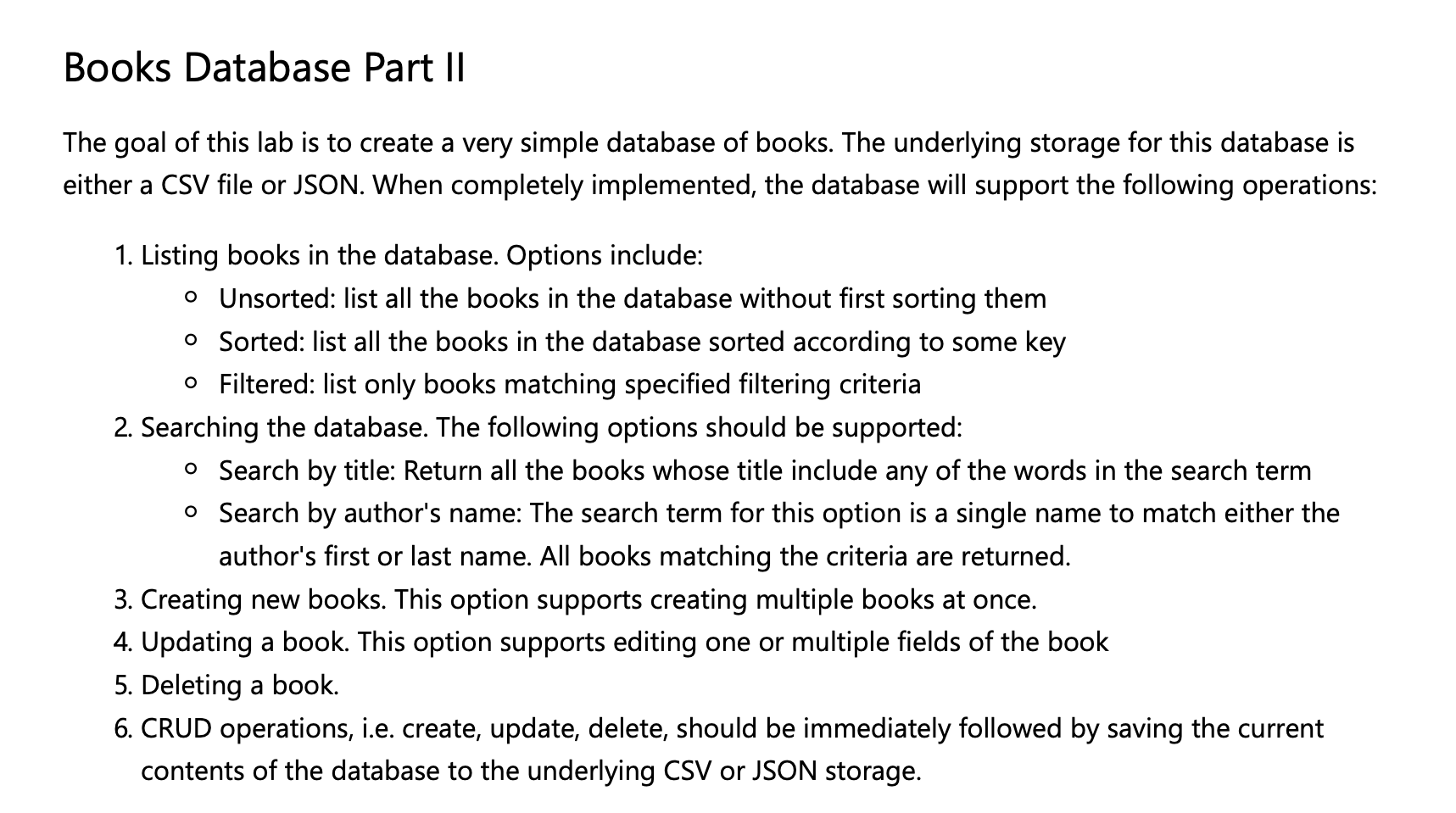
With those in mind, here is how the current code from part 1 looks like (Note that I connected to the .csv file, which I will show its content last, the pass is where new codes are to be inputed):
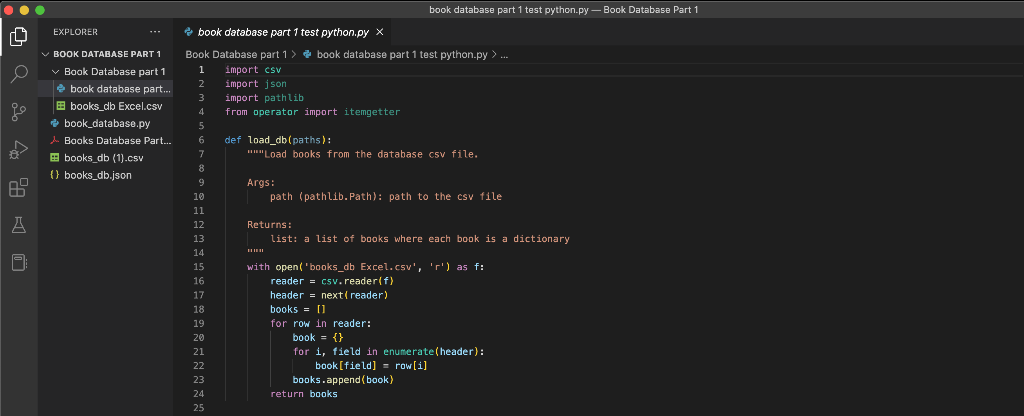
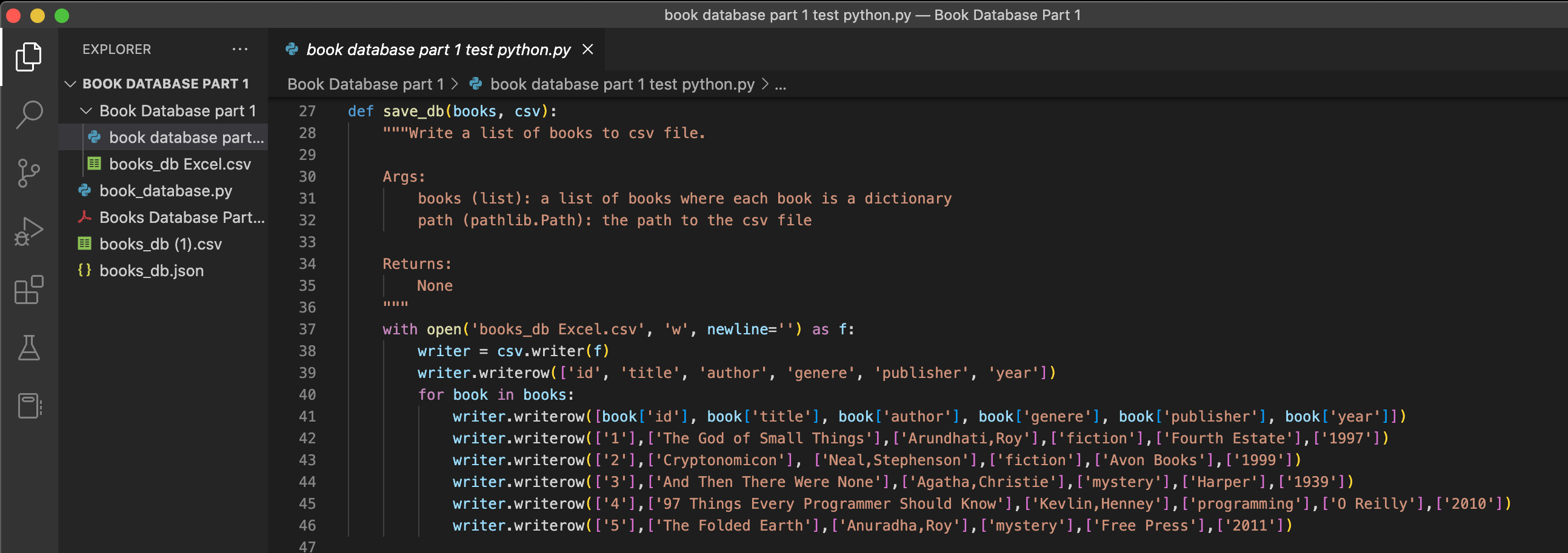
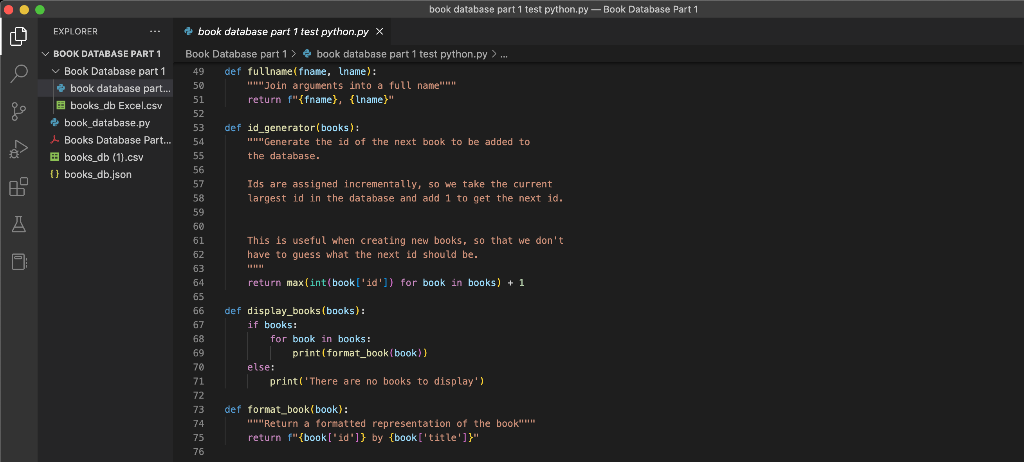
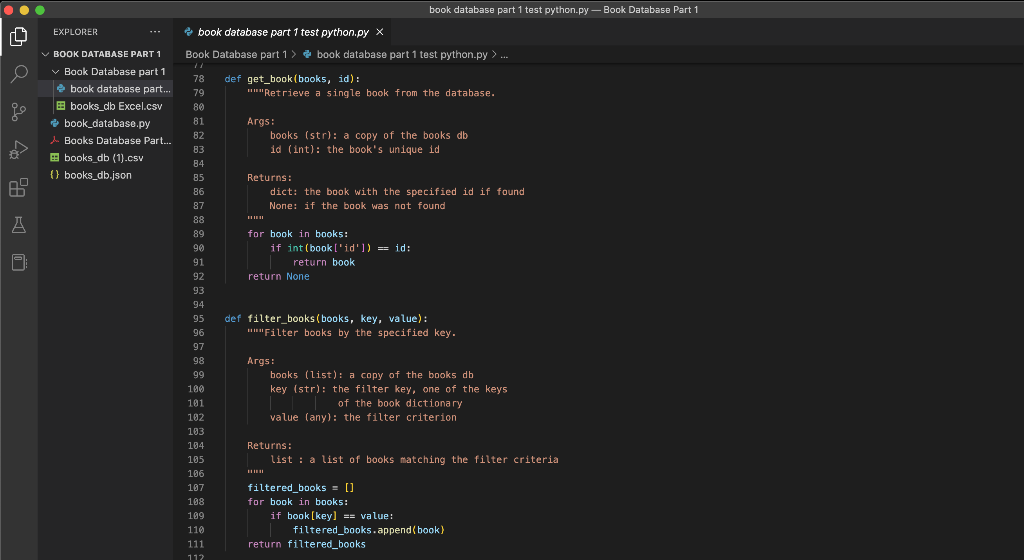
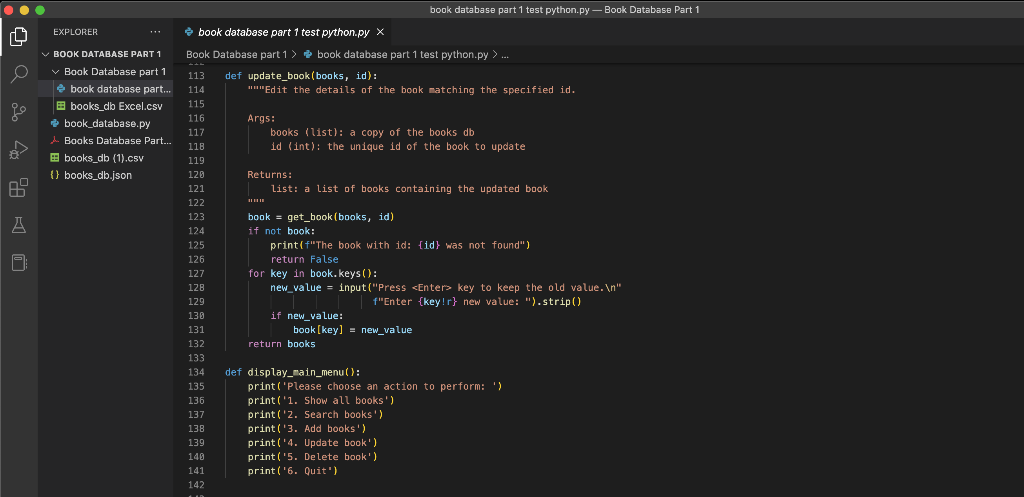
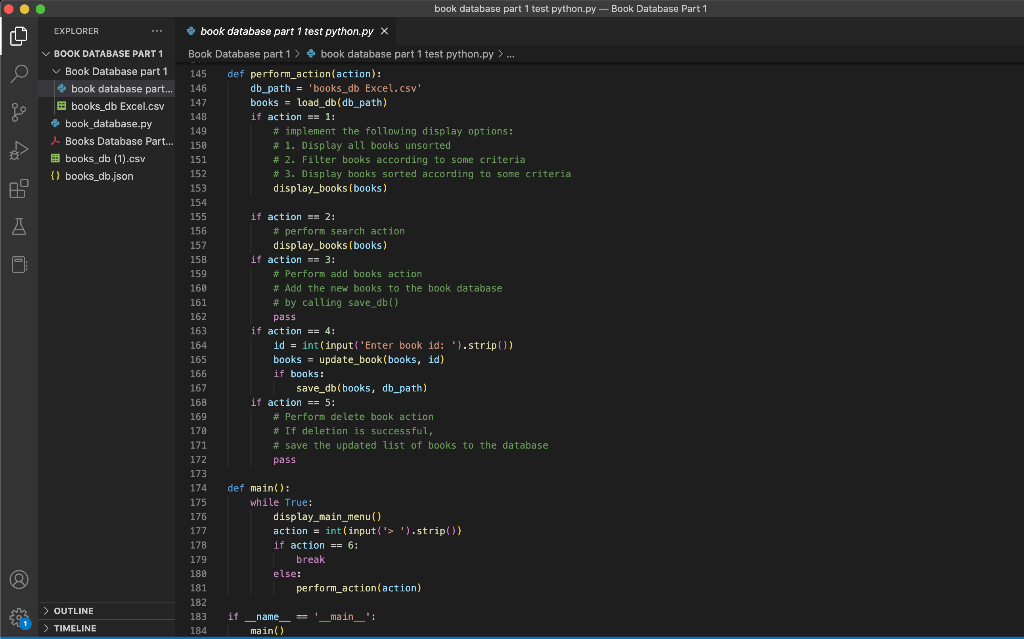
This is where the code ends, I included what I did previously in part 1 to see if I can perhaps improve what I currently have
This is the .csv file contents:
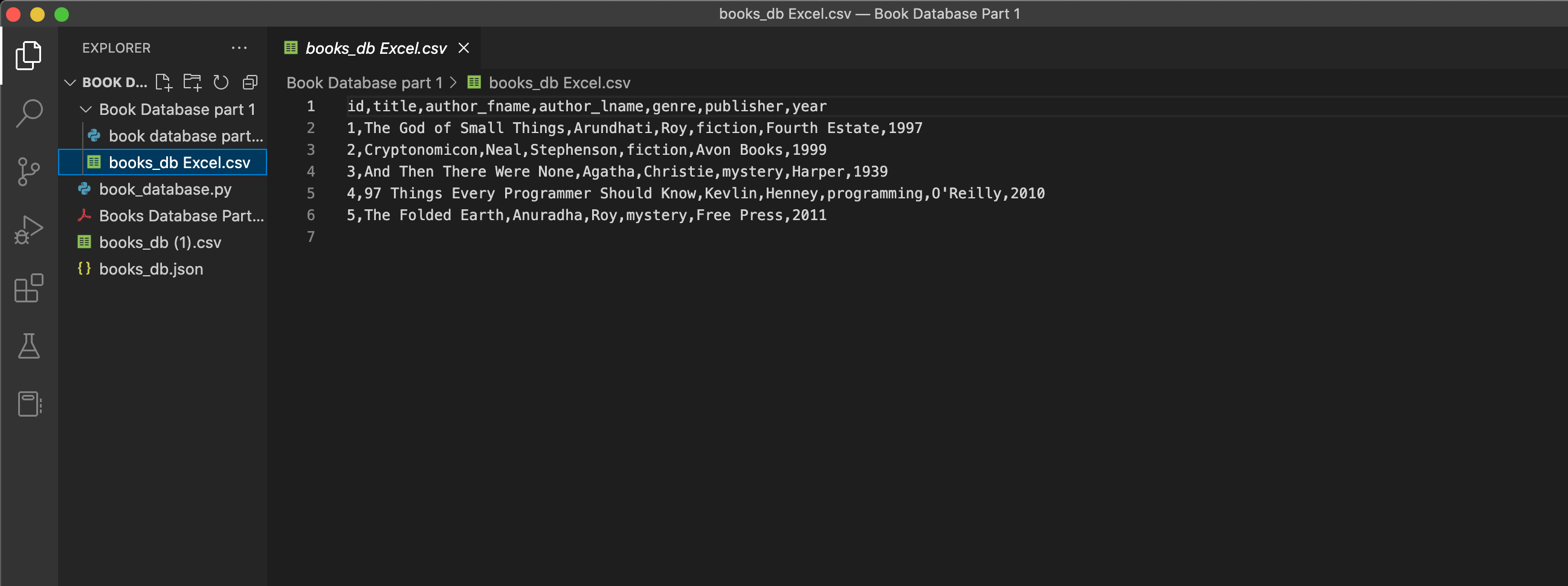
For part 2 I want to add codes to the code structure above that will make this program have functions that will:
Add books
Delete books
Sort books
and if possible, Search books
Blow are the instructions explained more clearly:
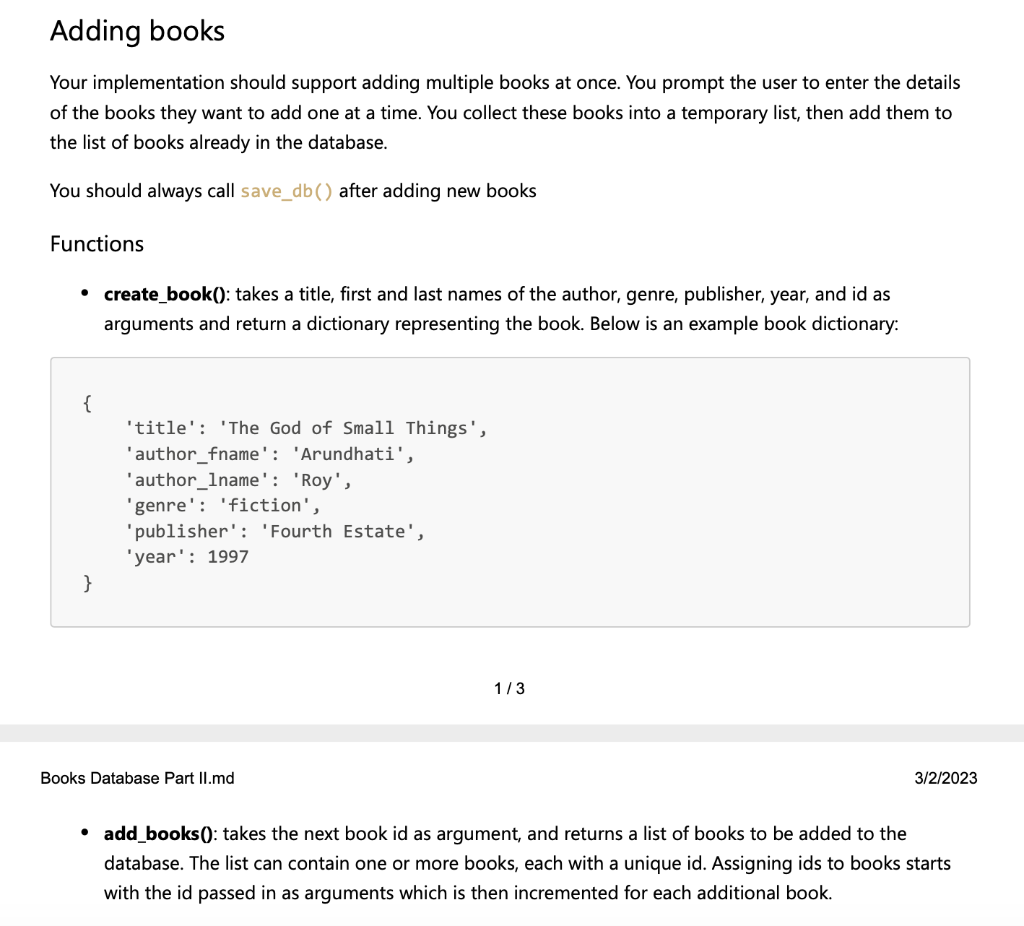
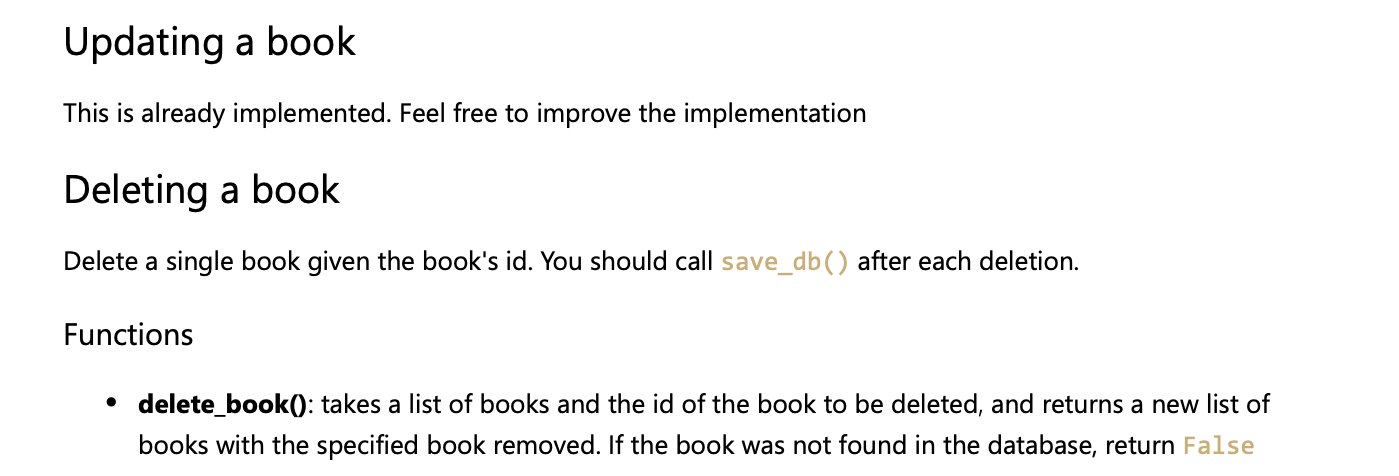
(The Delete section is an optional part)
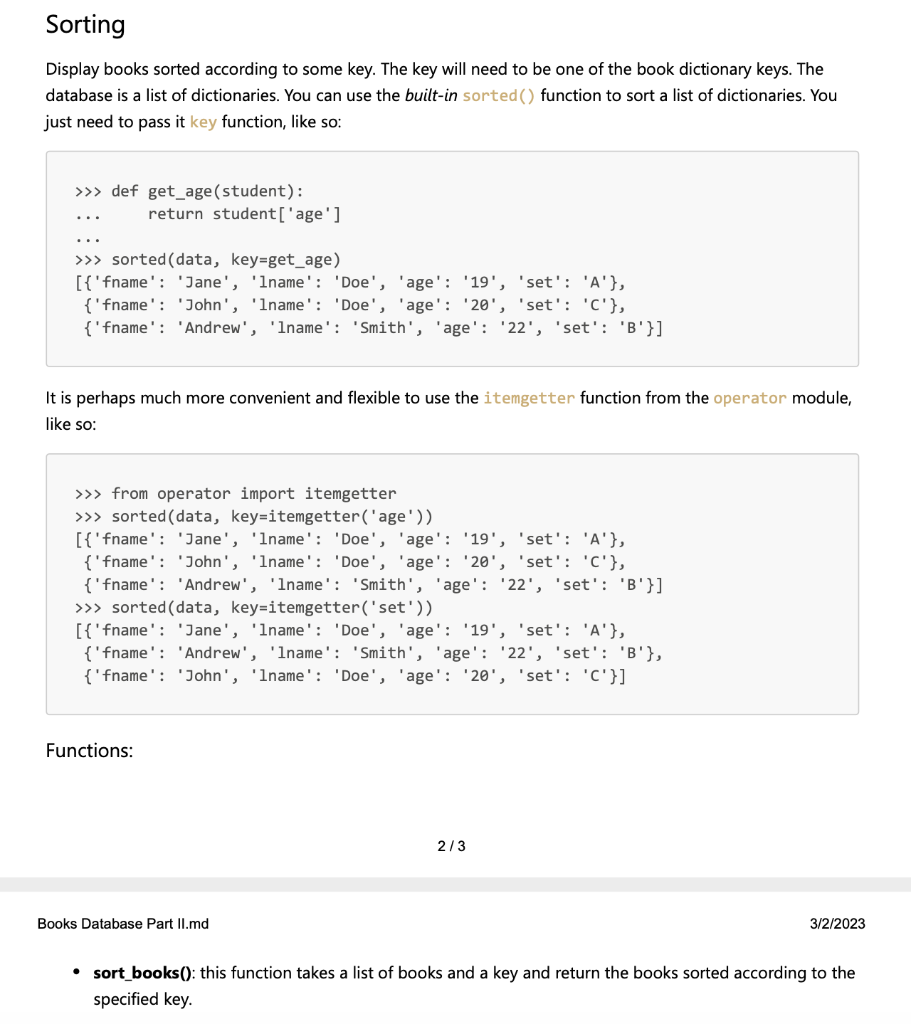
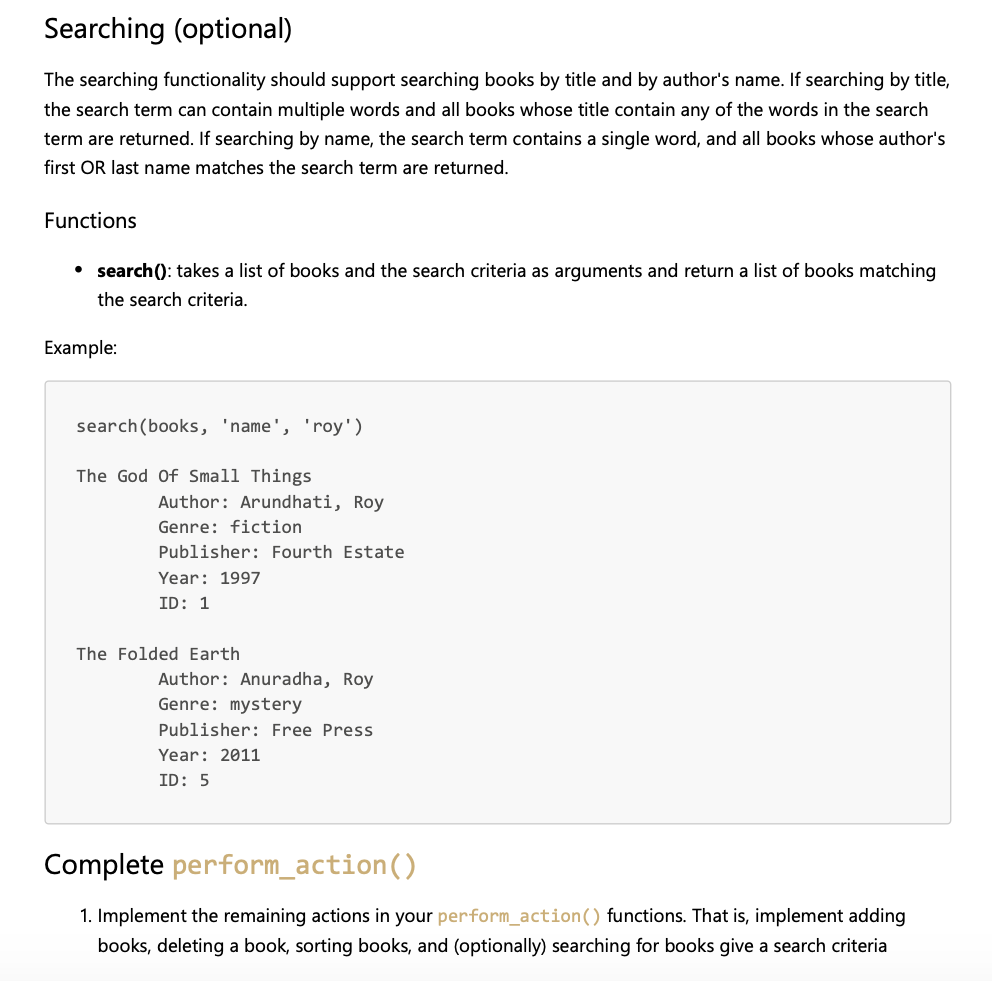
Can someone show me what exactly I have to type in order to complete its the functions that I wanted? And is there any improvements that can be made for the old coding section?
Thank you for looking over this question
he goal of this lab is to create a very simple database of books. The underlying storage for this database is ither a CSV file or JSON. When completely implemented, the database will support the following operations: 1. Listing books in the database. Options include: - Unsorted: list all the books in the database without first sorting them - Sorted: list all the books in the database sorted according to some key - Filtered: list only books matching specified filtering criteria 2. Searching the database. The following options should be supported: - Search by title: Return all the books whose title include any of the words in the search term - Search by author's name: The search term for this option is a single name to match either the author's first or last name. All books matching the criteria are returned. 3. Creating new books. This option supports creating multiple books at once. 4. Updating a book. This option supports editing one or multiple fields of the book 5. Deleting a book. 6. CRUD operations, i.e. create, update, delete, should be immediately followed by saving the current contents of the database to the underlying CSV or JSON storage. book database part 1 test python.py - Book Database Part 1 book database part 1 test python.py - Book Database Part 1 book database part 1 test python.py - Book Database Part 1 iok database part f test python.py Database part 1> book database part 1 test python.py > def get_book(books, id): mmetrieve a single book from the database. Args: books (str): a copy of the books db id (int): the book's unique id Returns: dict: the book with the specified id if found None: if the book was not found man for book in books: if int(b00k[id])= id: return book return None def filter_books(books, key, value): umilter books by the specified key. Args: books (list): a copy of the books db key (str): the filter key, one of the keys | | of the book dictionary value (any): the filter criterion Returns: list : a list of books matching the filter criteria minu filtered_books =[] far book in books: if book [key]== value: filtered_books.append(book return filtered_books book database part 1 test python.py - Book Database Part 1 book database part 1 test python.py - Book Database Part 1 books_db Excel.csv - Book Database Part 1 Adding books Your implementation should support adding multiple books at once. You prompt the user to enter the details of the books they want to add one at a time. You collect these books into a temporary list, then add them to the list of books already in the database. You should always call save_db( ) after adding new books Functions - create_book(): takes a title, first and last names of the author, genre, publisher, year, and id as arguments and return a dictionary representing the book. Below is an example book dictionary: \{ 'title': 'The God of Small Things', 'author_fname': 'Arundhati', 'author_lname': 'Roy', 'genre': 'fiction', 'publisher': 'Fourth Estate', 'year': 1997 \} 1/3 Books Database Part II.md 3/2/2023 - add_books0: takes the next book id as argument, and returns a list of books to be added to the database. The list can contain one or more books, each with a unique id. Assigning ids to books starts with the id passed in as arguments which is then incremented for each additional book. Updating a book This is already implemented. Feel free to improve the implementation Deleting a book Delete a single book given the book's id. You should call save_db ( ) after each deletion. Functions - delete_book(): takes a list of books and the id of the book to be deleted, and returns a new list of books with the specified book removed. If the book was not found in the database, return False Sorting Display books sorted according to some key. The key will need to be one of the book dictionary keys. The database is a list of dictionaries. You can use the built-in sorted () function to sort a list of dictionaries. You just need to pass it key function, like so: It is perhaps much more convenient and flexible to use the itemgetter function from the operator module, like so: Functions: Books Database Part II.md 3/2/2023 - sort_books(): this function takes a list of books and a key and return the books sorted according to the specified key. The searching functionality should support searching books by title and by author's name. If searching by title, the search term can contain multiple words and all books whose title contain any of the words in the search term are returned. If searching by name, the search term contains a single word, and all books whose author's first OR last name matches the search term are returned. Functions - search(): takes a list of books and the search criteria as arguments and return a list of books matching the search criteria. Example: search(books, 'name', 'roy') The God of Small Things Author: Arundhati, Roy Genre: fiction Publisher: Fourth Estate Year: 1997 ID: 1 The Folded Earth Author: Anuradha, Roy Genre: mystery Publisher: Free Press Year: 2011 ID: 5 Complete perform_action() 1. Implement the remaining actions in your perform_action() functions. That is, implement adding books, deleting a book, sorting books, and (optionally) searching for books give a search criteria
Step by Step Solution
There are 3 Steps involved in it

Get step-by-step solutions from verified subject matter experts
 Study Help