







Question: Hello Tutor, i need help with this problem. please thanks :) Use the Custom Attraction feature to predict changes to attractive force at different points
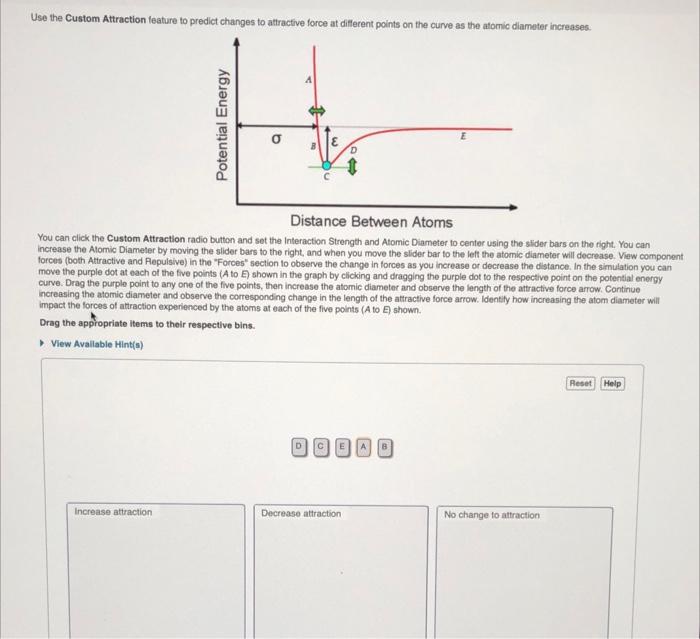
Use the Custom Attraction feature to predict changes to attractive force at different points on the curve as the atomic diameter increases Potential Energy E Distance Between Atoms You can click the Custom Attraction radio button and set the Interaction Strength and Atomic Diameter to center using the slider bars on the right. You can increase the Atomic Diameter by moving the slider bars to the right, and when you move the slider bar to the left the atomic diameter will decrease. View component forces (both Attractive and Repulsive) in the "Forces section to observe the change in forces as you increase or decrease the distance. In the simulation you can move the purple dot at each of the five points (Ato ) shown in the graph by clicking and dragging the purple dot to the respective point on the potential energy curve. Drag the purple point to any one of the five points, then increase the atomic diameter and observe the length of the attractive force arrow. Continue increasing the atomic diameter and observe the corresponding change in the length of the attractive force arrow. Identify how increasing the atom diameter will impact the forces of attraction experienced by the atoms at each of the five points (Ato E) shown. Drag the appropriate items to their respective bins. View Available Hint(n Reset Help DOO Increase attraction Decrease attraction No change to attraction
Step by Step Solution
There are 3 Steps involved in it

Get step-by-step solutions from verified subject matter experts
 Study Help