







Question: Help! im struggling so hard with this stuff! PROTECTED VIEW Be careful-files from the Internet can cantain viruses. Uniess you need to edit its safer
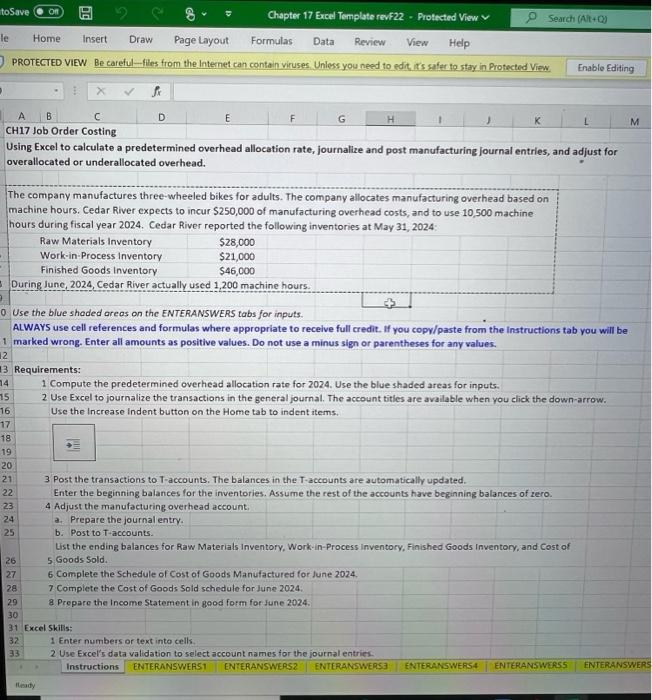
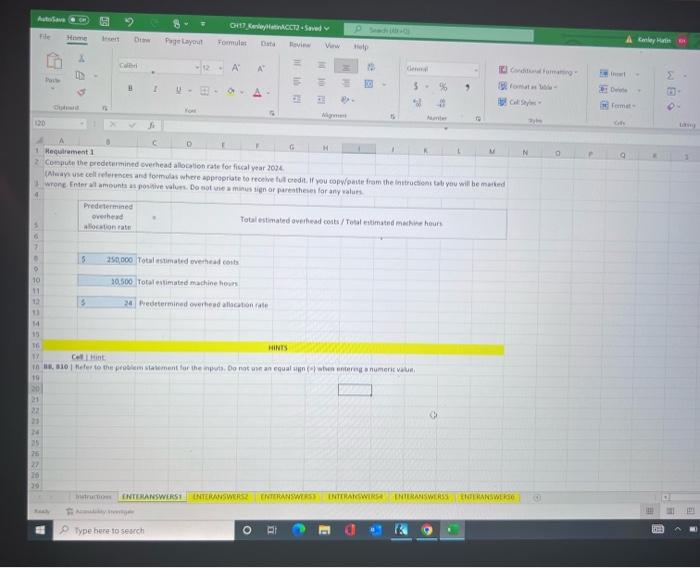
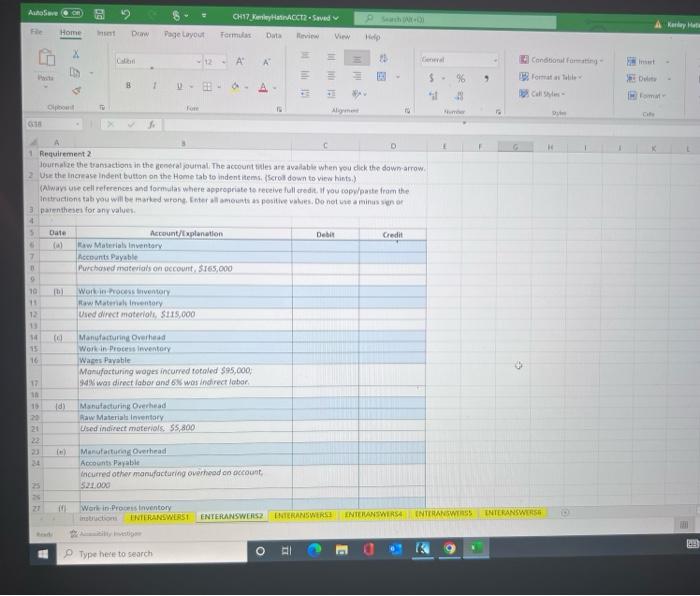
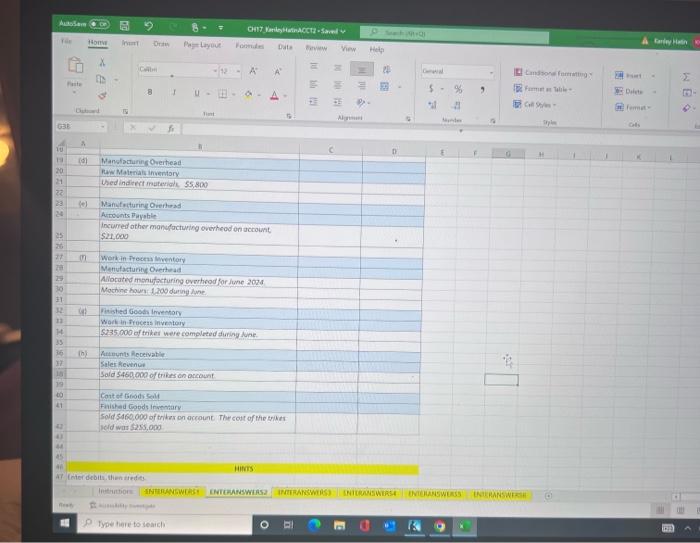
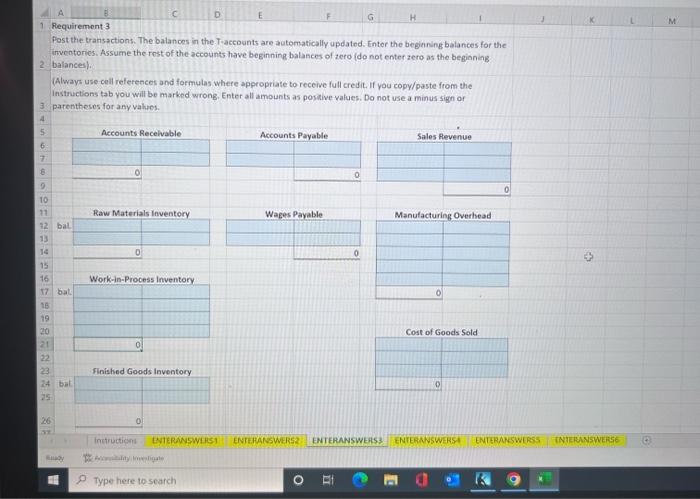
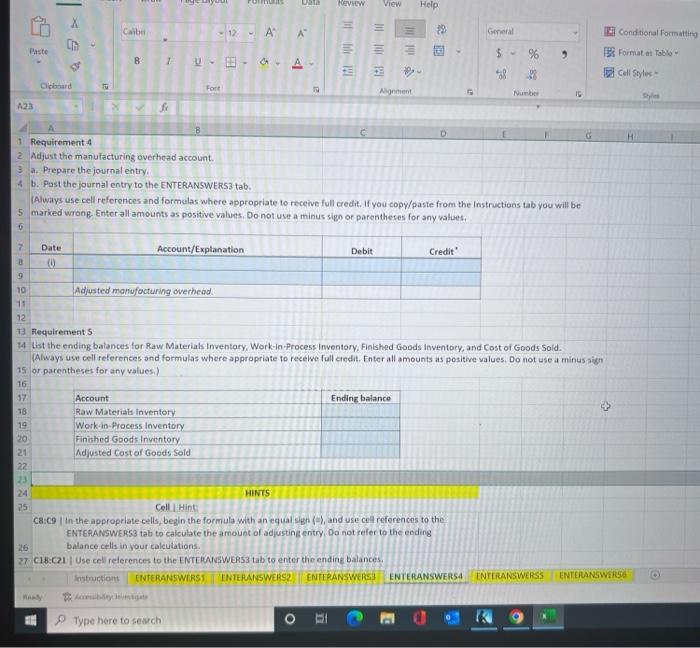
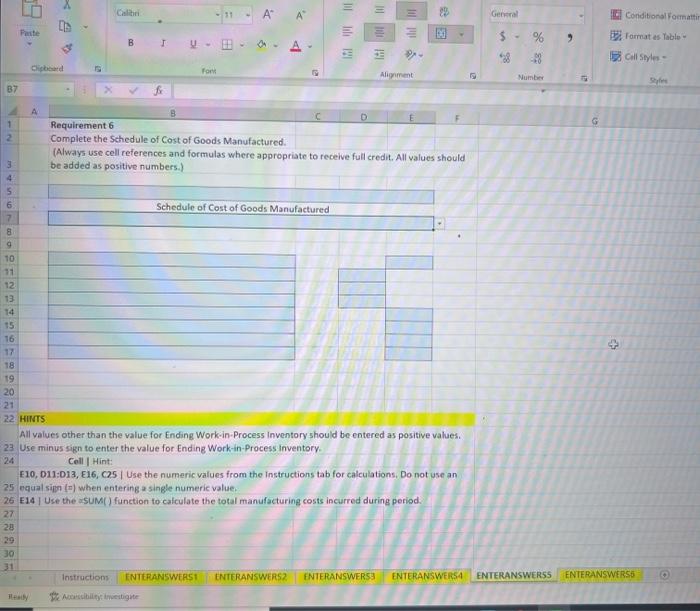
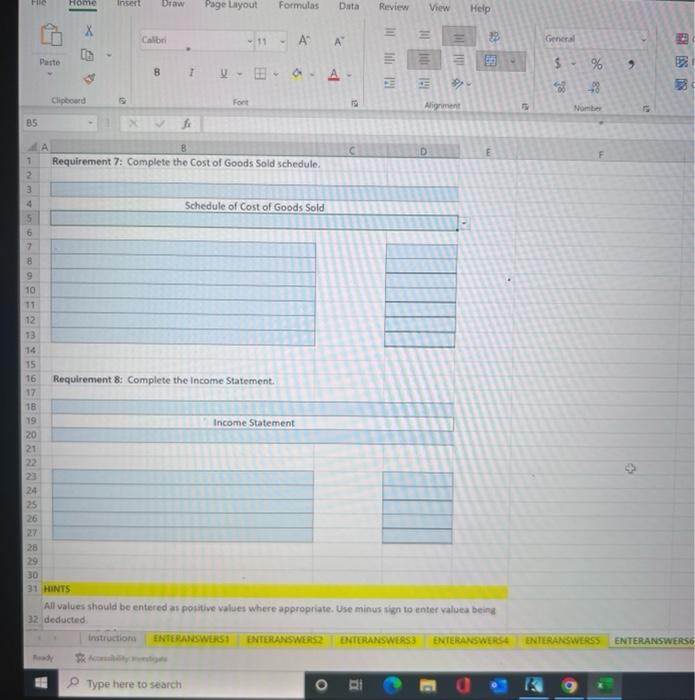
PROTECTED VIEW Be careful-files from the Internet can cantain viruses. Uniess you need to edit its safer to stay in Protected Viow A B CH17 Job Order Costing Using Excel to calculate a predetermined overhead allocation rate, journalize and post manufacturing journal entries, and adjust for overallocated or underallocated overhead. The company manufactures three-wheeled bikes for adults. The company allocates manufacturing overhead based on machine hours. Cedar River expects to incur $250,000 of manufacturing overhead costs, and to use 10,500 machine hours during fiscal year 2024. Cedar River reported the following inventories at Mav 31.2024. 0. Use the blue shaded areas on the ENTERANSWERS tabs for inputs. ALWAYS use cell references and formulas where appropriate to recelve full credit. If you copy/paste from the instructions tab you will be 1 marked wrong. Enter all amounts as positive values. Do not use a minus sign or parentheses for any values. Requirements: 1 Compute the predetermined overhead allocation rate for 2024. Use the blue shaded areas for inputs. 2 Use Excel to journalize the transactions in the general journal. The account titles are available when you click the down-arrow. Use the Increase indent button on the Home tab to indent items. 3 Post the transactions to T-accounts. The balances in the T-accounts are automatically updated. Enter the beginning balances for the inventories. Assume the rest of the accounts have beginning balances of zero. 4 Adjust the manufacturing overhead account. a. Prepare the journal entry. b. Post to T-accounts. List the ending balances for Raw Materials inventory, Work-in-Process inventory, Finished Goods inventory, and Cost of 5 Goods Sold. 6 Complete the Schedule of Cost of Goods Manufactured for June 2024. 7 Complete the Cost of Goods Sold schedule for June 2024. 8 Prepare the Income Statement in good form for June 2024. Excel Skills: 1 Enter numbers or text into cells. 2 Use Excel's data validation to select account names for the journal entries. Cospute the predecermined ererhead allocation rate for ficsal wear 20y+. Requirement 2 lournalae the teaniactont in the geoeral gumali. The actount heles are ayallable when vou click the down arrowr. Use the ingease indert buston on the Home tab to indentitems. (scrol down to view hiets.) Rway ute cell references and focmilas where appecpriate is receive full wre dit. Hi you ropheaste fram the Daventheses for any values. Post the transactions. The balances in the. Taecounts are automatically apdated. Enter the beginning balances for the inveotories. Assume the rest of the accounts have beginning balances of zero ido not enter zero as the begioning balances\} (Always use cell references and formulas where appropriate to receive full credit. If you copy/paste from the Instructions tab you will be marked wrong. Enter all amounts as postive values. Do not use a minus sign or. parentheses for any values. Pequirement 4 Adjust the manufacturing overthead account. a. Prepare the journal entry. b. Past the journal entry to the ENTERANSWERS3 tab. (Always use cell references and formulas where appropriate to receive full credit. If you copy/paste from the Instructions tab you will be marked wrong. Enter all amounts as positive values. Do not use a minus sign of parentheses for any values. Hecuirement 5 . 1 thst the ending balances for Raw Materials Inventory, Work-in-Process Inventory, Finished Goods inventory, and Cost of Goods Sold. (Always use cell relerences and formulas where appropriate to recelve full credit. Enter all amounts as positive values, Do not use a minus righ or parentheses for any values.) HeNTS Cell.1Hint: C8.C9 | In the appropriate cells, begin the formula with an equal sigh \{a\}, and use cel references to the ENFEAAKSWERS3 tab to calculate the amount of adjusting entry. Do not refer to the eoding balance cells in your calcutations. C18-C?1 / Use cell relerences to the ENTLINANWWERS3 tab to enter the ending balances, Complete the Schedule of Cost of Goods Manufactured. (Always use cell references and formulas where appropriate to receive full credit. All values should be added as positive numbers.) Schedule of Cost of Goods Manufactured All values other than the value for Ending Work-in-Process inventory should be entered as positive values. Use minus sign to enter the value for Ending Work-in-Process Inventory. Cell | Hint: F10, D11:D13, E16, C2.5 / Use the numeric values from the instructions tab for calculations. Do not use an equal sipn (") when entering a single numeric value. E14 I Use the sUM() function to calculate the total manufacturing costs incurred during period. All values should be entered as positive values where appropriate. Use minus ign to enter valuea being deducted
Step by Step Solution
There are 3 Steps involved in it

Get step-by-step solutions from verified subject matter experts
 Study Help