







Question: help me with this!!!!! CPSC 1045 - Introduction to Web Programming variables that will later be used to store the coordinates of a piece of
help me with this!!!!!
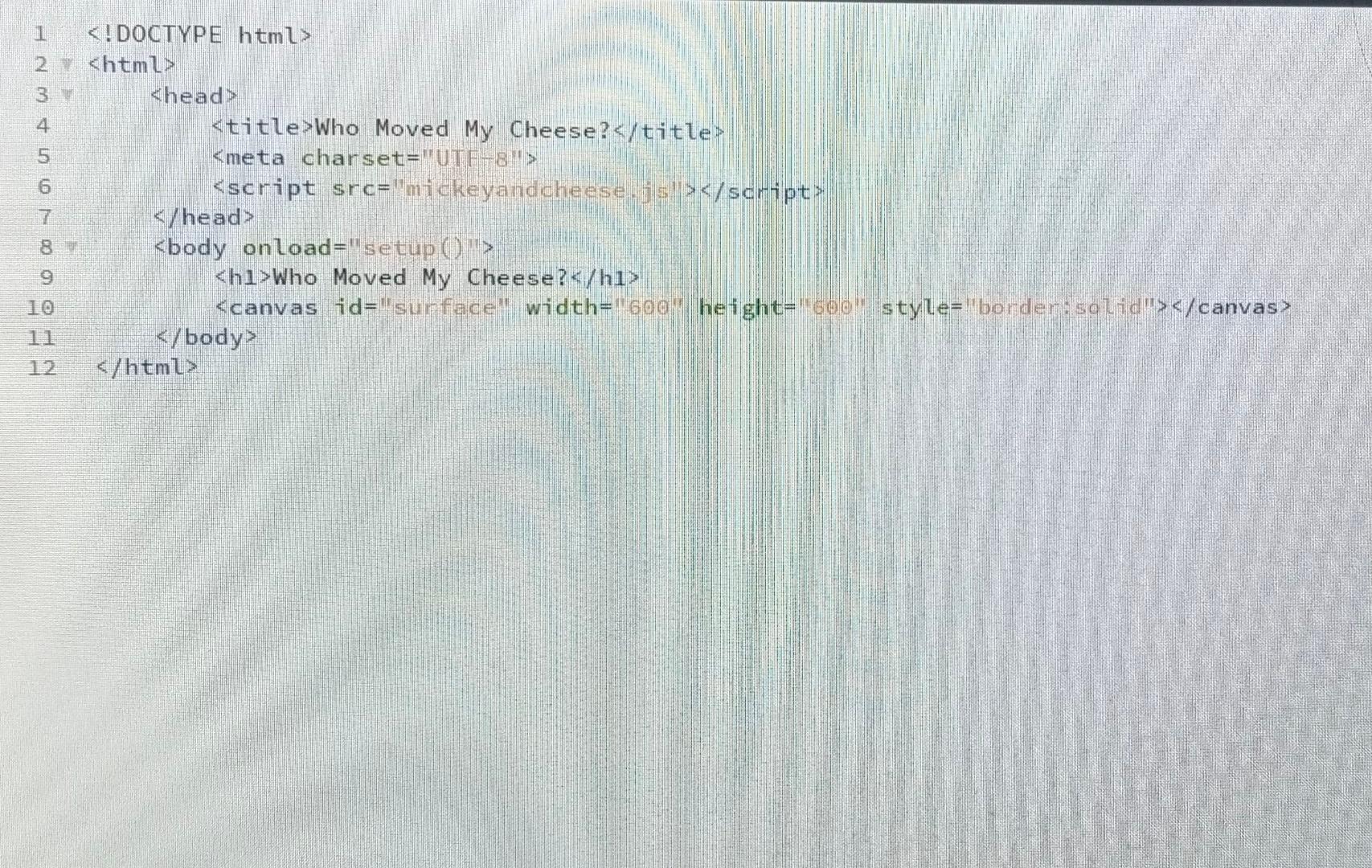
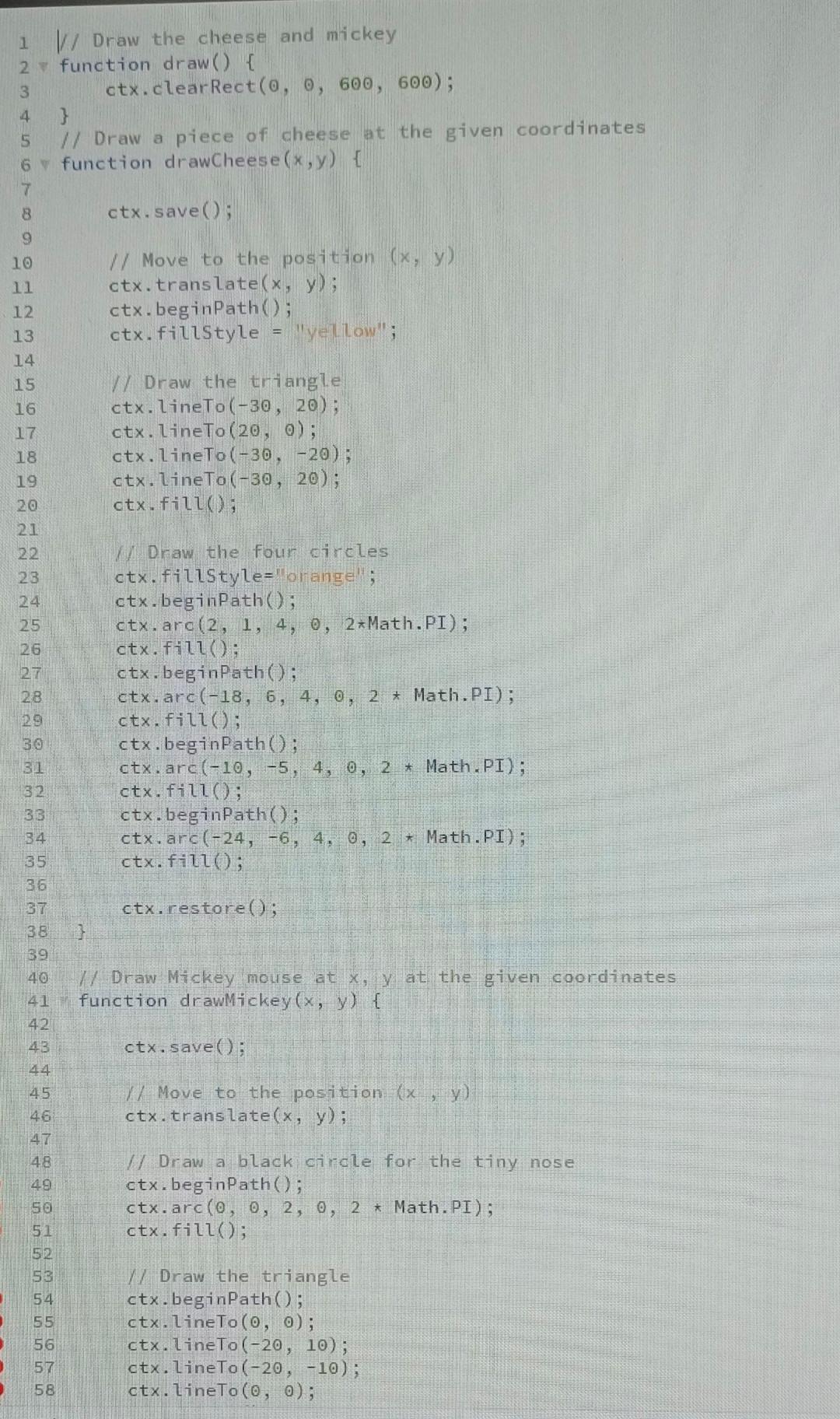
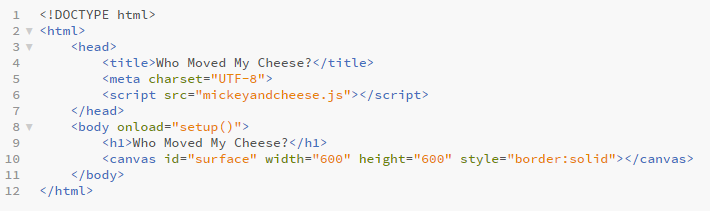
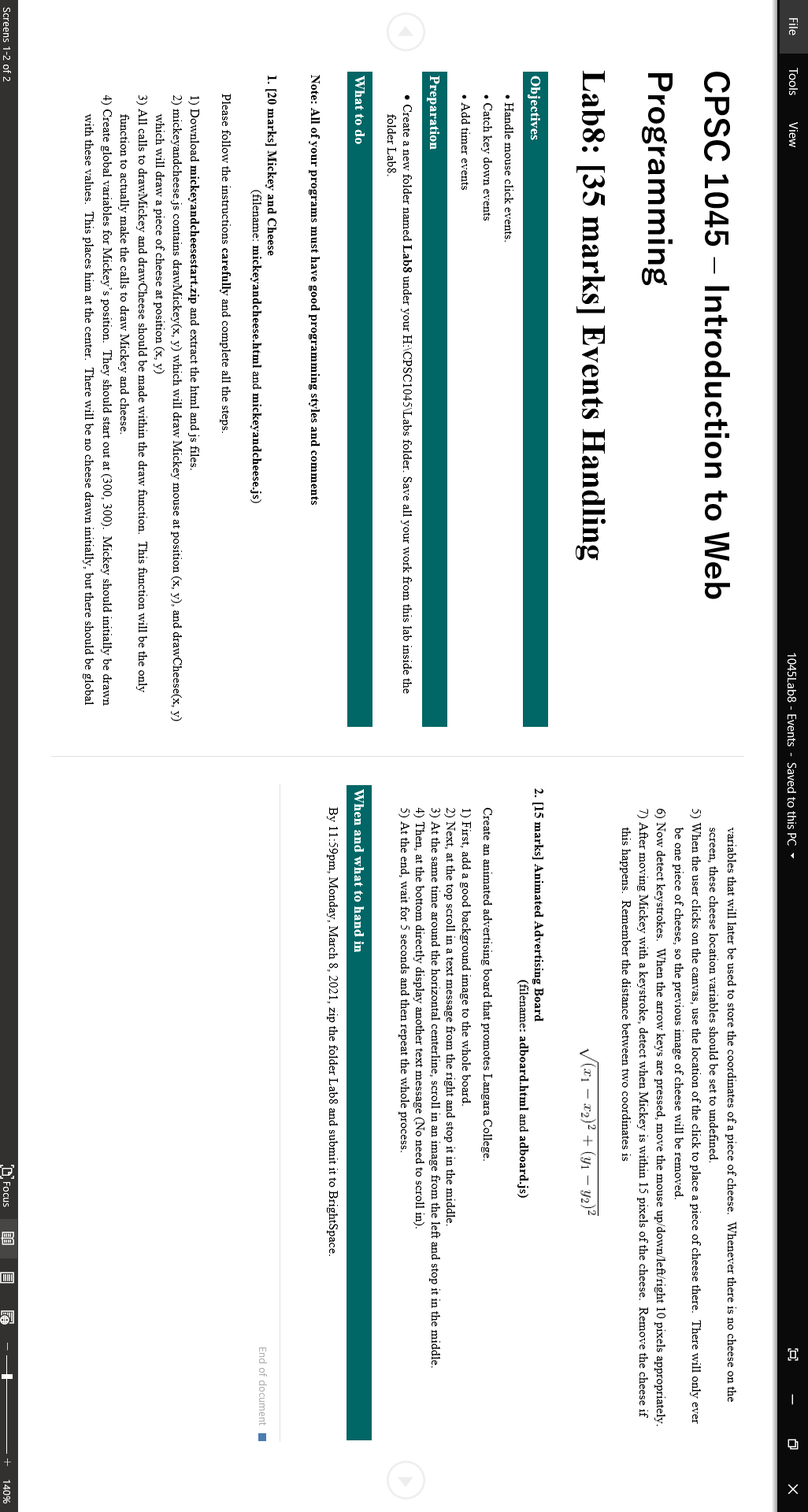
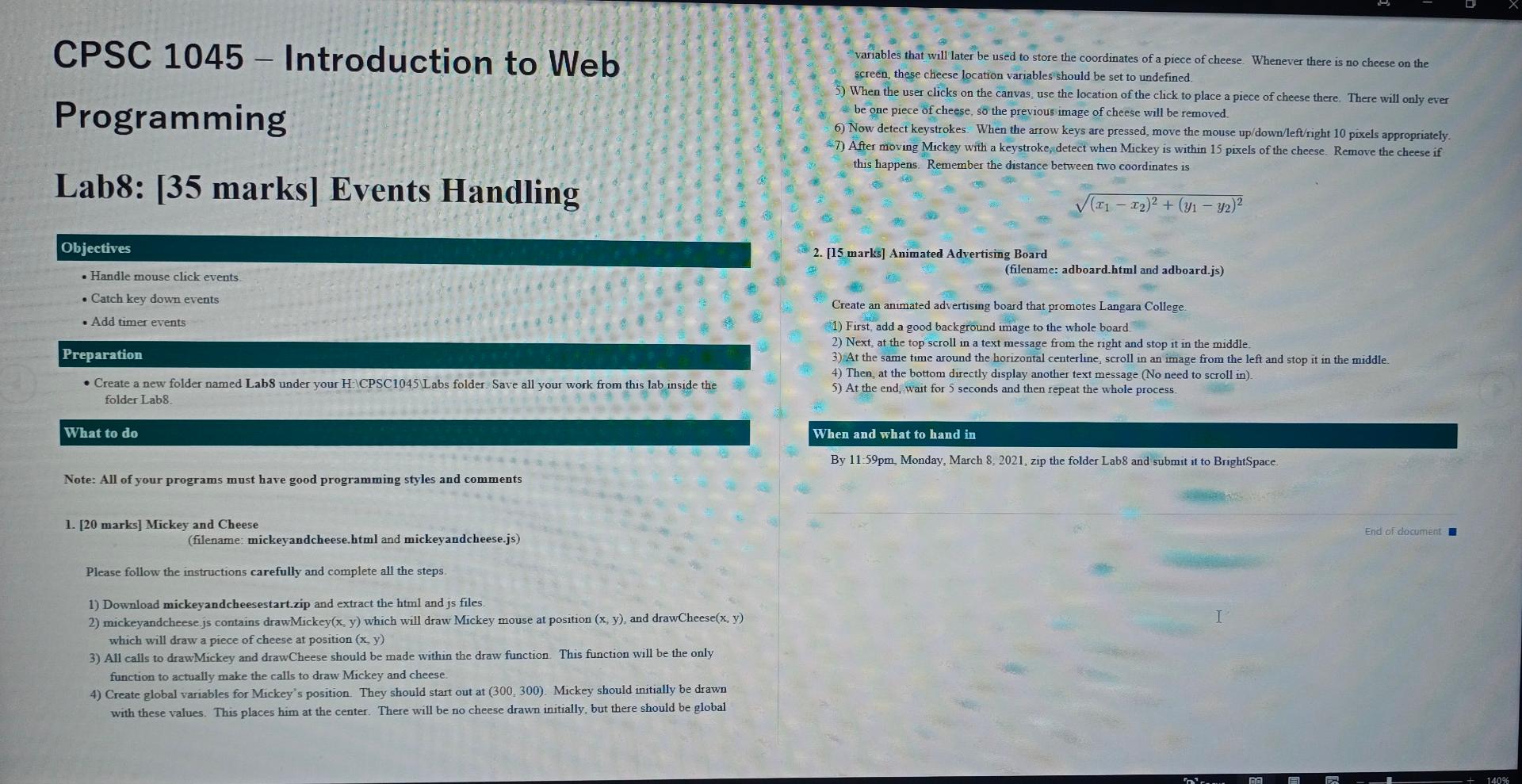
CPSC 1045 - Introduction to Web Programming variables that will later be used to store the coordinates of a piece of cheese. Whenever there is no cheese on the screen, these cheese location variables should be set to undefined 5) When the user clicks on the canvas, use the location of the click to place a piece of cheese there. There will only ever be one piece of cheese, so the previous image of cheese will be removed. 6) Now detect keystrokes. When the arrow keys are pressed, move the mouse up/down/left/right 10 pixels appropriately. $7) After moving Mickey with a keystroke, detect when Mickey is within 15 pixels of the cheese. Remove the cheese if this happens. Remember the distance between two coordinates is Lab8: [35 marks] Events Handling (11- 12)2 + (y1 - y2) Objectives 2. [15 marks] Animated Advertising Board (filename: adboard.html and adboard.js) Handle mouse click events . Catch key down events Add timer events Preparation Create a new folder named Labs under your HCPSC1045 Labs folder Save all your work from this lab inside the folder Lab8 Create an animated advertising board that promotes Langara College 1) First add a good background image to the whole board 2) Next, at the top scroll in a text message from the right and stop it in the middle 3) At the same time around the horizontal centerline, scroll in an image from the left and stop it in the middle. 4) Then, at the bottom directly display another text message (No need to scroll in 5) At the end, wait for 5 seconds and then repeat the whole process What to do When and what to hand in By 11:59pm Monday, March 8. 2021, zip the folder Lab8 and submit it to BrightSpace. Note: All of your programs must have good programming styles and comments 1. [20 marks] Mickey and Cheese (filename: mickeyandcheese.html and mickeyandcheese.js) End of document I Please follow the instructions carefully and complete all the steps 1) Download mickeyandcheesestart.zip and extract the html and js files 2) mickeyandcheese.js contains drawMickey(x, y) which will draw Mickey mouse at position (x, y), and drawCheese(x, y) which will draw a piece of cheese at position (x, y) 3) All calls to drawMickey and drawCheese should be made within the draw function. This function will be the only function to actually make the calls to draw Mickey and cheese. 4) Create global variables for Mickey's position. They should start out at (300, 300). Mickey should initially be drawn with these values. This places him at the center. There will be no cheese drawn initially, but there should be global int ma 140% 4 2.
5 6
Who Moved My Cheese?
10
Step by Step Solution
There are 3 Steps involved in it

Get step-by-step solutions from verified subject matter experts
 Study Help