







Question: Help! Thank you Summarize Data in a PivotTable and a PivotChart 1. Open BillingSummary4Q.xlsx and save it with the name 4-BillingSummary4Q. 2. Create a PivotTable
Help! Thank you
Summarize Data in a PivotTable and a PivotChart
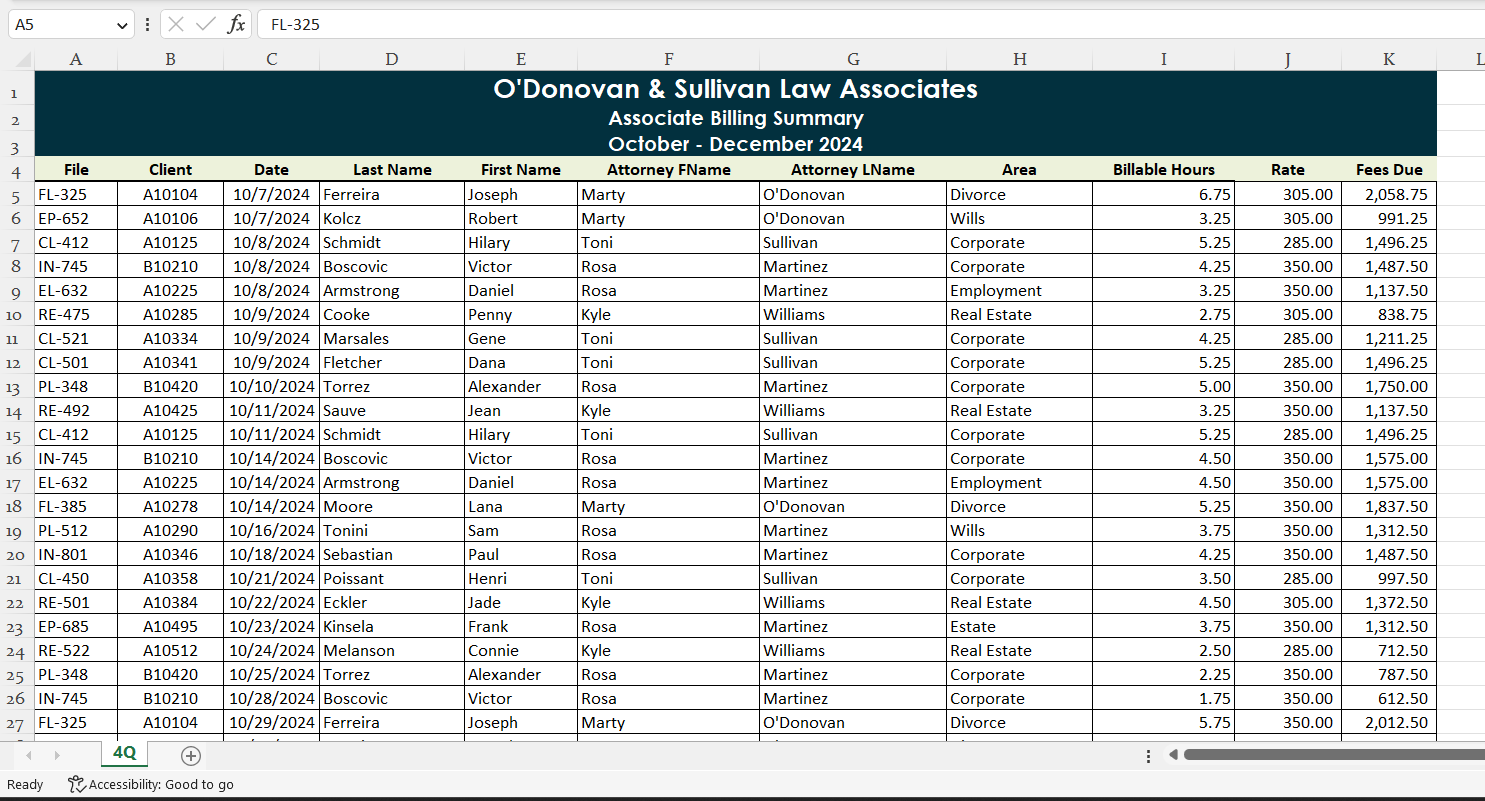
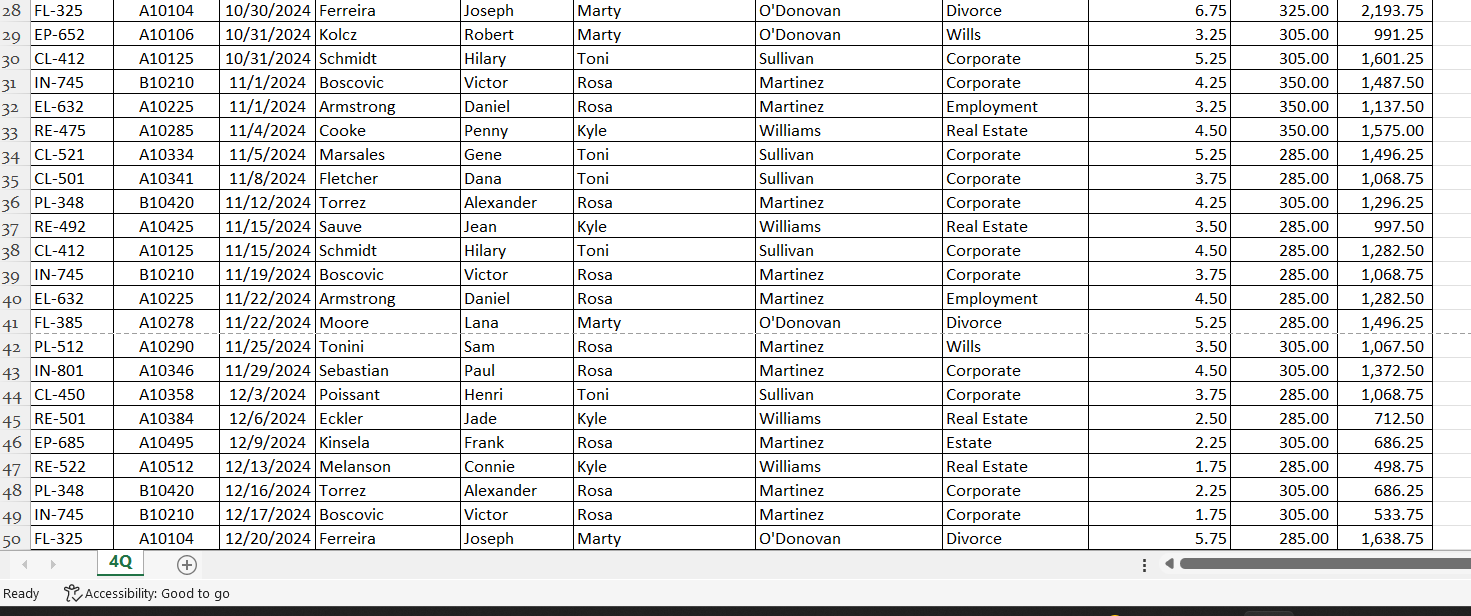
1. Open BillingSummary4Q.xlsx and save it with the name 4-BillingSummary4Q.
2. Create a PivotTable in a new worksheet as follows:
a. Display the range named FourthQ and then insert a PivotTable in a new worksheet.
b. Add the Attorney LName field as rows.
c. Add the Area field as columns.
d. Sum the Fees Due field.
3. Apply the Light Blue, Pivot Style Medium 9 style (second column, second row in the Medium section) to the PivotTable.
4. Apply the Comma format with no digits after the decimal point to the values. Change the width of columns B through H to 13 characters. Remove the Autofit column widths on update check mark in the PivotTable Options dialog box. Right-align the Martinez, ODonovan, Sullivan, Williams, and Grand Total labels in column A.
5. Name the worksheet PivotTable and then do the following:
a. In cell A1, type Associate Billing Summary. Change the font to 14-point Arial and apply bold formatting. Merge and center the text across the PivotTable.
b. In cell A2, type October - December 2024. Change the font to 14-point Arial and apply bold formatting. Merge and center the text across the PivotTable.
c. Change the page layout to Landscape orientation and then preview the PivotTable.
6. Drill down cell H5. Autofit column C. Name the worksheet Martinez.
7. Create a PivotChart from the PivotTable using the 3D Stacked Column chart type and move the chart to its own sheet named PivotChart.
8. Apply Style 7 (seventh style in the Chart Styles gallery) to the PivotChart.
9. Filter the PivotChart by the attorney name Martinez.
10. Preview the PivotChart.
11. Save and then close 4-BillingSummary4Q.xlsx.
Filter a PivotTable Using a Slicer and a Timeline
1. Open 4-BillingSummary4Q.xlsx and save it with the name 4-BillingSummary4Q-5.
2. Click the PivotTable sheet to view the PivotTable.
3. Remove the filter to display all the attorney names.
4. Insert a Slicer pane for the Area field and move the Slicer pane below the PivotTable. Make the height of the Slicer pane 2.2 inches.
5. Using the Slicer pane, filter the PivotTable by the Corporate field. Add the Divorce option.
6. Insert a Timeline pane for the Date field and move the Timeline pane right of the Slicer pane.
7. Using the Timeline pane, filter the PivotTable for October to November 2024.
8. Save and then close 4-BillingSummary4Q-5.xlsx.
Step by Step Solution
There are 3 Steps involved in it

Get step-by-step solutions from verified subject matter experts
 Study Help