







Question: help using matlab computer science questions, matlab needed In this problem, you will write a program that determines if the amount someone spends at a
help using matlab
computer science questions, matlab needed
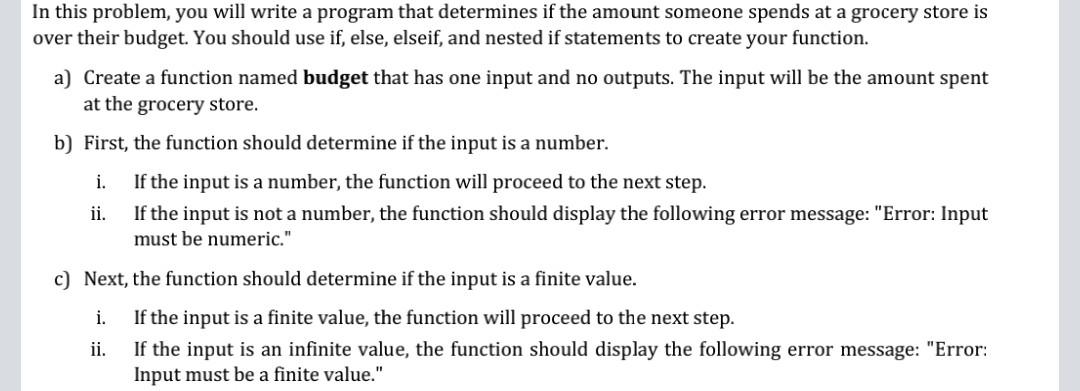
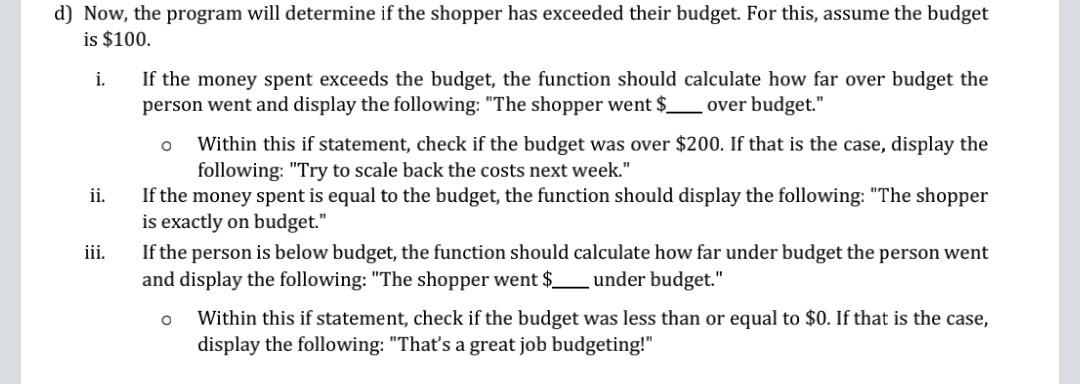
In this problem, you will write a program that determines if the amount someone spends at a grocery store is over their budget. You should use if, else, elseif, and nested if statements to create your function. a) Create a function named budget that has one input and no outputs. The input will be the amount spent at the grocery store. b) First, the function should determine if the input is a number. i. If the input is a number, the function will proceed to the next step. ii. If the input is not a number, the function should display the following error message: "Error: Input must be numeric." c) Next, the function should determine if the input is a finite value. i. If the input is a finite value, the function will proceed to the next step. ii. If the input is an infinite value, the function should display the following error message: "Error: Input must be a finite value." d) Now, the program will determine if the shopper has exceeded their budget. For this, assume the budget is $100. i. o ii. If the money spent exceeds the budget, the function should calculate how far over budget the person went and display the following: "The shopper went $_over budget." Within this if statement, check if the budget was over $200. If that is the case, display the following: "Try to scale back the costs next week." If the money spent is equal to the budget, the function should display the following: "The shopper is exactly on budget." If the person is below budget, the function should calculate how far under budget the person went and display the following: "The shopper went $_under budget." Within this if statement, check if the budget was less than or equal to $0. If that is the case, display the following: "That's a great job budgeting!" iii. o In this problem, you will write a program that determines if the amount someone spends at a grocery store is over their budget. You should use if, else, elseif, and nested if statements to create your function. a) Create a function named budget that has one input and no outputs. The input will be the amount spent at the grocery store. b) First, the function should determine if the input is a number. i. If the input is a number, the function will proceed to the next step. ii. If the input is not a number, the function should display the following error message: "Error: Input must be numeric." c) Next, the function should determine if the input is a finite value. i. If the input is a finite value, the function will proceed to the next step. ii. If the input is an infinite value, the function should display the following error message: "Error: Input must be a finite value." d) Now, the program will determine if the shopper has exceeded their budget. For this, assume the budget is $100. i. o ii. If the money spent exceeds the budget, the function should calculate how far over budget the person went and display the following: "The shopper went $_over budget." Within this if statement, check if the budget was over $200. If that is the case, display the following: "Try to scale back the costs next week." If the money spent is equal to the budget, the function should display the following: "The shopper is exactly on budget." If the person is below budget, the function should calculate how far under budget the person went and display the following: "The shopper went $_under budget." Within this if statement, check if the budget was less than or equal to $0. If that is the case, display the following: "That's a great job budgeting!" iii. o
Step by Step Solution
There are 3 Steps involved in it

Get step-by-step solutions from verified subject matter experts
 Study Help