







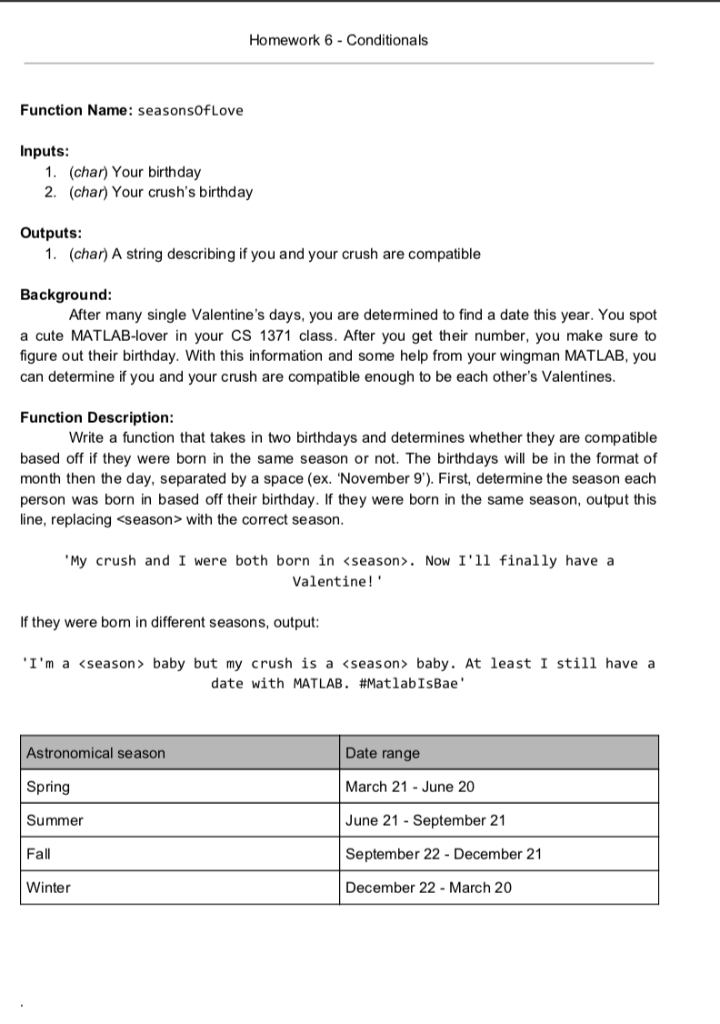
Question: Help with MATlab code! Homework 6-Conditionals Function Name: seasonsOfLove Inputs 1. 2. (char) Your birthday (char) Your crush's birthday Outputs 1. (char) A string describing
Help with MATlab code!
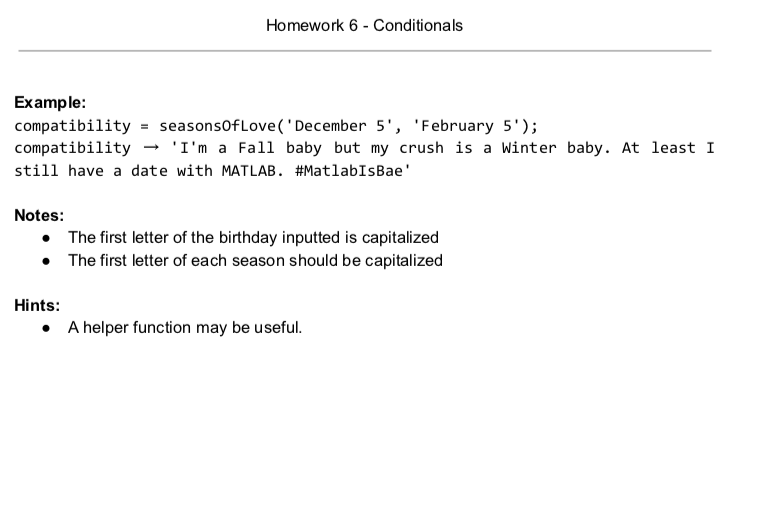
Homework 6-Conditionals Function Name: seasonsOfLove Inputs 1. 2. (char) Your birthday (char) Your crush's birthday Outputs 1. (char) A string describing if you and your crush are compatible Background After many single Valentine's days, you are determined to find a date this year. You spot a cute MATLAB-lover in your CS 1371 class. After you get their number, you make sure to figure out their birthday. With this information and some help from your wingman MATLAB, you can determine if you and your crush are compatible enough to be each other's Valentines Function Description Write a function that takes in two birthdays and determines whether they are compatible based off if they were born in the same season or not. The birthdays will be in the format of month then the day, separated by a space (ex. 'November 9'). First, determine the season each person was born in based off their birthday. If they were born in the same season, output this line, replacing
Step by Step Solution
There are 3 Steps involved in it

Get step-by-step solutions from verified subject matter experts
 Study Help