







Question: Help with Python Programming. The program that I have made so far is down below. The description of the changes I need done to it
Help with Python Programming. The program that I have made so far is down below. The description of the changes I need done to it are as follows:
You will now put your welcome/program description for the user into a void function. Be sure to update your code to include the new features, if any. Make any necessary updates to your program after reviewing the feedback from your previous labs.We will start organizing your code into functions. You will start by moving the central part of your code into a main function, if you have not already. This function will just be a loop that executes until the user enters the option to quit. You will create a value-returning function with all the code that displays the menu and makes sure the user entered a valid choice. This new menu functionwill not take any input, but will pass back to the calling function a valid menu choice. (Remember that program input and output is not the same thing as function input and output. Function input is what is passed in on the parameter list, NOT reading data from the keyboard. Function output is anything returned to the calling function whether it is on the parameter list or in a return statement.)You will move the code to display the face value of a card into a new function called display_face_value(). This function will take as input one numeric card value. The function will then display the one word face value of the card passed in. This function will not pass back anything to the calling function. Pay attention to the words in bold and follow the directions. I have reasons for having you do this a specific way.
Adding a new option to your menu (3. Deal Hand), you will now have the following options:
Make Change
High Card
Deal Hand
Quit
Make Change and High Card will now be moved into their own functions. So, if the user enters option 1, your main will call make_change(). If the user enters option 2, your main will call high_card(). When chosen, option 3 will call the deal_hand function. This function will generate, or deal an entire 5-card hand. You will declare 5 new variables, one for each card in a 5-card hand. Once all 5 cards have been dealt, display the face value for each of the cards in the hand. You will use your new display_face_value function to do this. You will have to call it once for each card. Again, I have reasons for having you do this a specific way, so be sure you follow the directions.
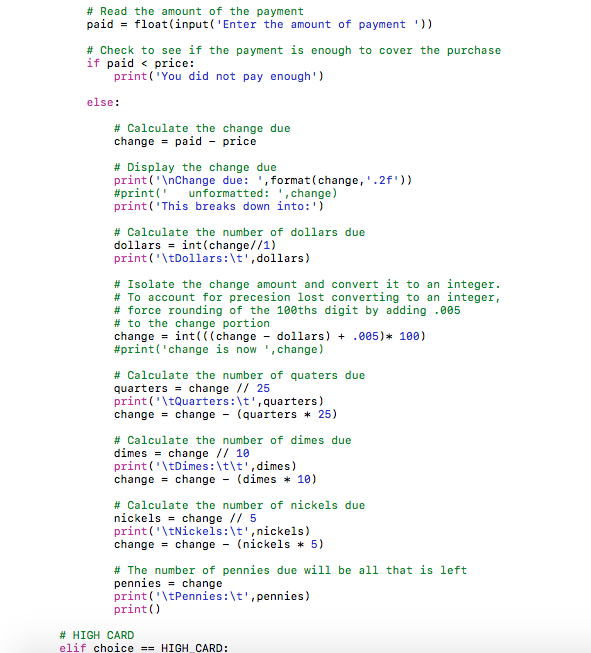
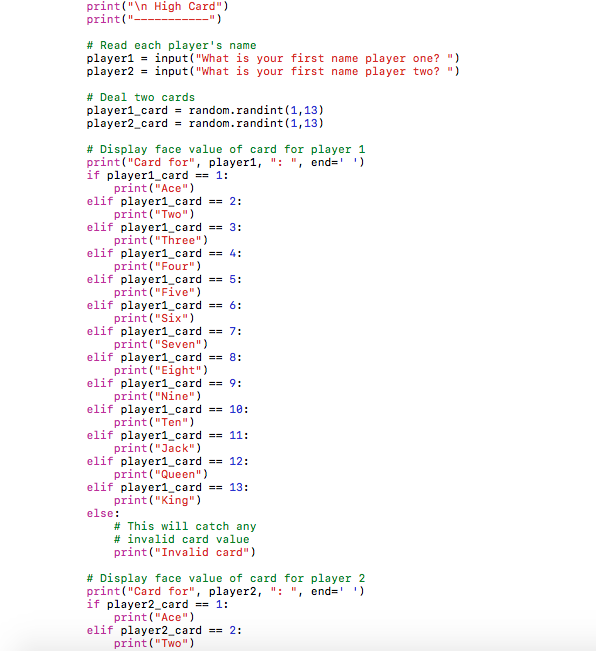
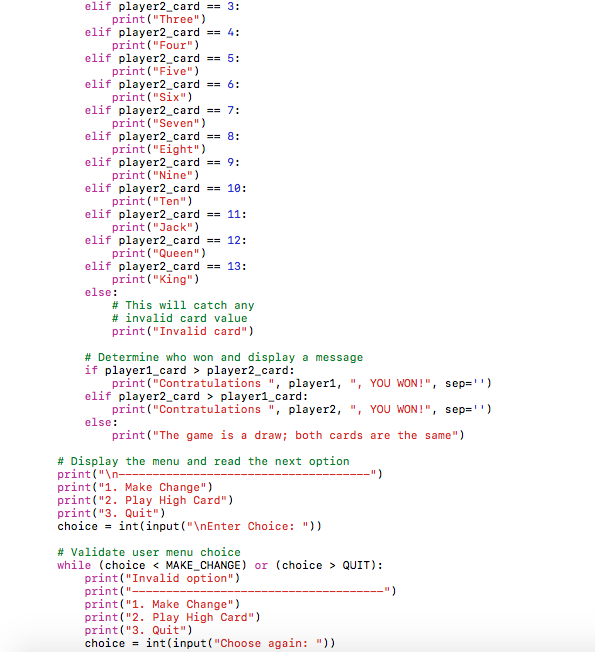
Program that starts the assignment off:
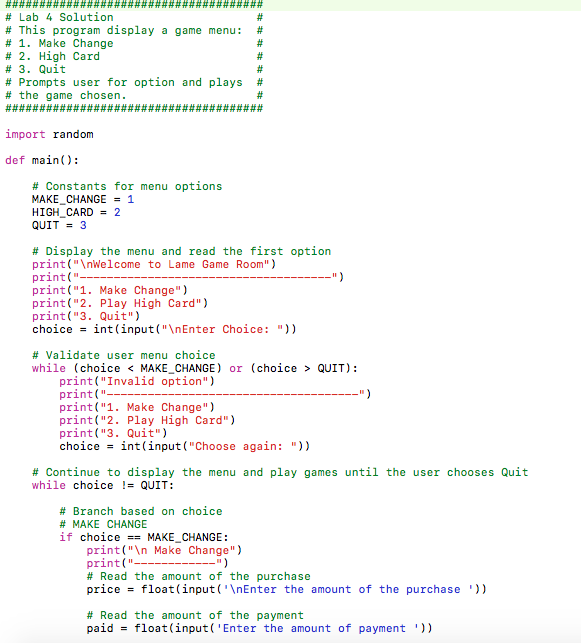

Lab 4 Solution This program display a game menu: 1. Make Change 2. High Card 3. Quit Prompts user for option and plays the game chosen. import random def main Constants for menu options MAKE CHANGE 1 HIGH CARD QUIT 3 Display the menu and read the first option print ("Inwelcome to Lame Game Room") print(" print("1 Make Change") print("2 Play High Card") print ("3. Quit") choice int (input( Choice Validate user menu choice while choice MAKE CHANGE or (choice QUIT) print ("Invalid option") print print("1 Make Change") print("2 Play High Card") print(" 3. Quit") choice int (input ("Choose again Continue to display the menu and play games until the user chooses Quit while choice QUIT Branch based on choice MAKE CHANGE if choice MAKE CHANGE print("In Make Change") print Read the amount of the purchase pric float (input ('VnEnter the amount of the purchase Read the amount of the payment paid float (input 'Ente r the amount of payment
Step by Step Solution
There are 3 Steps involved in it

Get step-by-step solutions from verified subject matter experts
 Study Help