



Question: Help with this project. In C#/XAML. Thanks Project One: Slider and Switch App (100 pts.) 1. Create a new project in VS. Add a new
Help with this project. In C#/XAML. Thanks
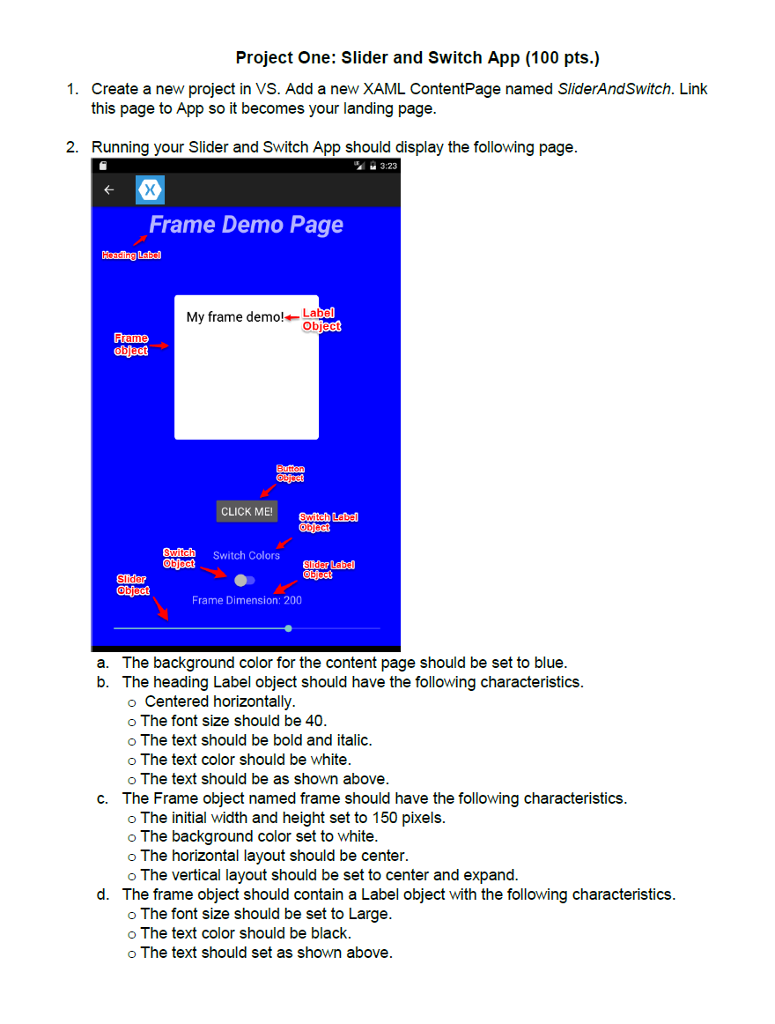
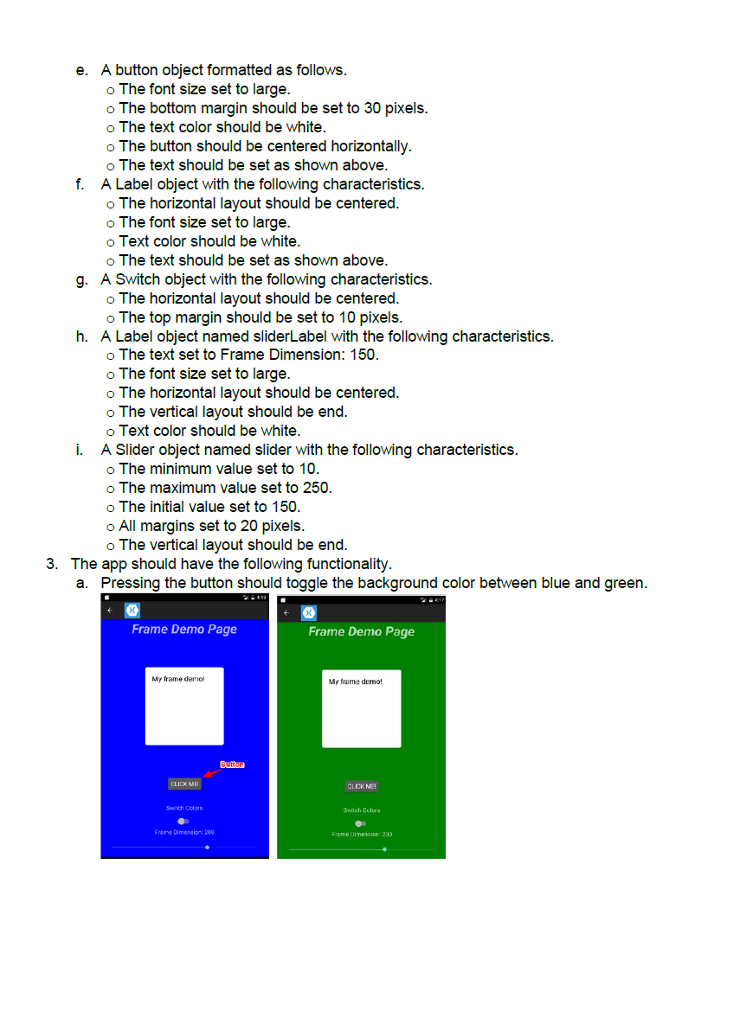
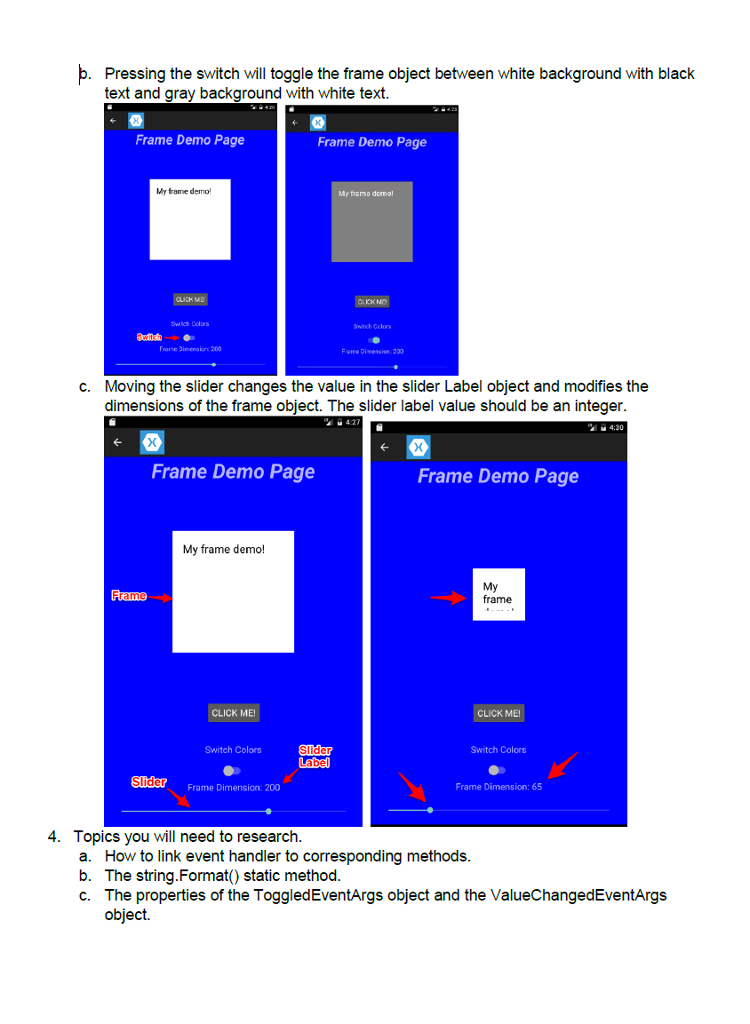
Project One: Slider and Switch App (100 pts.) 1. Create a new project in VS. Add a new XAML ContentPage named SliderAndSwitch. Link this page to App so it becomes your landing page. 2. Running your Slider and Switch App should display the following page. 3:23 Frame Demo Page My frame demo! La Ob Frame CLICK ME!Suiteh Lebal Switdh Switch Colorsendarlebd Slider Frame Dimension: 200 The background color for the content page should be set to blue The heading Label object should have the following characteristics. o Centered horizontally o The font size should be 40. o The text should be bold and italic. o The text color should be white. o The text should be as shown above. The Frame object named frame should have the following characteristics. o The initial width and height set to 150 pixels. o The background color set to white o The horizontal layout should be center. o The vertical layout should be set to center and expand. The frame object should contain a Label object with the following characteristics. o The font size should be set to Large. o The text color should be black. oThe text should set as shown above. 2 a. 5 0 b. c. 2 d
Step by Step Solution
There are 3 Steps involved in it

Get step-by-step solutions from verified subject matter experts