







Question: here are some steps to guide you 1.0 Install a windows 7/8/10 or Windows Server 2012/2016/2019 1.1 40 GB of Storage 1.2 2 GB of
here are some steps to guide you 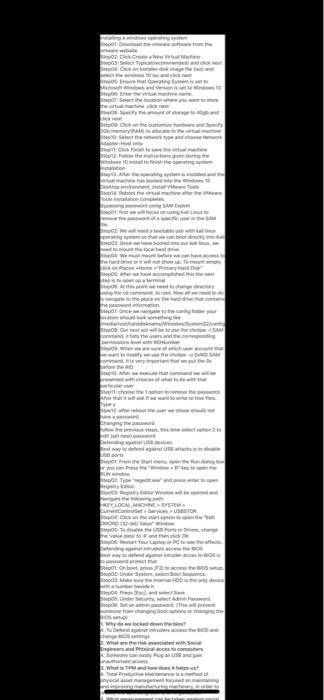
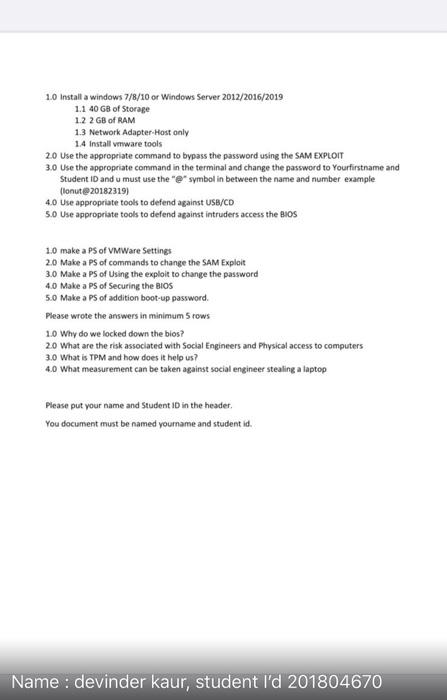
1.0 Install a windows 7/8/10 or Windows Server 2012/2016/2019 1.1 40 GB of Storage 1.2 2 GB of RAM 1.3 Network Adapter Host only 1.4 Install vmware tools 2.0 Use the appropriate command to bypass the password using the SAM EXPLOIT 3.0 Use the appropriate command in the terminal and change the password to Yourfirstname and Student ID and u must use the "e" symbol in between the name and number example (lonut20182319) 4.0 Use appropriate tools to defend against USB/CD 5.0 Use appropriate tools to defend against intruders access the BIOS 1.0 make a Ps of VMWare Settings 20 Make a PS of commands to change the SAM Exploit 3.0 Make a PS of Using the exploit to change the password 4.0 Make a PS of Securing the BIOS 5.0 Make a Ps of addition boot-up password Please wrote the answers in minimum 5 rows 10 Why do we locked down the blos? 20 What are the risk associated with Social Engineers and Physical access to computers 3.0 What is TPM and how does it help us? 4.0 What measurement can be taken against social engineer stealing a laptop Please put your name and Student ID in the header You document must be named yourname and student id. Name : devinder kaur, student I'd 201804670 MOORE CROW Tyd Elikad NG Windows and www where you when www. Potem Com www. ww www w pe Once we W Durante and other Wh sayti Www LOCAL MACHINE SYSTEM Canbet SUSTOR WORD 0. Thetart your PC dengan Osbot. US them. 08. USA Seth Wydawca Belanda What we with Pagine Some
Step by Step Solution
There are 3 Steps involved in it
1 Expert Approved Answer
Step: 1 Unlock

Question Has Been Solved by an Expert!
Get step-by-step solutions from verified subject matter experts
Step: 2 Unlock
Step: 3 Unlock
 Study Help