







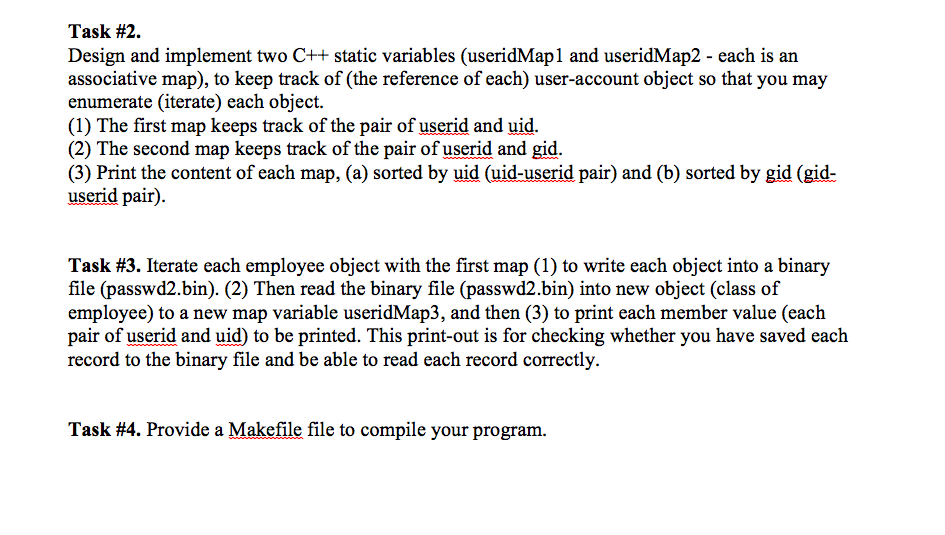
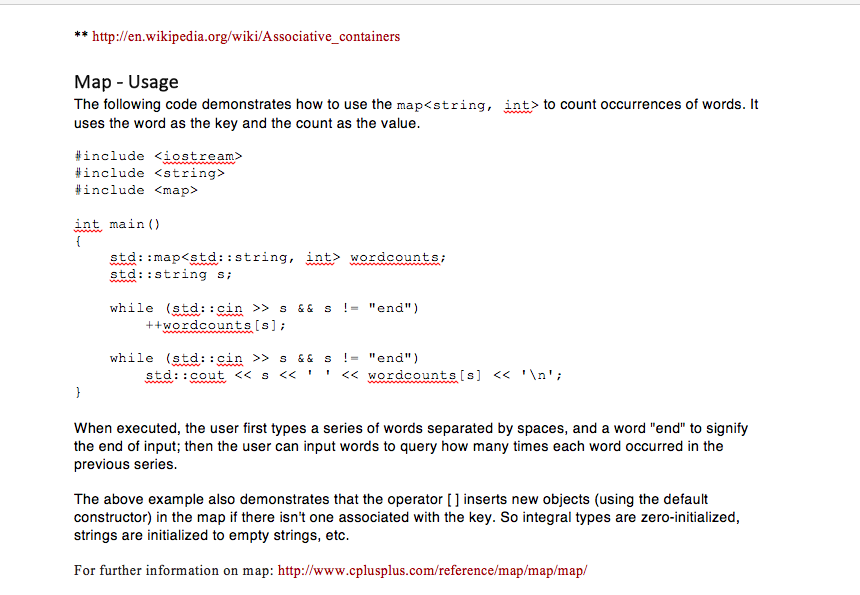
Question: Here are the 2 links for thre questions: http://en.wikipedia.org/wiki/Associative_containers http://www.cplusplus.com/reference/map/map/map/ I would greatly appreciate if you could come up with a solution for this question.
Here are the 2 links for thre questions:
http://en.wikipedia.org/wiki/Associative_containers
http://www.cplusplus.com/reference/map/map/map/
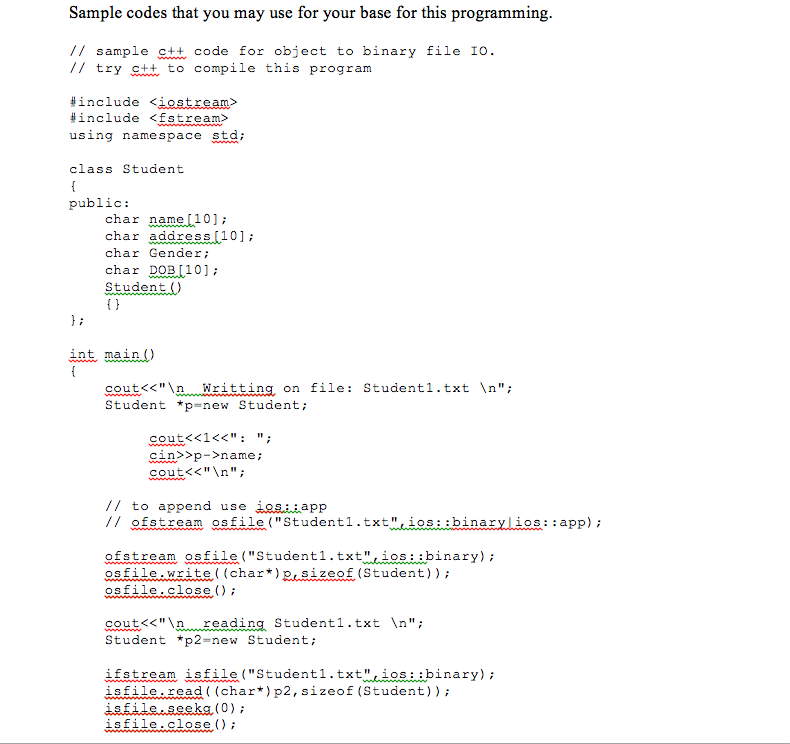
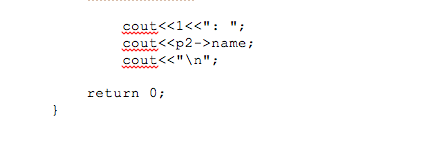
I would greatly appreciate if you could come up with a solution for this question. Each picture is a continuation.
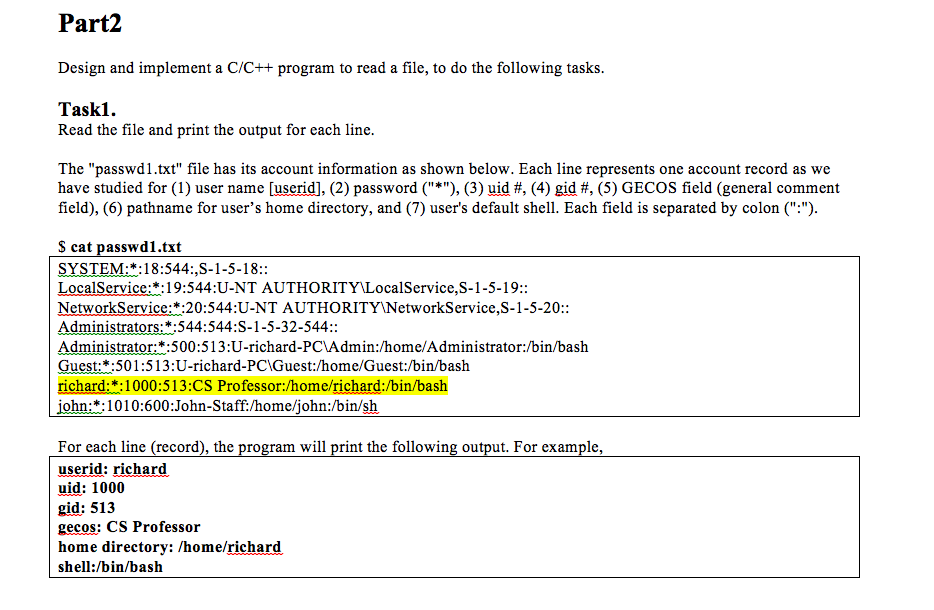
Part2 Design and implement a C/C++ program to read a file, to do the following tasks. Task1 Read the file and print the output for each line The "passwd1.txt" file has its account information as shown below. Each line represents one account record as we have studied for (1) user name Duserid], (2) password (3) uid (4) gid fit, (5) GECOS field (general comment field), (6) pathname for user's home directory, and (7) user's default shell. Each field is separated by colon Seat passwd1.txt SYSTEM 18:544: S-1-5-18 LocalService :19:544 U-NT AUTHORITY LocalService,S-1-5-19:: Network Service: :20:544:U-NT AUTHORITY Network Service, S-1-5-20:: Administrators: *:544:544:S-1-5-32-544: Administrator: 500:513:U-richard-PCAdmin:/home/Administrator:/bin/bash. Guest: *:501:513:U-richard-PCWGuest:/home/Guest:/bin/bash richard: 1000:513: CS Professor home/richard: bin/bash john: :1010:600: John-Staff/home/john:/bin/sh For each line (record), the program will print the following output. For example, userid: richard uid: 1000 gid: 513 gecos: CS Professor home directory: home/richard shell /bin/bash Part2 Design and implement a C/C++ program to read a file, to do the following tasks. Task1 Read the file and print the output for each line The "passwd1.txt" file has its account information as shown below. Each line represents one account record as we have studied for (1) user name Duserid], (2) password (3) uid (4) gid fit, (5) GECOS field (general comment field), (6) pathname for user's home directory, and (7) user's default shell. Each field is separated by colon Seat passwd1.txt SYSTEM 18:544: S-1-5-18 LocalService :19:544 U-NT AUTHORITY LocalService,S-1-5-19:: Network Service: :20:544:U-NT AUTHORITY Network Service, S-1-5-20:: Administrators: *:544:544:S-1-5-32-544: Administrator: 500:513:U-richard-PCAdmin:/home/Administrator:/bin/bash. Guest: *:501:513:U-richard-PCWGuest:/home/Guest:/bin/bash richard: 1000:513: CS Professor home/richard: bin/bash john: :1010:600: John-Staff/home/john:/bin/sh For each line (record), the program will print the following output. For example, userid: richard uid: 1000 gid: 513 gecos: CS Professor home directory: home/richard shell /bin/bash
Step by Step Solution
There are 3 Steps involved in it

Get step-by-step solutions from verified subject matter experts
 Study Help