







Question: Here is a screenshot of the template code that needs to be used: Here is the pasted template code: ###################################################################################################################### # Name: # Date: #
Here is a screenshot of the template code that needs to be used:
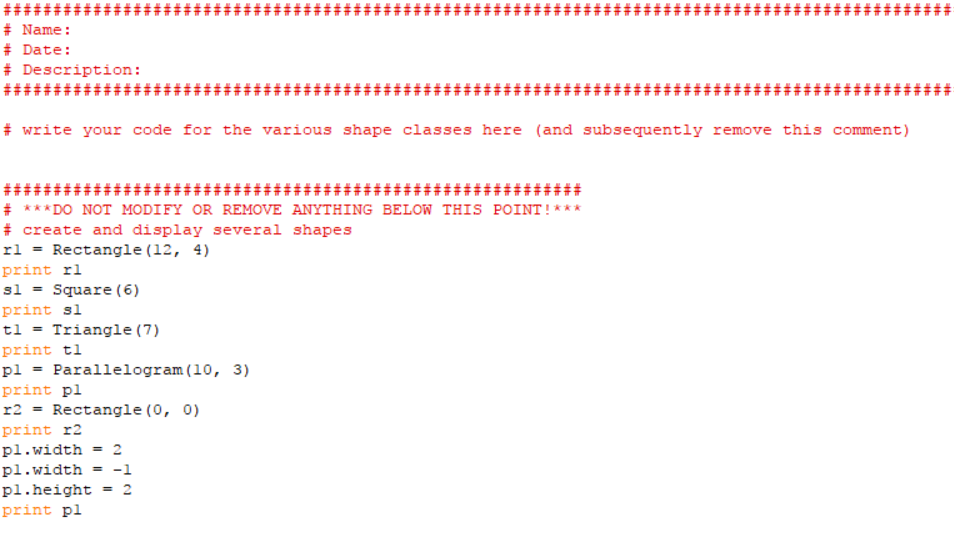
Here is the pasted template code:
###################################################################################################################### # Name: # Date: # Description: ######################################################################################################################
# write your code for the various shape classes here (and subsequently remove this comment)
########################################################## # ***DO NOT MODIFY OR REMOVE ANYTHING BELOW THIS POINT!*** # create and display several shapes r1 = Rectangle(12, 4) print r1 s1 = Square(6) print s1 t1 = Triangle(7) print t1 p1 = Parallelogram(10, 3) print p1 r2 = Rectangle(0, 0) print r2 p1.width = 2 p1.width = -1 p1.height = 2 print p1
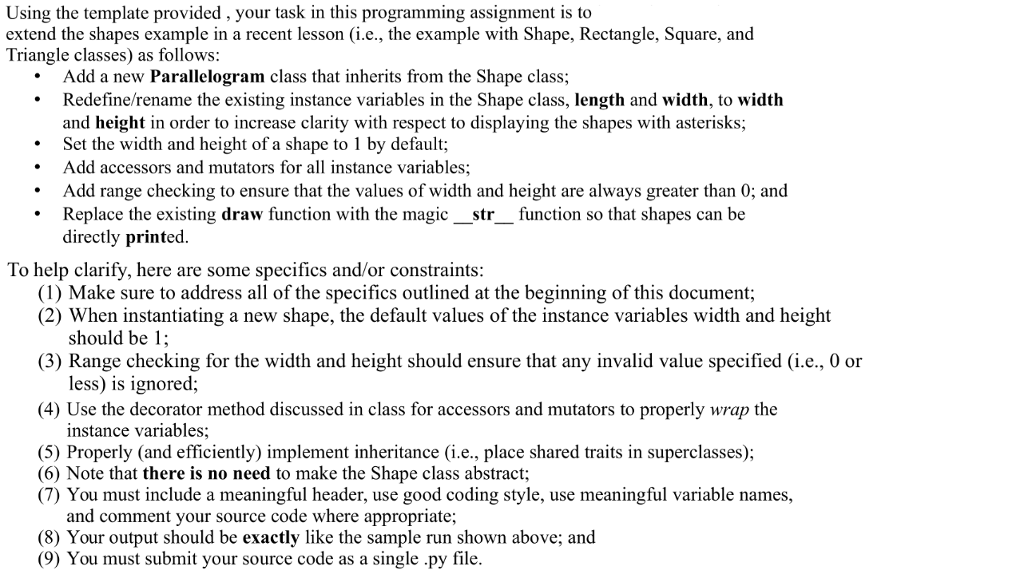
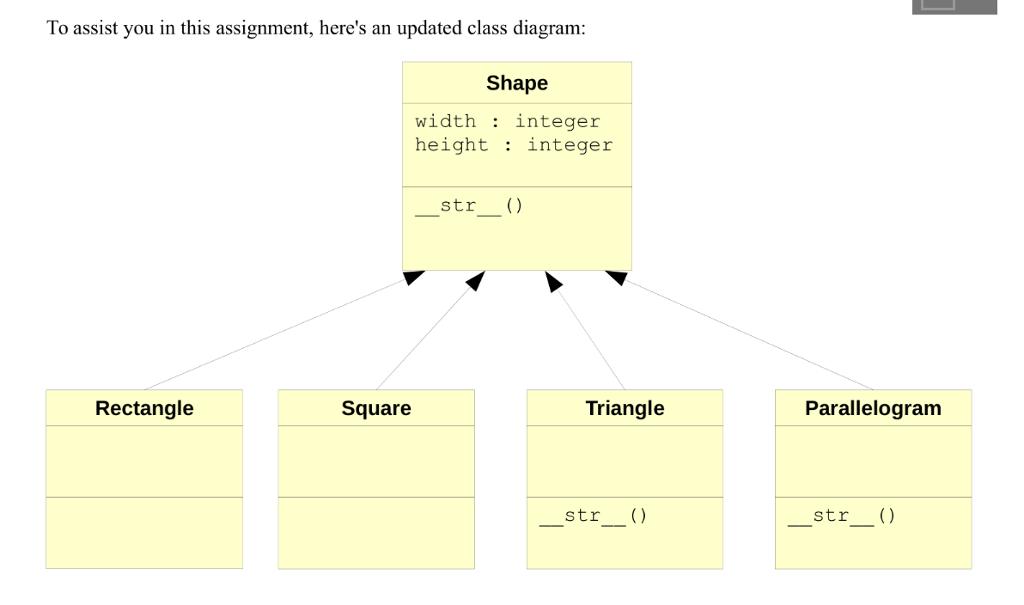
Using the template provided , your task in this programming assignment is to extend the shapes example in a recent lesson (i.e., the example with Shape, Rectangle, Square, and Triangle classes) as follows: Add a new Parallelogram class that inherits from the Shape class; Redefine/rename the existing instance variables in the Shape class, length and width, to width and height in order to increase clarity with respect to displaying the shapes with asterisks; .Set the width and height of a shape to 1 by default; Add accessors and mutators for all instance variables; Add range checking to ensure that the values of width and height are always greater than 0; and Replace the existing draw function with the magic str function so that shapes can be . directly printed To help clarify, here are some specifics and/or constraints (1) Make sure to address all of the specifics outlined at the beginning of this document; (2) When instantiating a new shape, the default values of the instance variables width and height should be 1; (3) Range checking for the width and height should ensure that any invalid value specified (ie, 0 or less) is ignored; (4) Use the decorator method discussed in class for accessors and mutators to properly wrap the instance variables; (5) Properly (and efficiently) implement inheritance (i.e., place shared traits in superclasses); (6) Note that there is no need to make the Shape class abstract; (7) You must include a meaningful header, use good coding style, use meaningful variable names, and comment your source code where appropriate; (8) Your output should be exactly like the sample run shown above; and (9) You must submit your source code as a single .py file Using the template provided , your task in this programming assignment is to extend the shapes example in a recent lesson (i.e., the example with Shape, Rectangle, Square, and Triangle classes) as follows: Add a new Parallelogram class that inherits from the Shape class; Redefine/rename the existing instance variables in the Shape class, length and width, to width and height in order to increase clarity with respect to displaying the shapes with asterisks; .Set the width and height of a shape to 1 by default; Add accessors and mutators for all instance variables; Add range checking to ensure that the values of width and height are always greater than 0; and Replace the existing draw function with the magic str function so that shapes can be . directly printed To help clarify, here are some specifics and/or constraints (1) Make sure to address all of the specifics outlined at the beginning of this document; (2) When instantiating a new shape, the default values of the instance variables width and height should be 1; (3) Range checking for the width and height should ensure that any invalid value specified (ie, 0 or less) is ignored; (4) Use the decorator method discussed in class for accessors and mutators to properly wrap the instance variables; (5) Properly (and efficiently) implement inheritance (i.e., place shared traits in superclasses); (6) Note that there is no need to make the Shape class abstract; (7) You must include a meaningful header, use good coding style, use meaningful variable names, and comment your source code where appropriate; (8) Your output should be exactly like the sample run shown above; and (9) You must submit your source code as a single .py file
Step by Step Solution
There are 3 Steps involved in it

Get step-by-step solutions from verified subject matter experts
 Study Help