







Question: Objective: To give you practice working with Strings Part A: The License Plates Company (LPC, LLC) is an online company that makes license plates. They
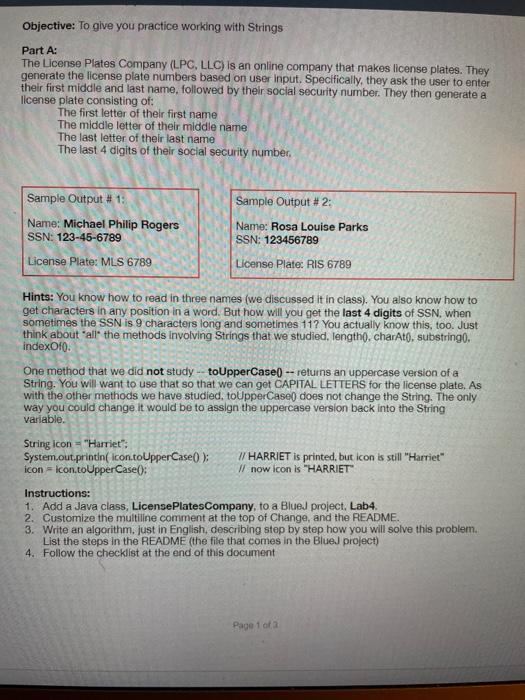
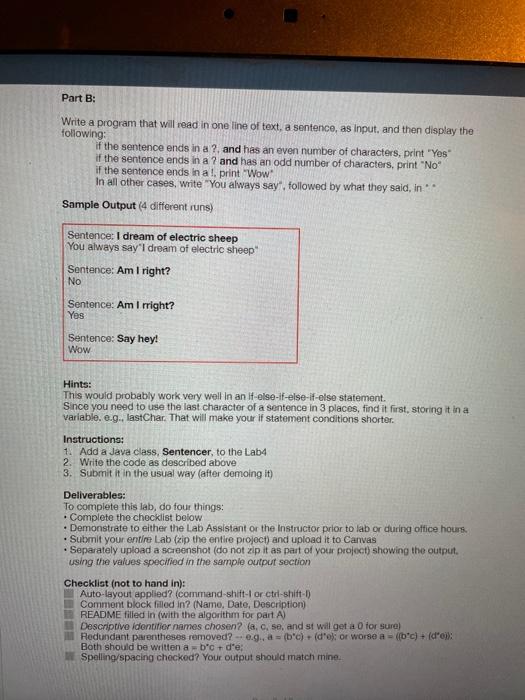
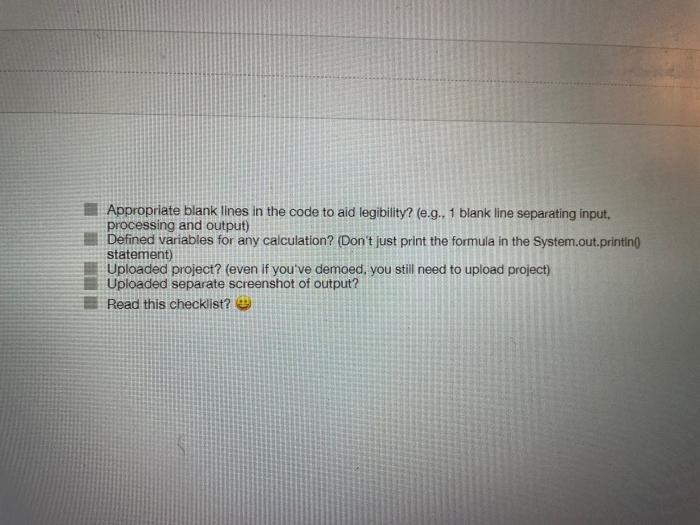
Objective: To give you practice working with Strings Part A: The License Plates Company (LPC, LLC) is an online company that makes license plates. They generate the license plate numbers based on user Input. Specifically, they ask the user to enter their first middle and last name, followed by their social security number. They then generate a license plate consisting of: The first letter of their first name The middle letter of their middle name The last letter of their last name The last 4 digits of their social security number Sample Output # 2: Sample Output # 1: Name: Michael Philip Rogers SSN: 123-45-6789 License Plate: MLS 6789 Name: Rosa Louise Parks SSN: 123456789 License Plate: RIS 6789 Hints: You know how to read in three names (we discussed it in class). You also know how to get characters in any position in a word. But how will you get the last 4 digits of SSN, when sometimes the SSN is 9 characters long and sometimes 117 You actually know this, too. Just think about all the methods involving Strings that we studied. Tength(), charAt(), substringo, indexOfo. One method that we did not study - to UpperCase) --returns an uppercase version of a String. You will want to use that so that we can get CAPITAL LETTERS for the license plate. As with the other methods we have studied, toUpperCase does not change the String. The only way you could change it would be to assign the uppercase version back into the String Variable. String icon="Harriet": System.out.println( icon.toUpperCase(); // HARRIET is printed, but icon is still "Harriet" icon icon.toUpper Case(): Il now icon is "HARRIET Instructions: 1. Add a Java class, License PlatesCompany, to a Blue) project. Lab4. 2. Customize the multiline comment at the top of Change, and the README. 3. Write an algorithm, just in English describing step by step how you will solve this problem. List the steps in the README (the file that comes in the Blued project) 4. Follow the checklist at the end of this document Page 1 of a Part B: Write a program that will read in one line of text, a sentence, as input, and then display the following: if the sentence ends in a ?, and has an even number of characters, print "Yes if the sentence ends in a ? and has an odd number of characters, print "No" if the sentence ends in al print "Wow" In all other cases, write "You always say, followed by what they said, in Sample Output (4 different runs) Sentence: I dream of electric sheep You always say I dream of electric sheep" Sentence: Am I right? No Sentence: Am I right? Yes Sentence: Say hey! Wow Hints: This would probably work very well in an if-else-if-else-if-else statement. Since you need to use the last character of a sentence in 3 places, find it first, storing it in a Variable. e.g., lastChar. That will make your if statement conditions shorter. Instructions: 1. Add a Java class, Sentencer, to the Lab4 2. Write the code as described above 3. Submit it in the usual way (after demoing it) Deliverables: To complete this lab, do four things: Complete the checklist below Demonstrate to either the Lab Assistant or the Instructor prior to lab or during office hours. Submit your entire Lab (zip the entire project) and upload it to Canvas Separately upload a screenshot (do not zip it as part of your project showing the output using the values specified in the sample output section Checklist (not to hand in): Auto-layout applied? (command-shift or ctrl-shift- Comment block filled in? (Name, Date, Description) README filled in (with the algorithm for part A Descriptive identifier names chosen? (a, e, se, and st will get a 0 for sure) Redundant parentheses removed? - e.g., a = (bc) + (droj: or worse a = (fb.c) + (doi: Both should be written ab'c + d'e, Spelling/spacing chockod? Your output should match mine Appropriate blank lines in the code to aid legibility? (e.g., 1 blank line separating input. processing and output) Defined variables for any calculation? (Don't just print the formula in the System.out.printin( statement) Uploaded project? (even if you've demoed, you still need to upload project) Uploaded separate screenshot of output? Read this checklist
Step by Step Solution
There are 3 Steps involved in it

Get step-by-step solutions from verified subject matter experts
 Study Help