







Question: Here is my LAB1 file : https://www.dropbox.com/s/fstpw5r795r2lj5/lab1.html?dl=0 https://www.dropbox.com/s/brkgm76o6vy268u/lab1-css.css?dl=0 I need that {action} button to increase the counter. Implement the first behavior of the game -
Here is my LAB1 file : https://www.dropbox.com/s/fstpw5r795r2lj5/lab1.html?dl=0
https://www.dropbox.com/s/brkgm76o6vy268u/lab1-css.css?dl=0
I need that {action} button to increase the counter.
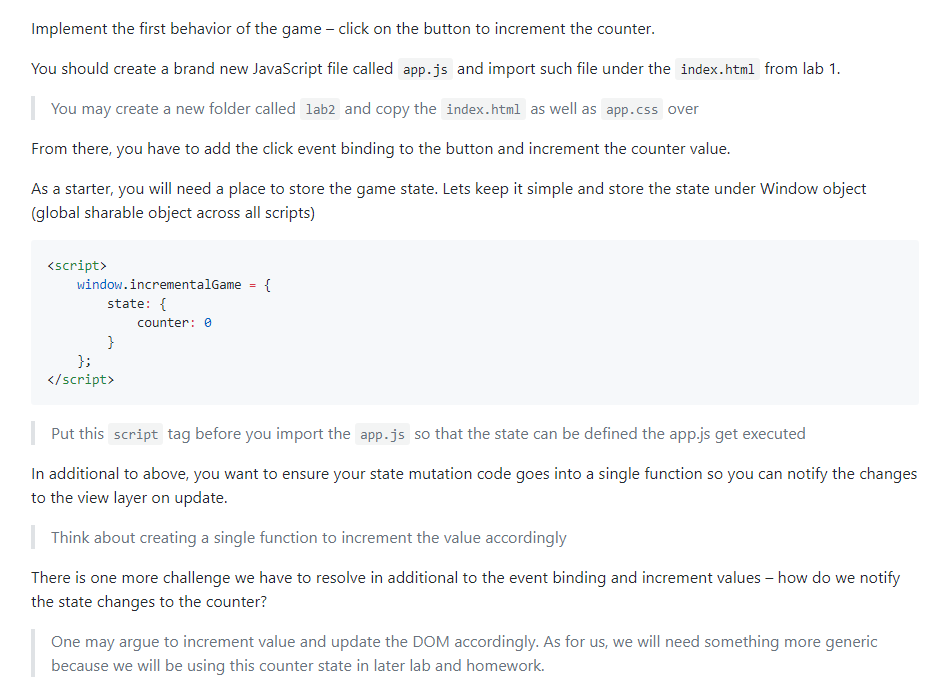
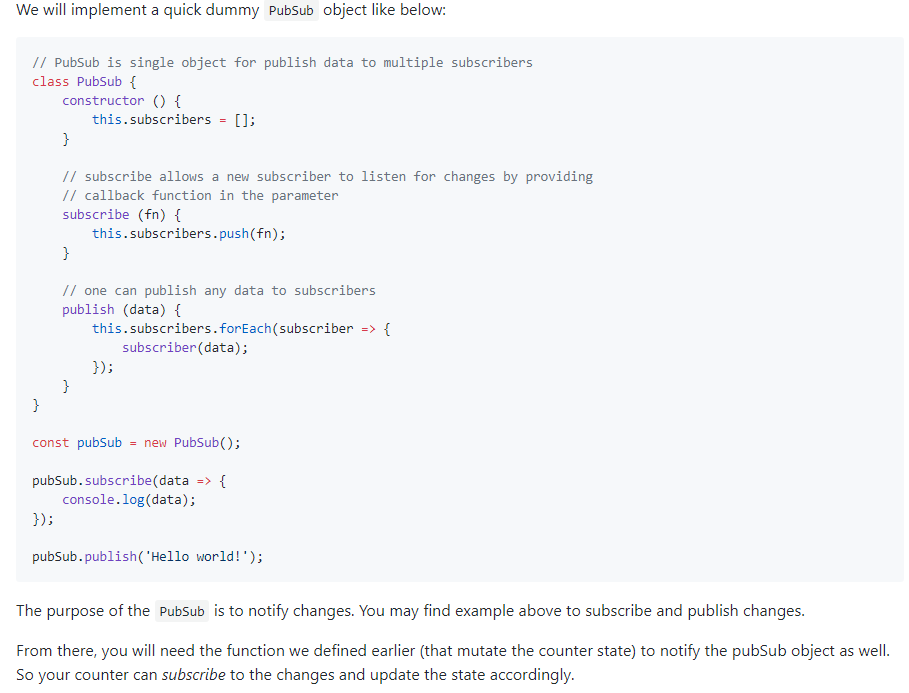
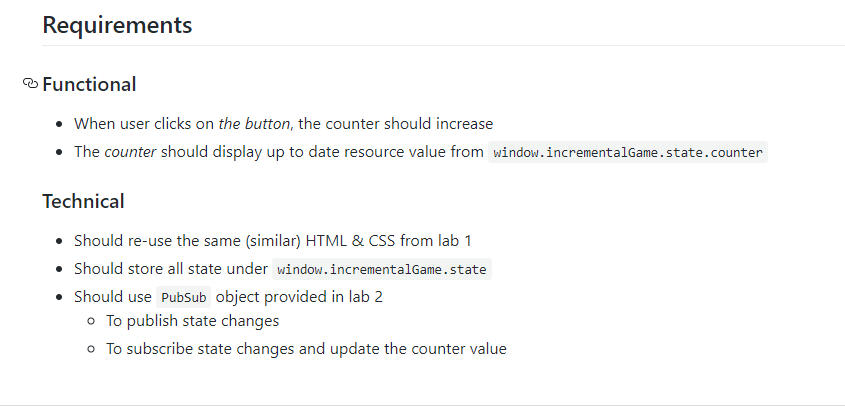
Implement the first behavior of the game - click on the button to increment the counter. You should create a brand new JavaScript file called app.js and import such file under the index.html from lab 1 You may create a new folder called lab2 and copy the index.html as well as app.css over From there, you have to add the click event binding to the button and increment the counter value As a starter, you will need a place to store the game state. Lets keep it simple and store the state under Window object (global sharable object across all scripts) Put this script tag before you import the app.js so that the state can be defined the app.js get executed In additional to above, you want to ensure your state mutation code goes into a single function so you can notify the changes to the view layer on update. Think about creating a single function to increment the value accordingly There is one more challenge we have to resolve in additional to the event binding and increment values - how do we notify the state changes to the counter? One may argue to increment value and update the DOM accordingly. As for us, we will need something more generic because we will be using this counter state in later lab and
Step by Step Solution
There are 3 Steps involved in it

Get step-by-step solutions from verified subject matter experts
 Study Help